04 Internet map
04
}}
101
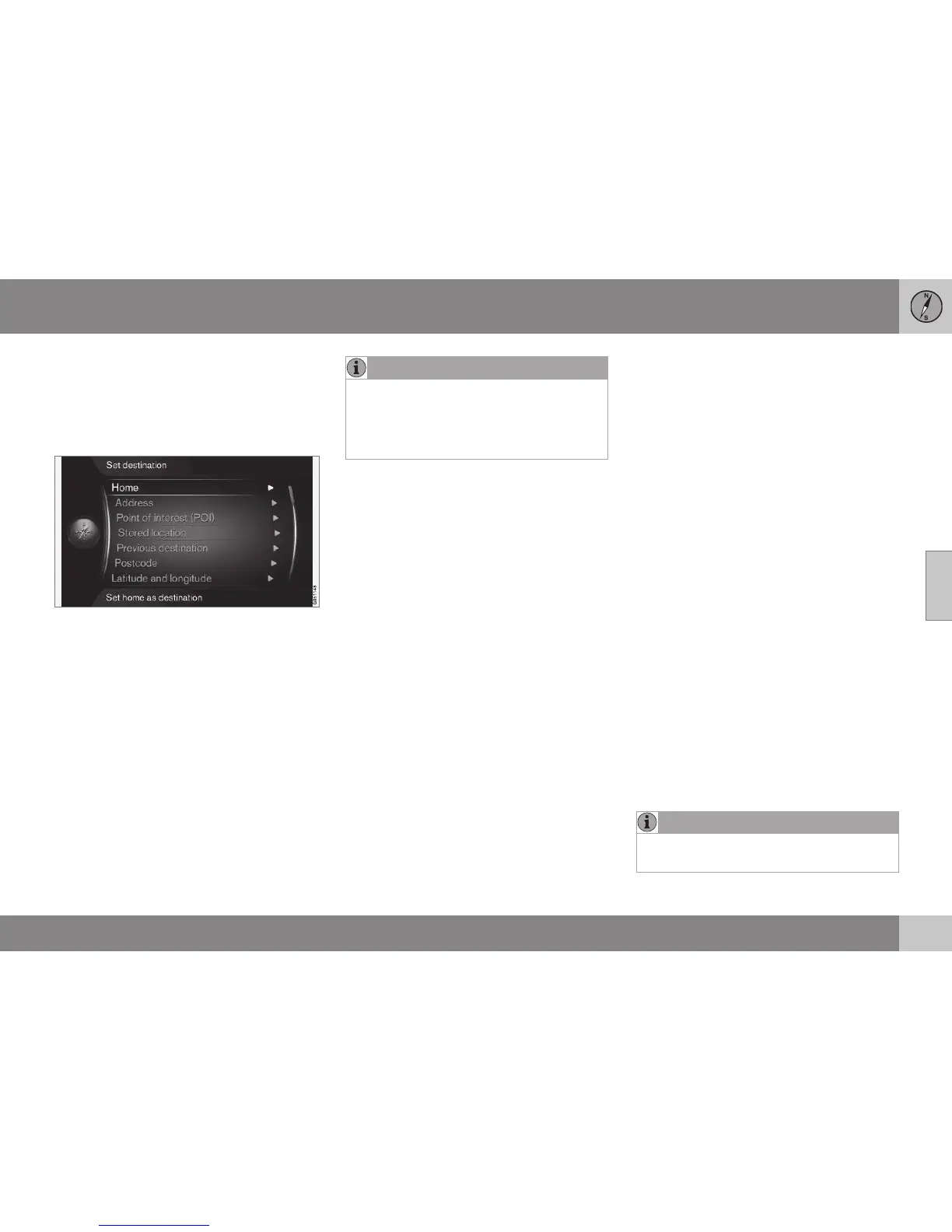
Internet map - enter destination
Plan a trip by entering destination.
To access the following options, in the normal
view for the source, press OK/MENU and
select
Set destination.
Home
The system can store any position under the
Home menu option. The function is shown
each time a position shall be saved:
•
Save location as home + OK.
To activate guidance with destination
Home:
•
Highlight
Home + OK.
Address
It is sufficient to only enter a city/town in
order to obtain an itinerary with guidance - it
guides to the centre of the city/town.
NOTE
The definition of city or area may vary from
country to country and even within the
same country. In some cases, it refers to a
municipality and in others it refers to a dis-
trict.
The following search criteria can be used to
search for a destination by address:
•
Country: - Enter a country.
•
City: - Enter the city/town.
•
Street: - Enter the street address.
•
Number: - Select one of the street's
house numbers.
Points of interest (POI)
It is possible to search for POI options by
entering any of the following menu options:
•
With name
•
By category
•
Around the car
•
Near the destination
•
Around point on map
To avoid making the map image difficult to
read, the number of POI options that can be
viewed simultaneously on the screen is lim-
ited - zooming into an area gives the opportu-
nity to view several POI options.
For information about display options regar-
ding POI options, see map options (p. 105).
Examples of symbols for different POI
options, see (p. 102).
Stored location
Collected here are destinations and locations
that have been stored with the "
Save" menu
option.
Saved destination and location respectively
can be adjusted:
•
Set single destination
•
Edit
•
Delete
•
Delete all.
Previous destinations
Previously used destinations are stored here.
Highlight one of them + OK and then choose
between:
•
Set single destination
•
Information
•
Save
•
Delete
•
Delete all.
Post code
Search destination by post code.
NOTE
Presentation of post code may differ
between different markets/areas.





 To Next Page