03 Audio and media
03
52
Connecting an external audio source
via AUX/USB input
An external audio source, e.g. an iPod
®
or
MP3 player, can be connected to the audio
system via any of the connections in the cen-
tre console.
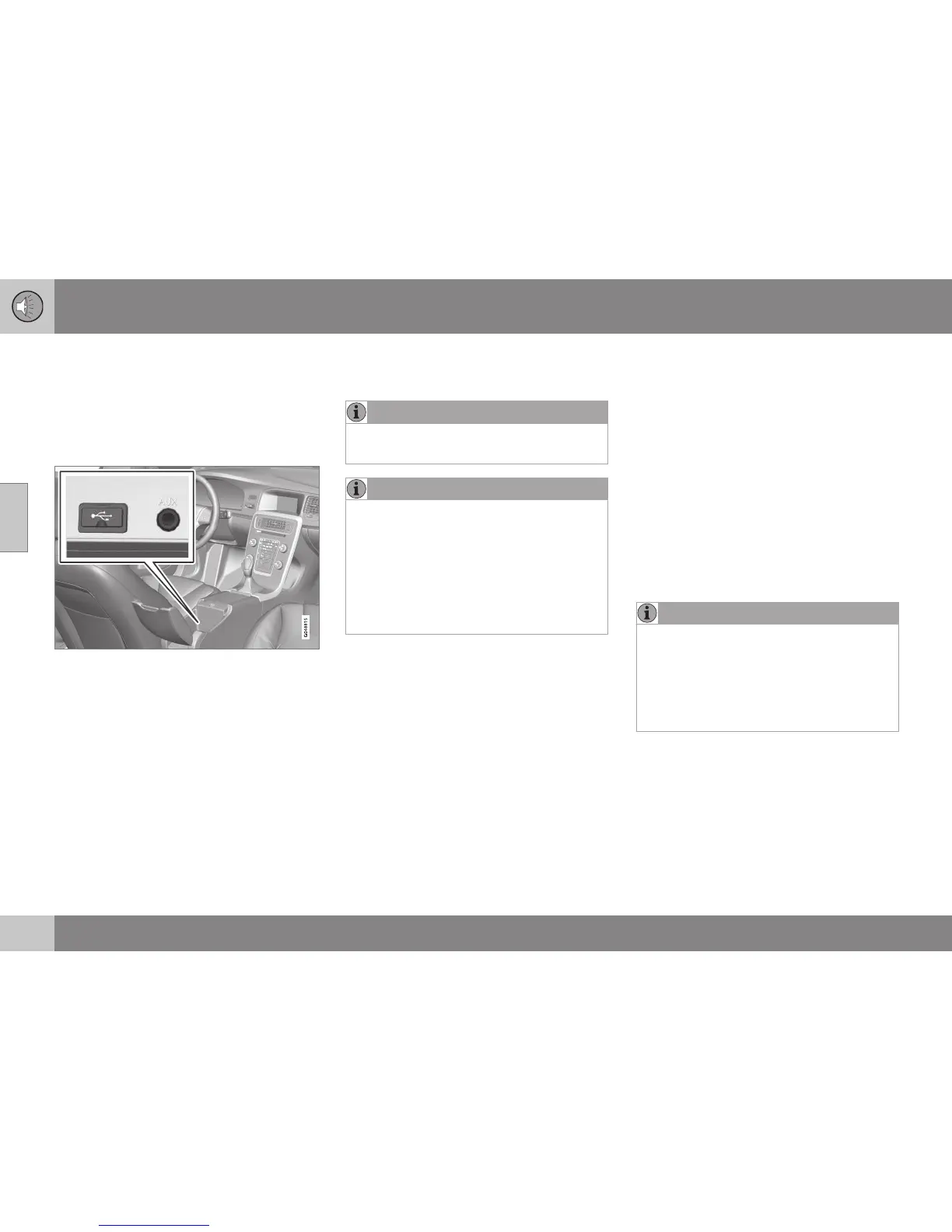
Connection points for external audio sources.
To connect the audio source:
1. Connect your audio source to one of the
connections in the centre console's stor-
age compartment (see illustration).
2. In the normal view for the media source,
press MEDIA, turn TUNE to the desired
audio source
USB, iPod or AUX and
press OK/MENU.
The text
Reading USB is shown in the
screen when the system is loading the stor-
age media's file structure. Depending on the
file structure and number of files there may be
some delay before loading is finished.
NOTE
The system supports most iPod
®
models
produced in 2005 or later.
NOTE
To prevent damage to the USB connec-
tion, this is shut off if the USB connection
is short-circuited or if a connected USB
unit is taking too much power (this may
happen if the unit connected does not
meet the USB standard). The USB con-
nection is reactivated automatically the
next time the ignition is turned on, unless
the fault persists.
Related information
•
External audio source via AUX/USB input
(p. 50)
Setting the audio volume for external
audio source
Set the volume for an external audio source
(p. 50). If the volume is too high or too low
then the quality of the sound may deteriorate.
If an external audio source (e.g. an MP3
player or iPod
®
) is connected to the AUX
input then the audio source that is connected
can have a different volume than the audio
system's internal volume (e.g. radio). Correct
this by adjusting the volume of the input: In
the normal view for the AUX source, press
OK/MENU, select
AUX input and then vol-
ume setting
Standard or Boost.
NOTE
If the external audio source's volume is too
high or too low, the quality of the sound
may deteriorate. The audio quality may
also be impaired if the player is charged
while the audio and media system is in
AUX mode. In which case, avoid charging
the player via the 12 V socket.
Related information
•
Audio and media - advanced audio set-
tings (p. 35)
•
Audio and media - operating the system
(p. 28)




 To Next Page