03 Audio and media
03
32
* Option/accessory, for more information, see Introduction.
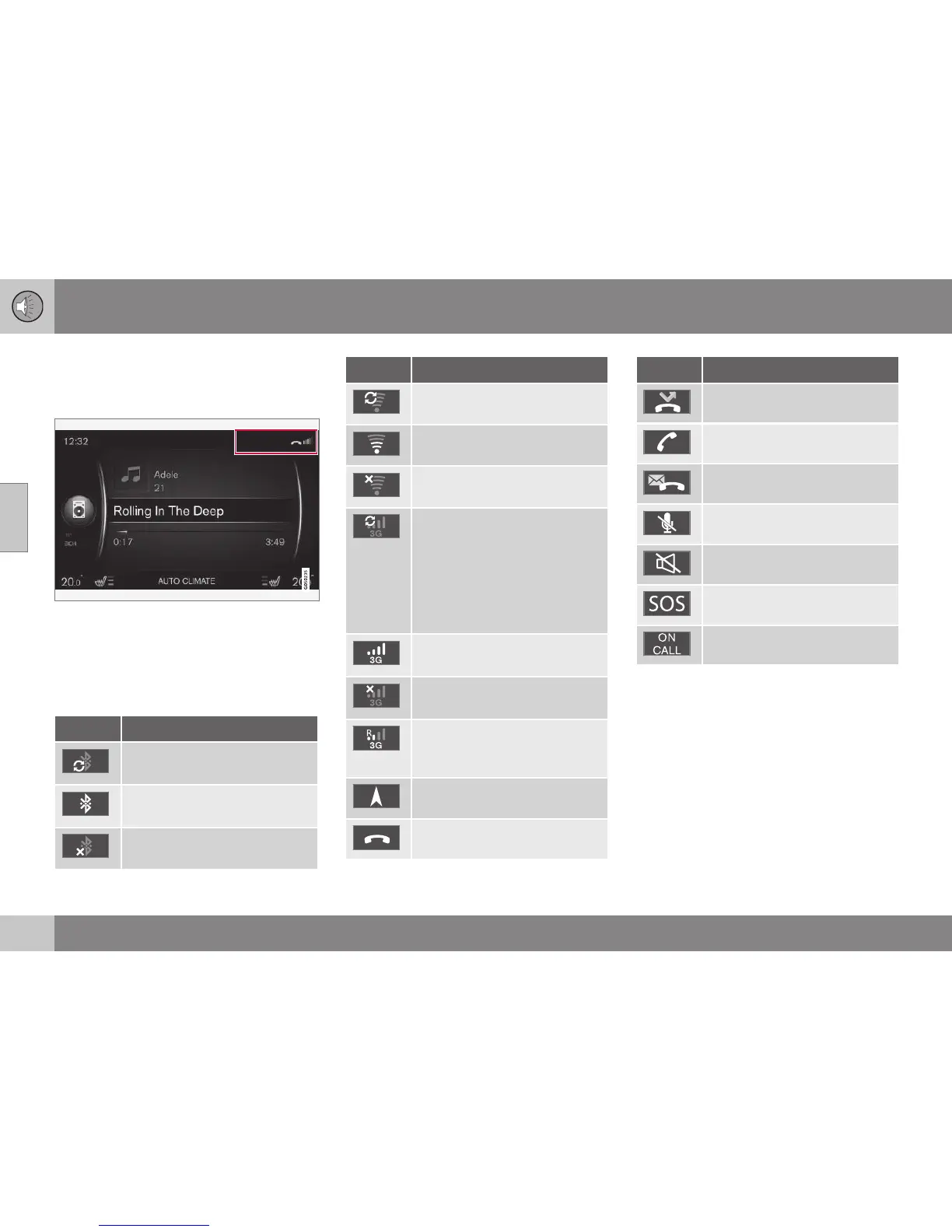
Symbols in the screen
Overview of the symbols that can be shown in
the screen's activity/status field.
Activity/status field.
The activity/status field shows what the ongo-
ing activities are, and in some cases their sta-
tus. Not all activity/status symbols are shown
all the time due to the limited space in the
field.
Symbol Specification
Connects to the Internet via
Bluetooth
®
.
Connected to the Internet via
Bluetooth
®
.
Not connected to the Internet
via Bluetooth
®
.
Symbol Specification
Connects to the Internet via
Wi-Fi.
Connected to the Internet via
Wi-Fi.
Not connected to the Internet
via Wi-Fi.
Connects to the Internet via car
modem*
A
.
The bars show the signal
strength in the mobile phone
network and the type of con-
nection is shown below the
bars.
Connects to the Internet via car
modem*
A
.
Not connected to the Internet
via car modem*
A
.
Car modem*
A
connected to the
Internet via roaming (for use
within networks abroad).
The symbol is shown when the
car's location is transmitted.
Phone connected.
Symbol Specification
Missed call.
Current call.
Unread text message.
Microphone switched off.
Audio muted (MUTE).
SOS service*
A
active.
ON CALL service*
A
active.
A
Only cars with Volvo On Call.
Related information
•
Internet-connected car (p. 69)
•
Bluetooth
®
handsfree phone (p. 57)





 To Next Page