03 Audio and media
03
73
1. Press MY CAR in order to reach the nor-
mal view for the source. Then press
OK/MENU and select
Settings
Internet settings Car Wi-Fi hotspot
Enter the name of the Wi-Fi network
(SSID) and enter a password. The name
should contain 6-32 characters, and the
password 10-63 characters. It is possible
to change the name and password later
on.
2. Activate the car's Wi-Fi hotspot by mark-
ing the check box.
> It is now possible for external devices
to connect to the car's Wi-Fi-hotspot.
To deactivate distribution of Internet connec-
tion - uncheck the box.
NOTE
Activation of Wi-Fi-hotspot can result in
further charges from your network opera-
tor.
Contact your network operator about the
cost for data traffic.
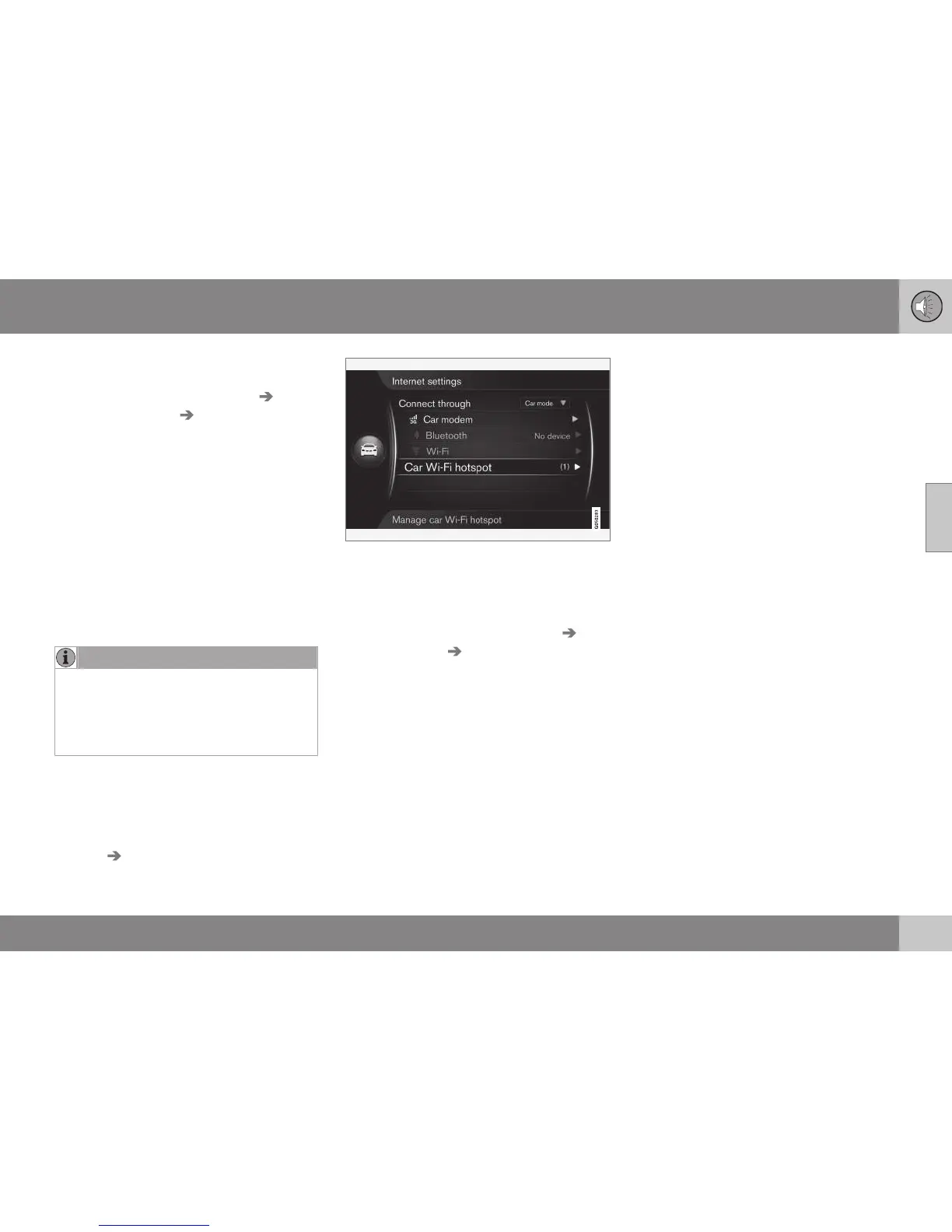
Up to 8 devices can be connected to the
car's Wi-Fi hotspot. The number of devices
connected is shown by first pressing
MY CAR in order to reach the normal view for
the source. Then press OK/MENU and select
Settings Internet settings.
The number of devices connected to the car's
Wi-Fi hotspot.
To view which devices are connected to the
car's Wi-Fi hotspot, press MY CAR in order
to reach the normal view for the source. Then
press OK/MENU and select
Settings
Internet settings Car Wi-Fi hotspot.
Technology and security for the Wi-Fi hot-
spot
The 2.4GHz frequency is used for allocating
the Wi-Fi hotspot. If multiple devices are
operating on the frequency at the same time
then it can result in impaired performance.
•
Frequency - 2.4 GHz.
•
Standards - 802.11 b/g/n.
•
Security type - WPA2-AES-CCMP.
•
The antenna for the car's modem is fitted
on the car's roof.
No or poor Internet connection
See Internet-connected car (p. 69).
Related information
•
Internet-connected car (p. 69)
•
Symbols in the screen (p. 32)





 To Next Page