EMB-9670/9673 Series
86 EMB-9670/9673 Series User’s Manual
4.7 Install Ethernet Driver (For Realtek RTL810x, RTL813x Family)
Insert the Supporting CD-ROM to
CD-ROM drive, and it should show the
index page of Evalue’s products
automatically. If not, locate Index.htm and
choose the product from the menu left, or
link to \Driver_Network\Realtek\
RTL810x_813X Family.
Note: The installation procedures and
screen shots in this section are
based on Windows XP operation
system.
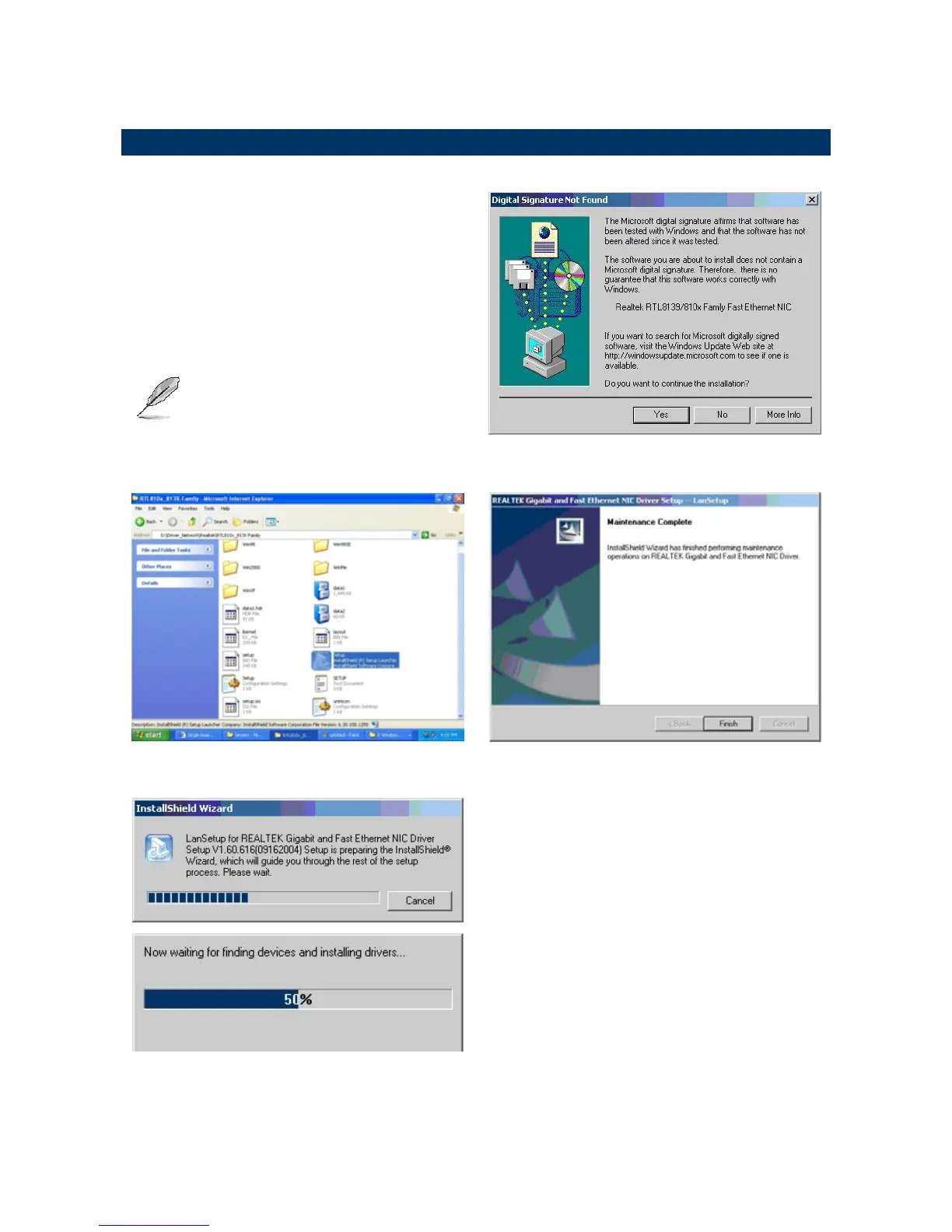
Step 3. Click Yes to continue the
installation.
Step 1. Locate 「\Driver_Network\Realtek\
RTL810x_813X Family\Setup.exe」.
Step 4. Click Finish to complete the
setup.
Step 2. Setup executing.



 To Next Page
 Loading...