PROPixx User Manual
Level adjustment
If the projector is to be operated from a flat surface such as a projector table, then adjustment of the projector level
should be made by turning the four feet under the chassis.
Ideally, the projector should be positioned perpendicular to the screen, and the lens shift controls used to align the
image with the screen, to maintain a geometrically correct image.
Stacking projectors
The projector is capable of supporting the weight of up to three other projectors safely. The stack should be positioned
vertically and perpendicular to the screen. The lens shift controls can be used to align the image with the screen to
maintain a geometrically correct image.
• Carefully lower each projector down onto the previous, making sure that they are vertically aligned with each
other. Also verify that they are not in an area or position where they can be easily tipped over or pushed.
• Align the images from the projectors using the Lens shift controls (see below).
Shifting the image
Ideally, the projector should be positioned perpendicular to the screen. The normal position for the projector is at the
center of the screen. However, you can set the projector above or below the center, or to one side, and adjust the
image using the Lens shift controls on the top of the projector to maintain a geometrically correct image.
If the projector is fitted with the fixed 0.73:1 lens then there are no mechanical controls for lens shift.
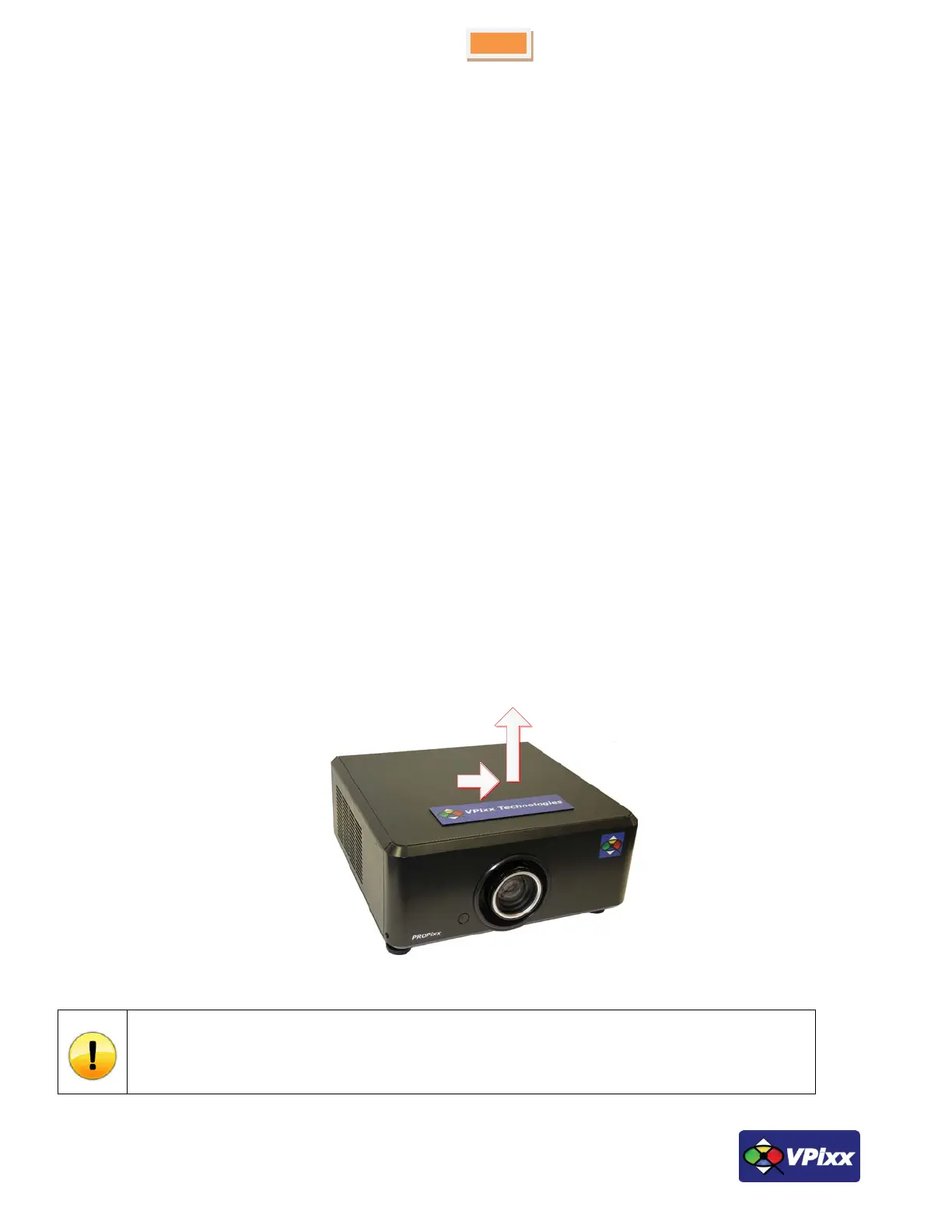
Slide the name plate in the direction shown below and then gently lift off by hand.
Figure 7 Sliding off name plate
DO NOT forcibly pry off the name plate using a tool. This could damage the equipment.



 To Next Page