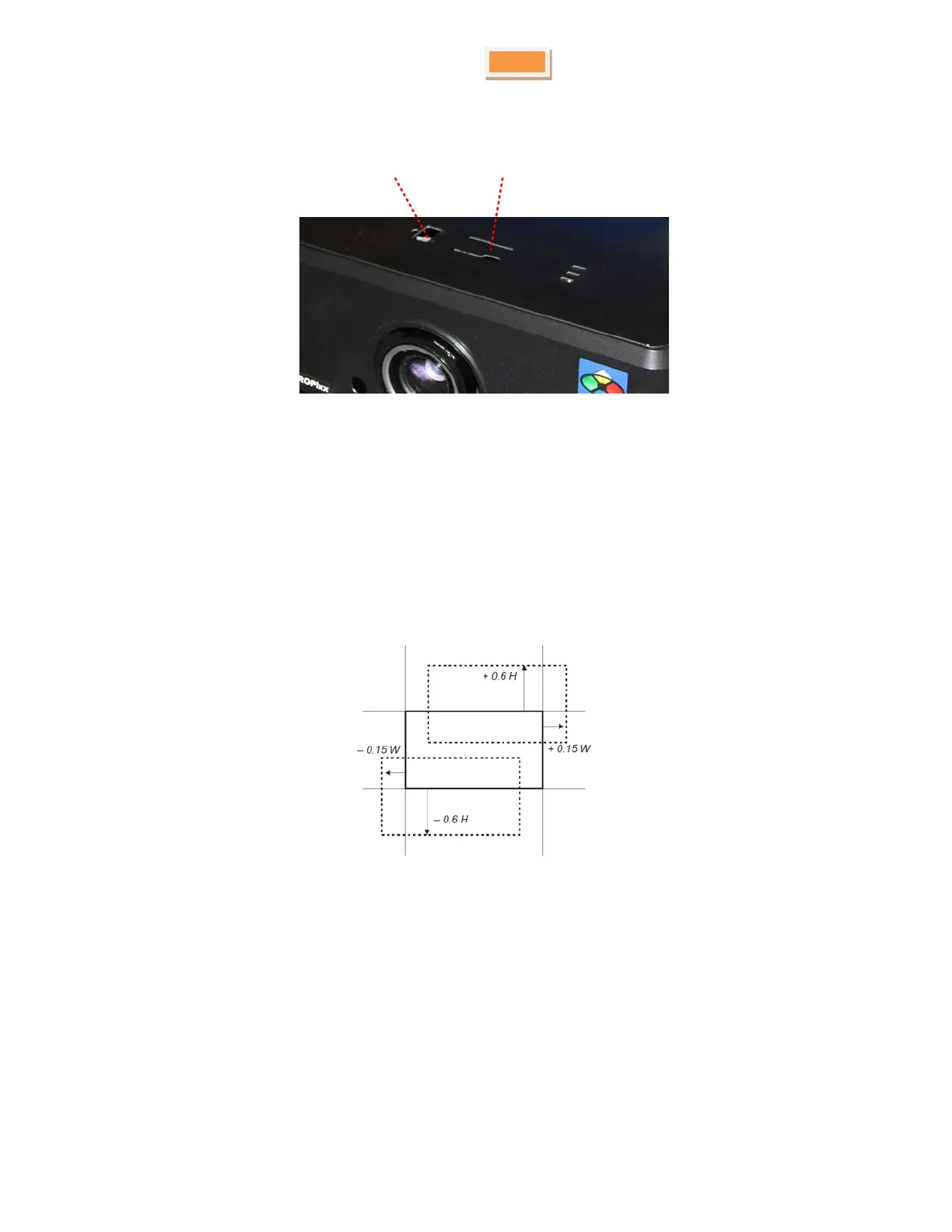
With the name plate removed, use the 5mm Allen wrench to adjust the horizontal and vertical position of the image.
Horizontal shift
adjustment
Vertical shift
adjustment
Figure 8 Horizontal and vertical adjustment controls
The image can be shifted by up to:
• ± 0.6 times the height of a full screen image (known as 120% shift)
• ± 0.15 times the width of a full screen image (known as 30%)
It is physically possible to shift the lens further than these limits, but this will result in some distortion of the image
beyond the ranges specified above.
Figure 9 Image shift limits
Adjusting the lens
Zoom
Turn the smooth ring on the lens, closest to the case, to adjust the zoom so that the image fills the screen.
Focus
Turn the knurled ring at the outer end of the lens to adjust the focus until the image is sharp.
Copyright © 2015 VPixx Technologies Inc. All Rights Reserved



 To Next Page