Software Installation Instructions for Mac OS X
As a first step, ensure that the PROPixx is turned OFF. Then, insert the CD labeled “VPixx Technologies
Software/Documentation” in your CD/DVD reader and copy the Software Tools for MAC folder into the OS X or Linux
user folder.
In the Software Tools for MAC folder can be found documentation, drivers, libraries and low level C API. By using the
vputil application you can configure and operate your device on a basic level.
For more information on VPixx software tools, please refer to the VPixx Software Tools user manual.
Driver and Software Installation Instructions for Windows
These instructions are for Windows 7. Installation under Windows Vista, XP or Windows 8 is similar, but not necessarily
identical.
As a first step, ensure that the PROPixx is turned OFF. Then, insert the CD labeled “VPixx Technologies
Software/Documentation” in your CD/DVD reader. In Software Tools for Windows, run the setup.exe application.
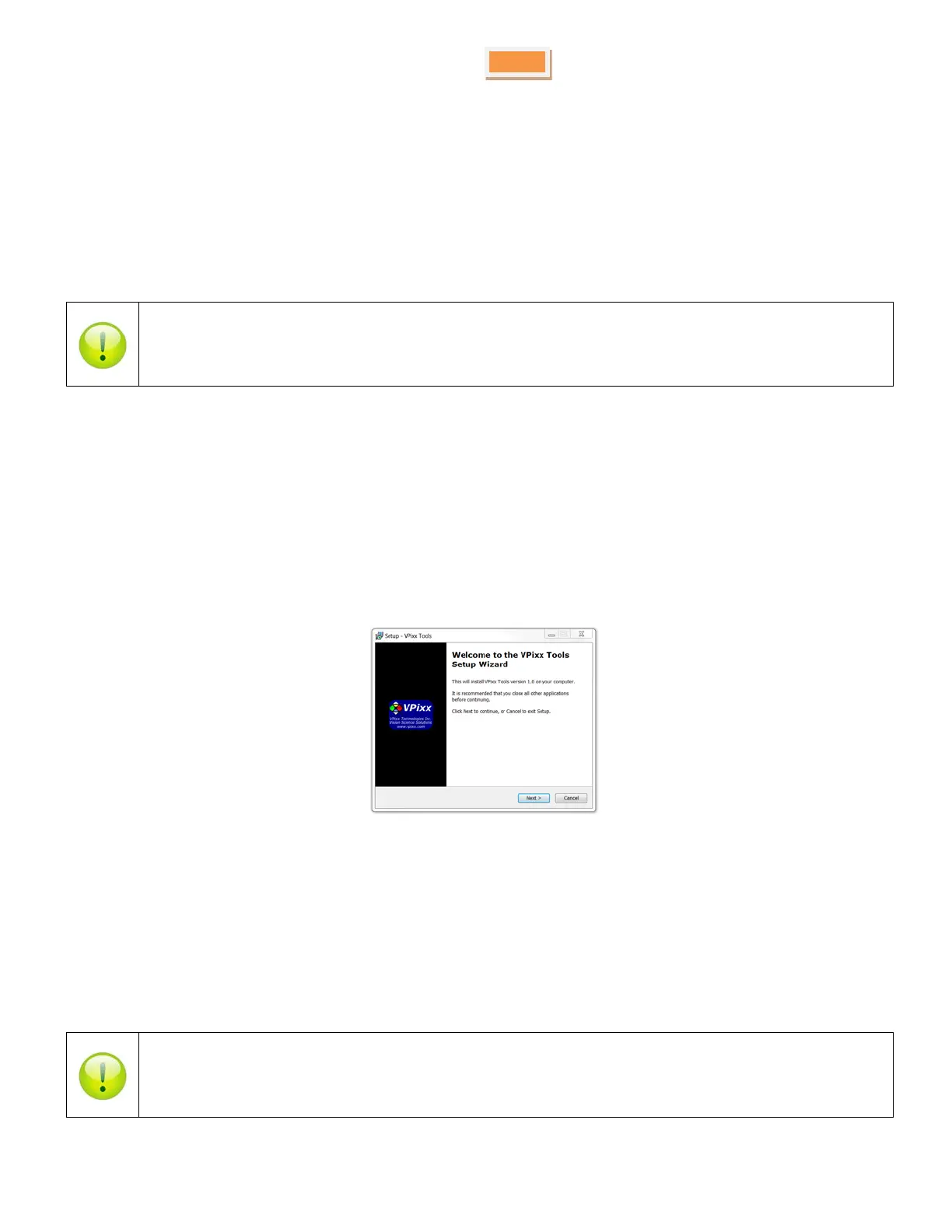
When the following box appears, click Next and follow the instructions.
Figure 18 VPixx Tools Setup Wizard
When finished, you can toggle the power switch to the ON position and your device is ready for use.
A shortcut of vputil.exe is copied on the Windows desktop as well as the Program Files, in the VPixx Technologies folder;
documentation, drivers, libraries and low level C API folders are copied. By using the vputil application you can
configure and operate your device on a basic level.
Once the installation is complete, the VPixx Technologies folder is located under C:\Program Files\
For more information on VPixx software tools, please refer to the VPixx Software Tools user manual.
Copyright © 2015 VPixx Technologies Inc. All Rights Reserved



 To Next Page