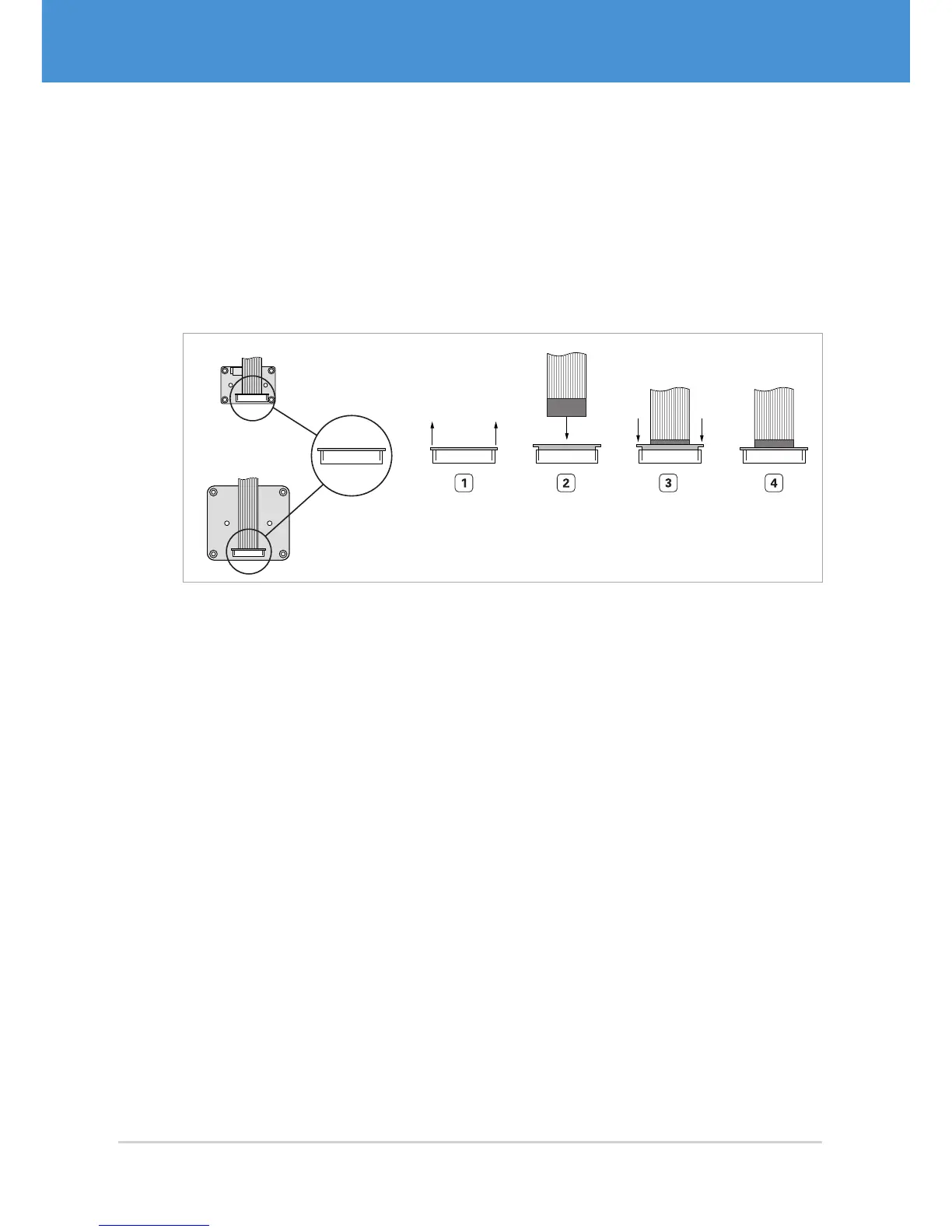
Connecting the flex-foil cable(s) to the sensor board(s):
1. Pull out the lock of the connector on the sensor board ( Fig. 10 on page18).
2. Insert the flex-foil cable with the blue marker facing you and the open contacts
facing towards the sensor board.
3. Secure the cable by pushing the lock back in.
4. Repeat steps 1 to 3 for further external sensor boards.
VRmMS-12
VRmS-9/12/14/16/18
Fig. 10: Connecting the flex-foil cable to the sensor board: contacts not visible, blue marker
visible
USB Cameras – User Guide18



 To Next Page