2.2 Connectors and Interfaces
Depending on your camera model, the available interfaces vary in type and position.
There are basically three different interface configurations, which are described in the
following.
Single-/Remote-/Multi-Sensor Cameras OEM and COB
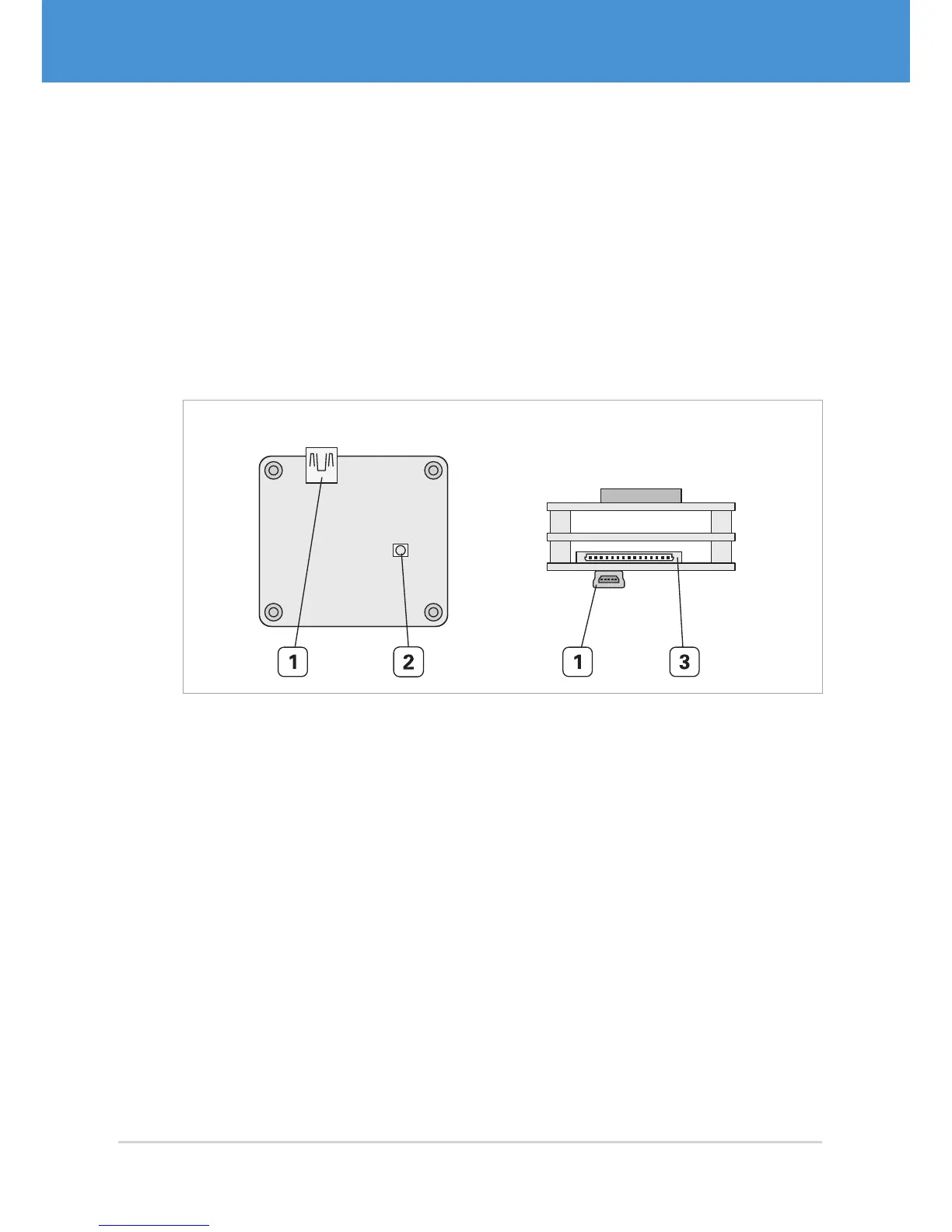
Single-sensor cameras, remote-sensor cameras, and multi-sensor cameras in OEM
and COB versions are equipped with a USB connector, a Hirose DF14-15P connector
for trigger/strobe and external power supply, and a status LED ( Fig. 5 on page10).
Back View Top View
Fig. 5: Interfaces of a single-sensor camera VRmFC-X OEM
1 USB Mini-B port
2 Status LED
3 DF14-15P connector for trigger, strobe, and external power supply
USB Cameras – User Guide10



 To Next Page