4.2 Connecting the Interface Cables
4.2.1 General Information on the USB Connection
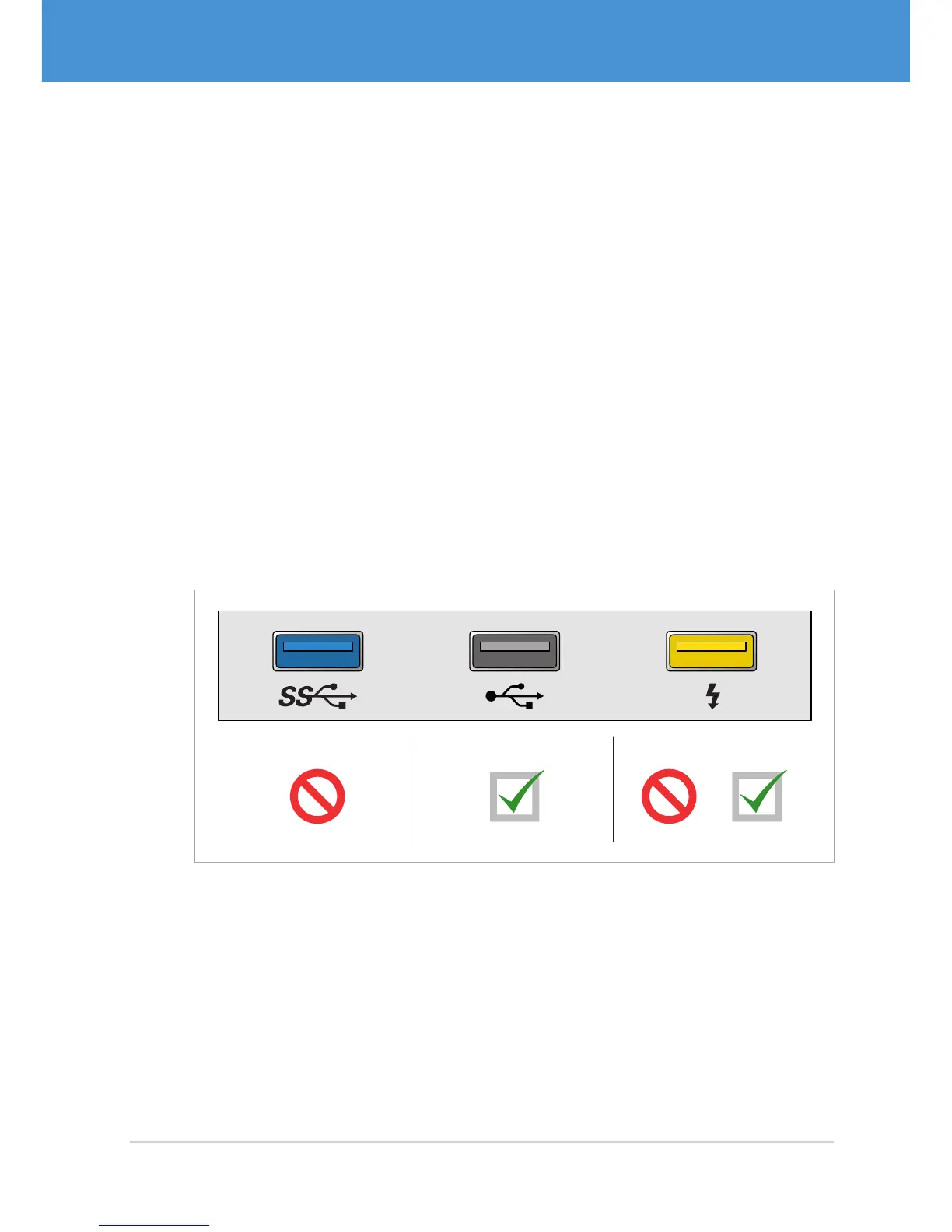
VRmagic USB cameras are not compatible with USB 3.0 hosts. Always connect the
camera to a USB 2.0 host, otherwise is will not work properly.
Although there is no standard for the labeling or the color of USB ports, most manu-
facturers make use of the following color codes ( Fig. 11 on page 19). Also pay
attention to possible labels or text next to USB connectors.
• Blue USB port: This is a USB 3.0 connector. Some USB 3.0 ports are additionally
labelled with a USB 3.0 logo. Do not connect the camera to USB 3.0 ports.
• Black USB port: This is a USB 2.0 connector. Some USB 2.0 ports are additionally
labelled with a USB 2.0 logo.
• Yellow USB port: This type of connector permanently supplies power to the con-
nected device, even if the host is switched off. Yellow USB ports may be USB 2.0
or USB 3.0 connectors. Pay attention to the label in order to find out.
USB 2.0
USB 2.0
USB 3.0 USB 3.0
Fig. 11: USB port colors
19USB Cameras – User Guide
Hardware Installation



 To Next Page