23
Appendix
Troubleshooting
If you have difficulty with this product, please try the
suggestions below. For customer service, contact VTech on
1 300 369 193.
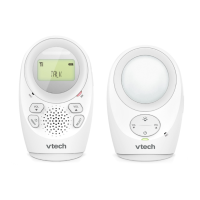
My audio monitor does not work at all.
Make sure the baby unit and the parent units are installed correctly
(pages 2 to 5).
Make sure the parent unit battery pack is installed (pages 3 and 4) and
charged correctly (page 6). For optimum daily performance, charge the
parent unit when it is not is use.
Make sure the power adapters are securely plugged into the outlet not
controlled by a wall switch.
Make sure the power adapter cords are plugged firmly into the baby unit
and parent unit.
Make sure the baby unit and the parent unit are turned on.
The parent unit may be too far away from the baby unit. Move the
parent unit closer to the baby unit (but not less than 1 metre).
Unplug the electrical power to the baby unit and parent unit. Wait for
approximately 15 seconds, then plug it back in. Turn on the baby unit
and the parent unit. Allow up to one minute for the baby unit and the
parent unit to synchronize.
Charge the battery in the parent unit for up to 11 hours.
If the battery is completely depleted, it may take up to 30 minutes to
charge the parent unit before it can be used for a very short time (page
6).
Completely remove and install the battery again. If that still does not
work, it may be necessary to purchase a new battery.
Large obstructions may impact the reception. Try to relocate the baby
unit, away from large obstructions such as walls and doors.
Other electronic products such as HAM radios and DECT cordless
phones can cause interference with your audio monitor. Try installing
your audio monitor as far away as possible from these types of
electronic devices.
•
•
•
•
•
•
•
•
•
•
•
•


 To Next Page