VuStream 150 – User Guide
© 2019 VuWall Technology, Inc. 14
System
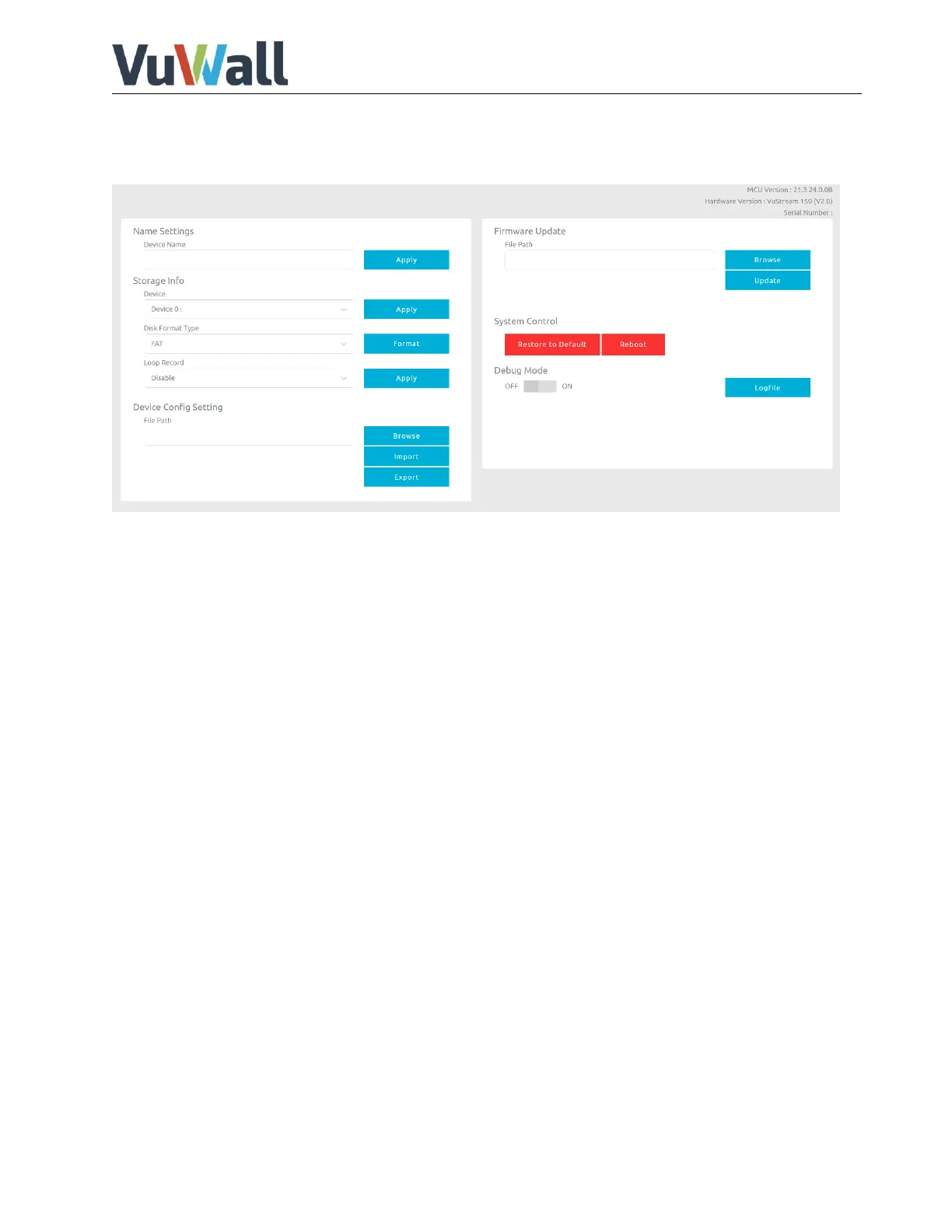
In system page, user can set device name, disk format system recovery and firmware update.
Device name setting: User can set device and channel name here.
Storage Info: User can format attached USB disk drive here, supported formats are
listed as below.
Device Config Setting: User can save the setting or load previous settings here.
Firmware Update: Select firmware and press the update button.
Note: During update firmware, make sure that no HDMI input source is connected, don’t turn off power
and wait until upgrade progress complete.
Restore to Default: This resets the device to factory settings and reboots it.
If there is no connection to the device anymore, a system recovery can also be performed by connecting
a USB keyboard to the front USB and pressing CTRL + R.


 To Next Page