VuStream 150 – User Guide
© 2019 VuWall Technology, Inc. 9
Encoder
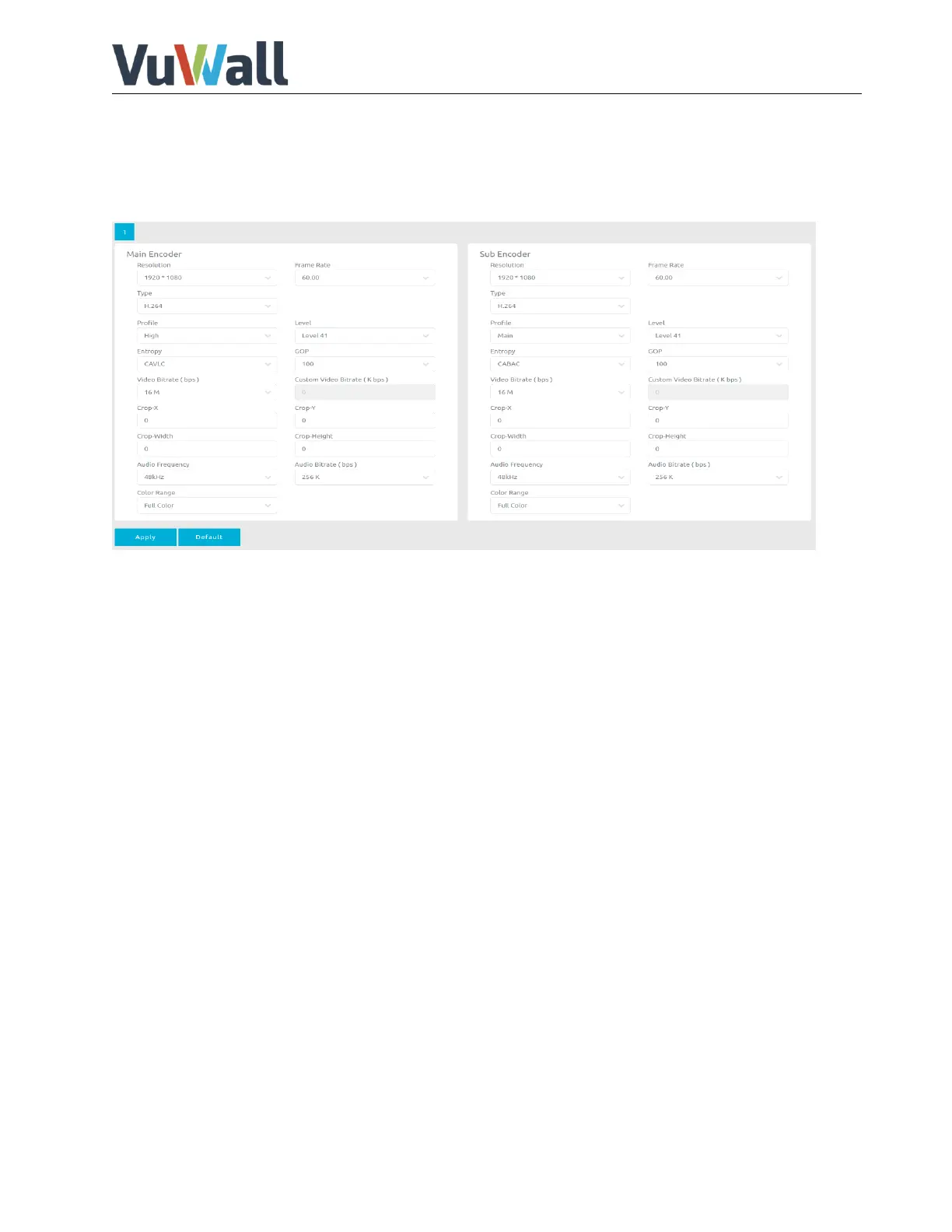
Encoder page contains Main Encoder and Sub Encoder, which allows user to change video and audio
encode settings.
If the VuStream 150 is used as decoder you can skip this part.
Sub Encoder only available with Hardware Version 2.0
If Main Encoder and Sub Encoder are used at the same time, the limitation is as follows:
Main Encoder: 3840x2160 60Hz – Sub Encoder: 1920x1080 30Hz
Main Encoder: 3840x2160 30Hz – Sub Encoder: 1920x1060 60Hz
The following settings can be adjusted:
Resolution: *Same as input, 4K, 1920*1080, 1280*720 and 720*576, 720*480, 640*480,
320*240, and 160*120.
Framerate: *Same as input 60, 50, 30, 25, 20, 15, 12.5, 10, 5, and 1 framerate for user to
select.
Codec type: *H.264 and H.265
Profile: High, *Main and Baseline.
Level: H.264 support, 1, 40, *32, 31, 30, 22, 21, 20, 13, 12, 11, 10, and 1b.
Entropy: *CAVLC and CABAC
GOP: H264 group of pictures setting (from 255-1). Default value *10
Video Bitrate (bps): Video bitrate select (from 44K~64M). Default value *12 M
Crop: Crop the needed video and display. (Only available on Hardware Version 2.0)
ColorRange: Select between *Full Color or Limited Color.
Audio Bitrate (bps): Audio bitrate select (from *256*1024~32*1024).
Audio Frequency: Audio Frequency select (16kHz, 44.1kHz,*48kHz)
* these are the default values


 To Next Page