VuStream 150 – User Guide
© 2019 VuWall Technology, Inc. 19
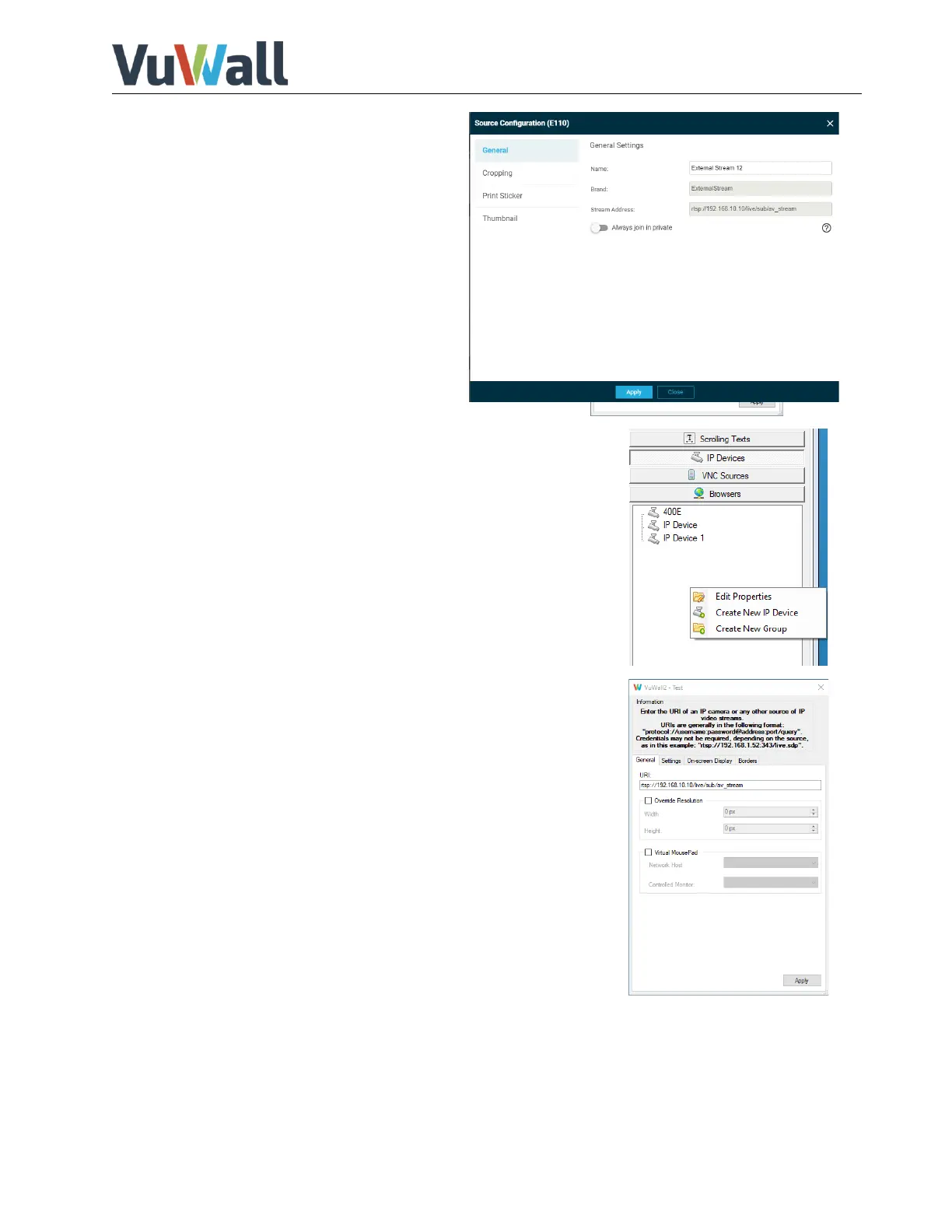
7) In the source configuration various
properties such as name of the device,
cropping, preview thumbnail to be
displayed can be edited and finished with
“Apply”.
Configuring the VuStream 150
encoder in VuWall2
1) Open the VuWall2 Client and connect to the VuWall2 server
2) Navigate left to "IP Devices" and right click in the free area.
3) Select "Create New IP Device" and enter a name.
4) Enter the streaming address of the VuStream 150 into the field.
E.g.t:
rtsp://admin:vuwall@192.168.30.150:554/S1
5) Select the preferred decoder. Depending on the system
hardware decoding and VLC software decoding are available.
6) To configure Multicast activate the “Enable Multicast”
checkbox.
7) Confirm with “Apply” to complete the configuration


 To Next Page