VuStream 150 – User Guide
© 2019 VuWall Technology, Inc. 18
Configuring the VuStream 150 encoder in TRx
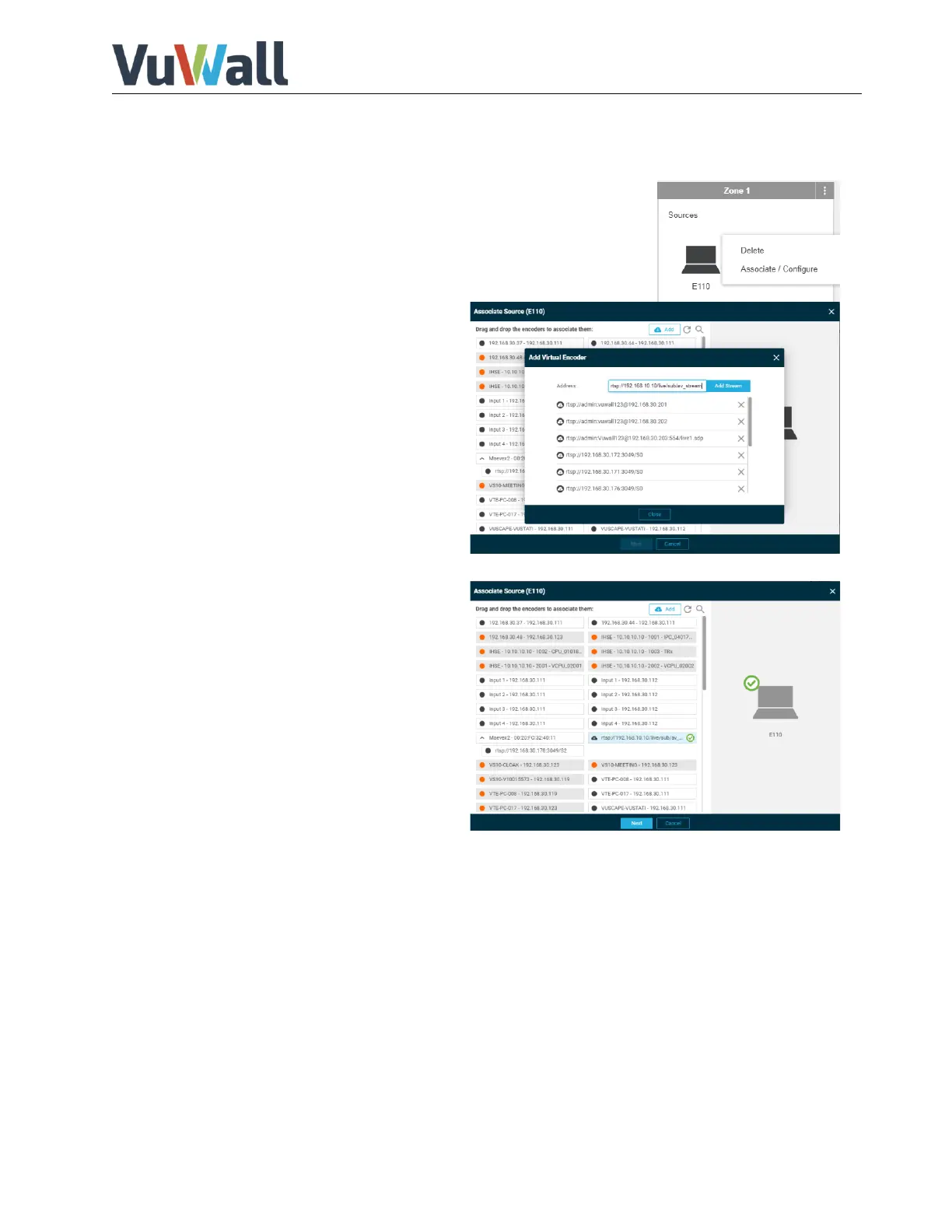
1) Enter the TRx Configuration mode and create a device into a zone.
2) Press the 3 dots on the top right corner of
the device and select “Associate / Configure”.
3) Click on “Add” and enter the stream
address of the VuStream 150 encoder.
e.g.:
rtsp://admin:vuwall@192.168.30.150:554/S1
4) Press “Add Stream” and close the
window.
5) Associate the Vustream 150 by dragging
and dropping it to the right onto the
device.
6) Confirm with “Next”.


 To Next Page