VuStream 150 – User Guide
© 2019 VuWall Technology, Inc. 8
Source
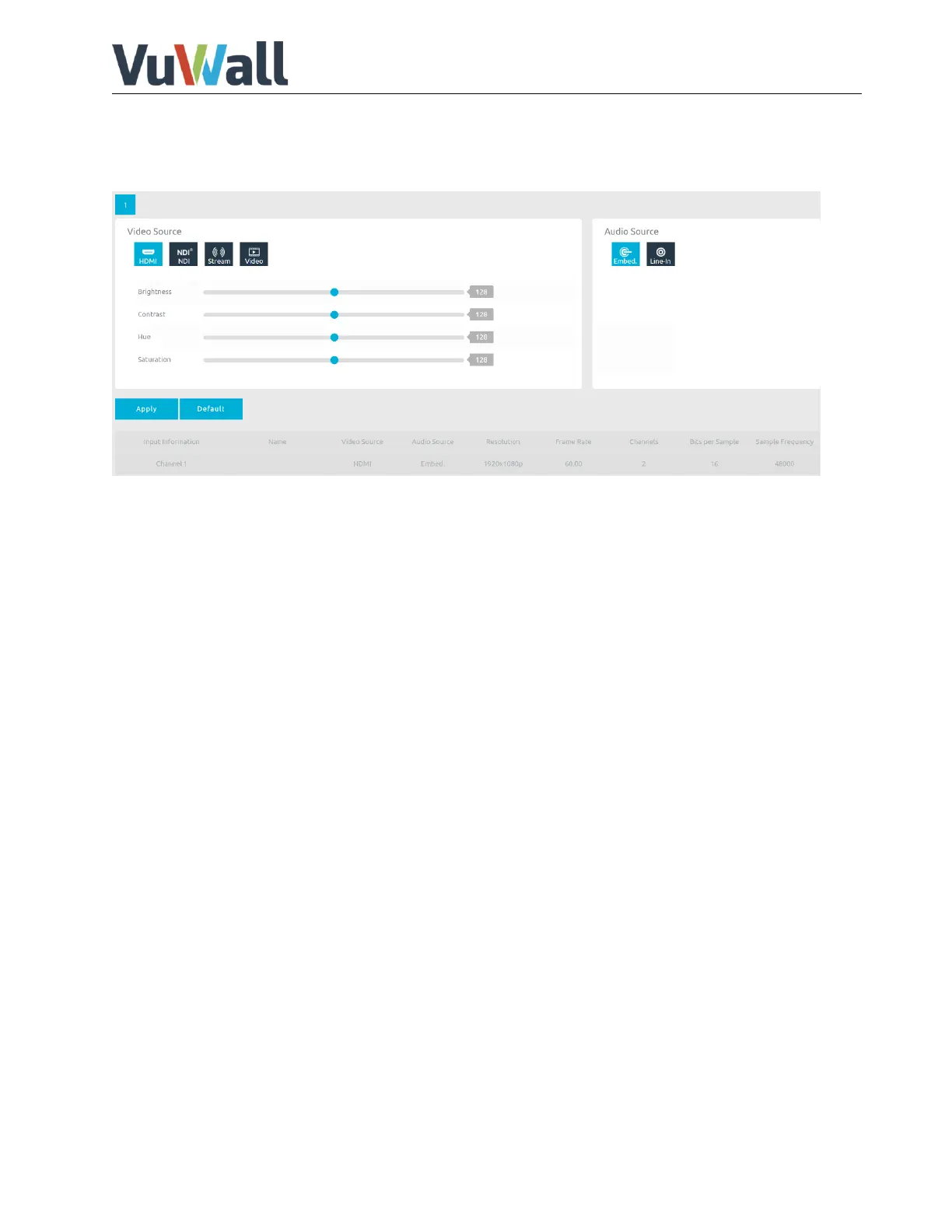
This page contains input signal status, input Video Source and Audio Source selection. Users can change
input video property, source and check input video information here.
Brightness, Contrast, Hue and Saturation only available with Hardware Version 2.0
Video source:
Set the video source to HDMI if the device is used as encoder.
Set the video source to NDI, stream or video if the device is used as decoder.
NDI: Select an NDI encoder Group.
Stream: Enter source URL and select UDP or TCP
Video: Select a video file (USB3.0 front port).
(Video support h264, h265; Audio support AAC, PCM)
Audio source:
Select audio input source from Embedded HDMI audio or 3.5mm audio source.
Click Apply to confirm settings.


 To Next Page