VuStream 150 – User Guide
© 2019 VuWall Technology, Inc. 16
Viewing the stream
Use this URL format to access the stream:
• MainStream: rtsp://username:password@<IP Address>:554/S1
See following tips on how to use these URL in VLC Media Player, TRx and VuWall2.
Viewing stream in VLC Media Player
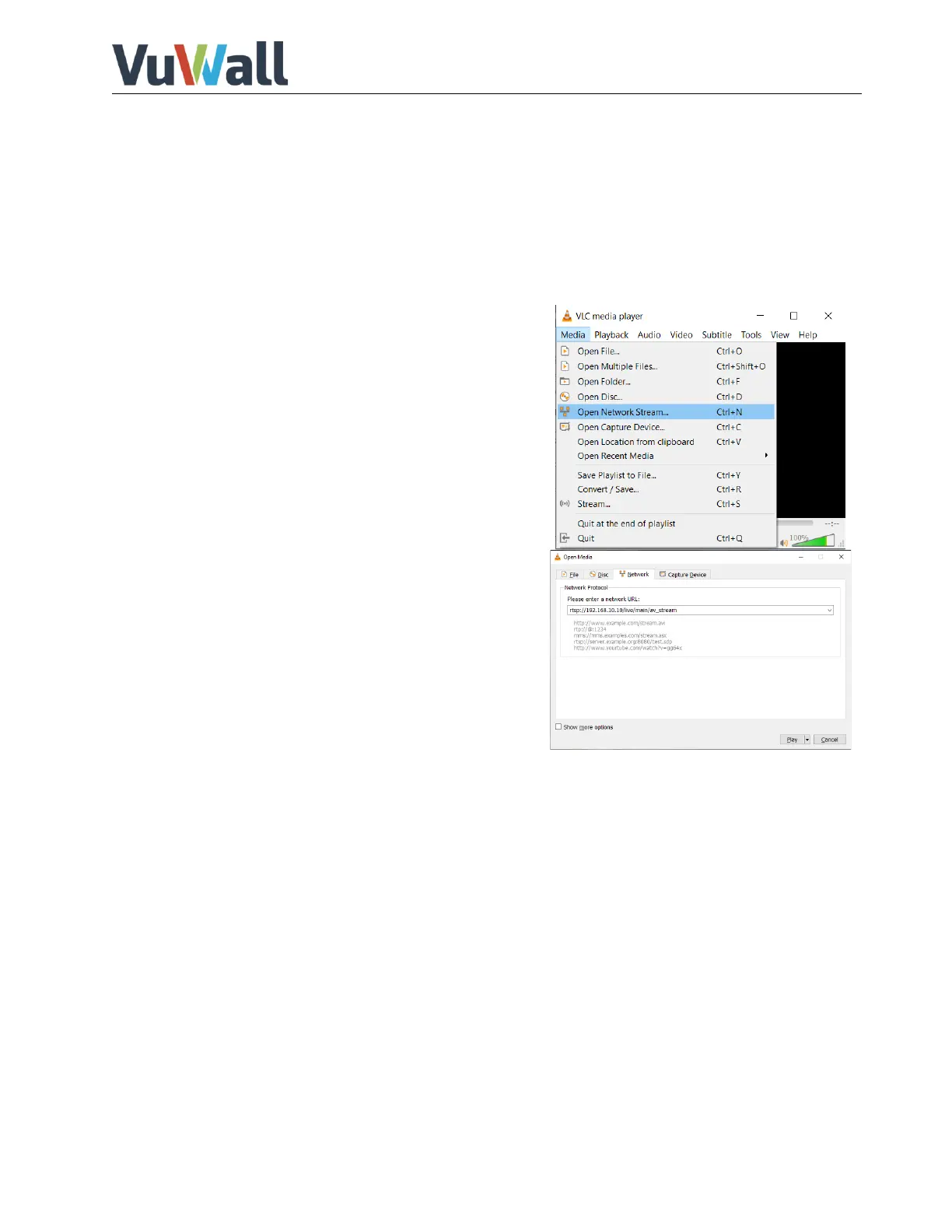
9) Generated streams from the encoder can be viewed
with VLC media player. Launch “VLC Media Player” on
the system destined to view the stream.
10) Click “Media” > “Open Network Stream”
11) At this time, you will see the following page.
Enter the network URL.
e.g.:rtsp://admin:vuwall@192.168.30.150:554/S1
12) Then click the “Play” button to finally view the stream.


 To Next Page