VuStream 150 – User Guide
© 2019 VuWall Technology, Inc. 17
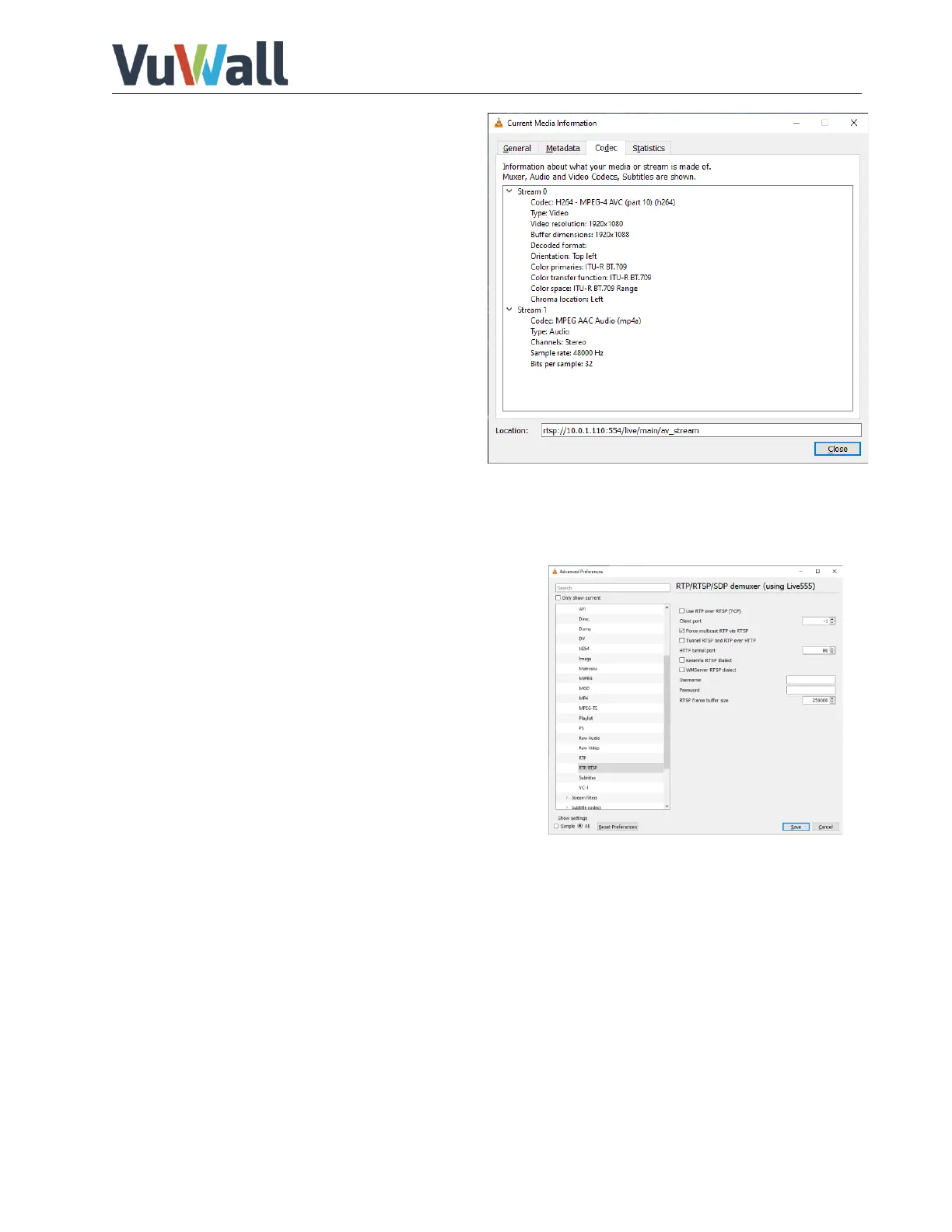
13) To check for detailed information of the
stream, you can select in the VLC menu
“Tools” -> “Codec Information”
Viewing multicast stream using VLC Media Player
By default, you will view a unicast stream session in VLC. If you wish to benefit of multicast to effectively
distribute the stream to multiple viewing endpoints on the network.
This will require an appropriate network configured for
multicast distribution of streams. If you do not have this
setup, the multicast stream fill flood to all network devices
causing the network to become slow and unreliable.
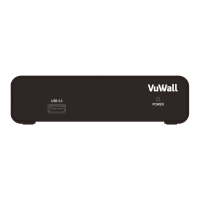
To force Multicast in VLC Media Player, you will need to
enable “Force multicast RTP via RTSP” in VLC Media Player
Preferences -> Show “All” settings -> “Input / Codecs” ->
“Demuxers” -> “RTP/RTSP”. Click on “Save” and close VLC
Media Player. Multicast will be used on next launch.


 To Next Page