29 vwr.com I Instruction manual VWR
®
PCR Cycler XT
96
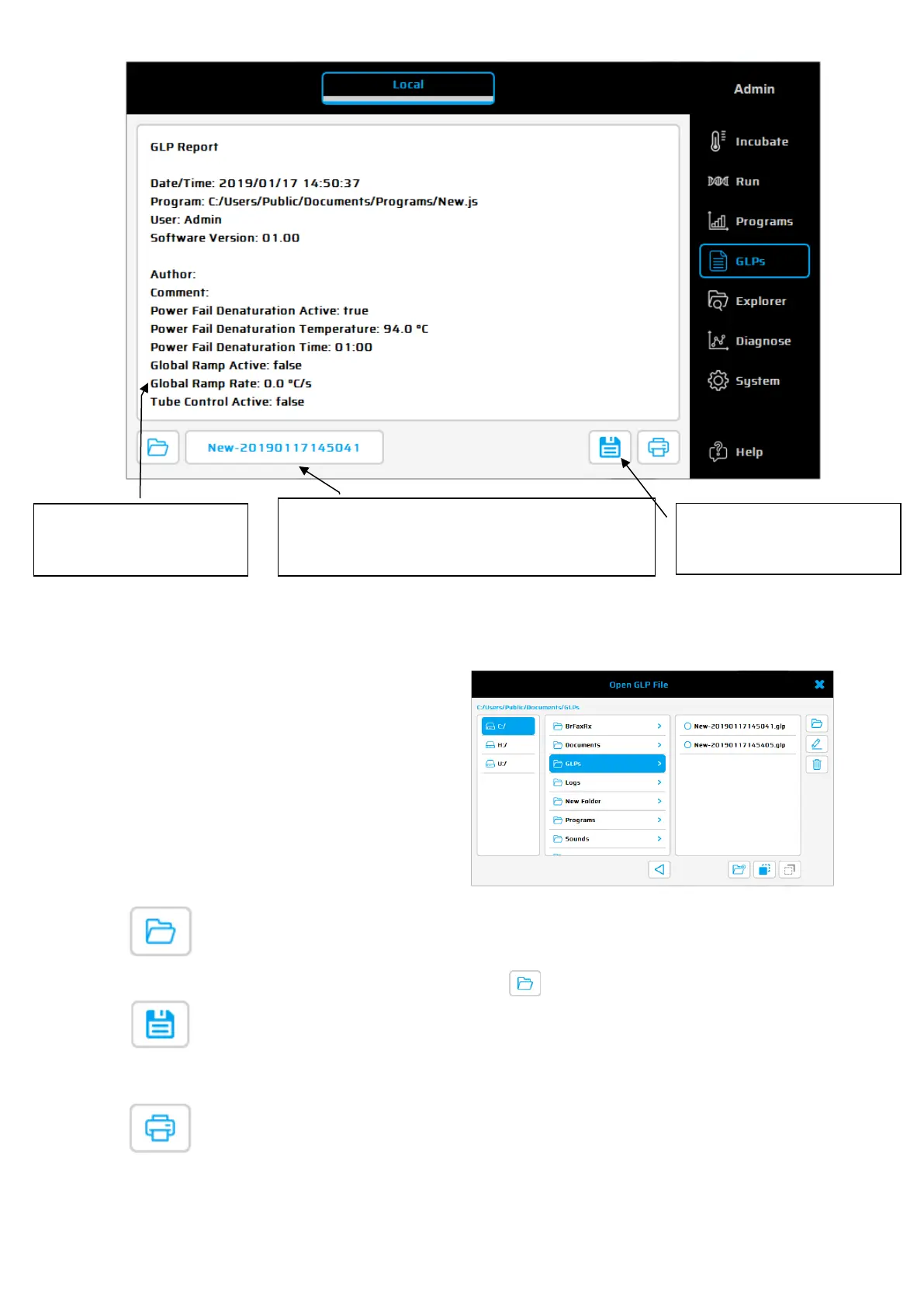
Operating elements of the 'GLPs' dialogue
Select a GLP report (shown in
the adjoining text window).
GLP reports can also be
copied or deleted and a new
folder can be created for GLP
reports.
Use this button to open a stored GLP report. Select the desired GLP report from the file list
and open it by pushing the button 'Open' . The GLP report is shown as displayed.
Use this button to save a pdf file of the selected GLP report.
Use this button to print out the selected GLP report.
This window shows the
content of the GLP
report.
Shows the name of the selected GLP report.
The name of the GLP is composed of the name
of the PCR program, date and time.
file)
and Printing of the
GLP report.


 To Next Page