28 vwr.com I Instruction manual VWR
®
PCR Cycler XT
96
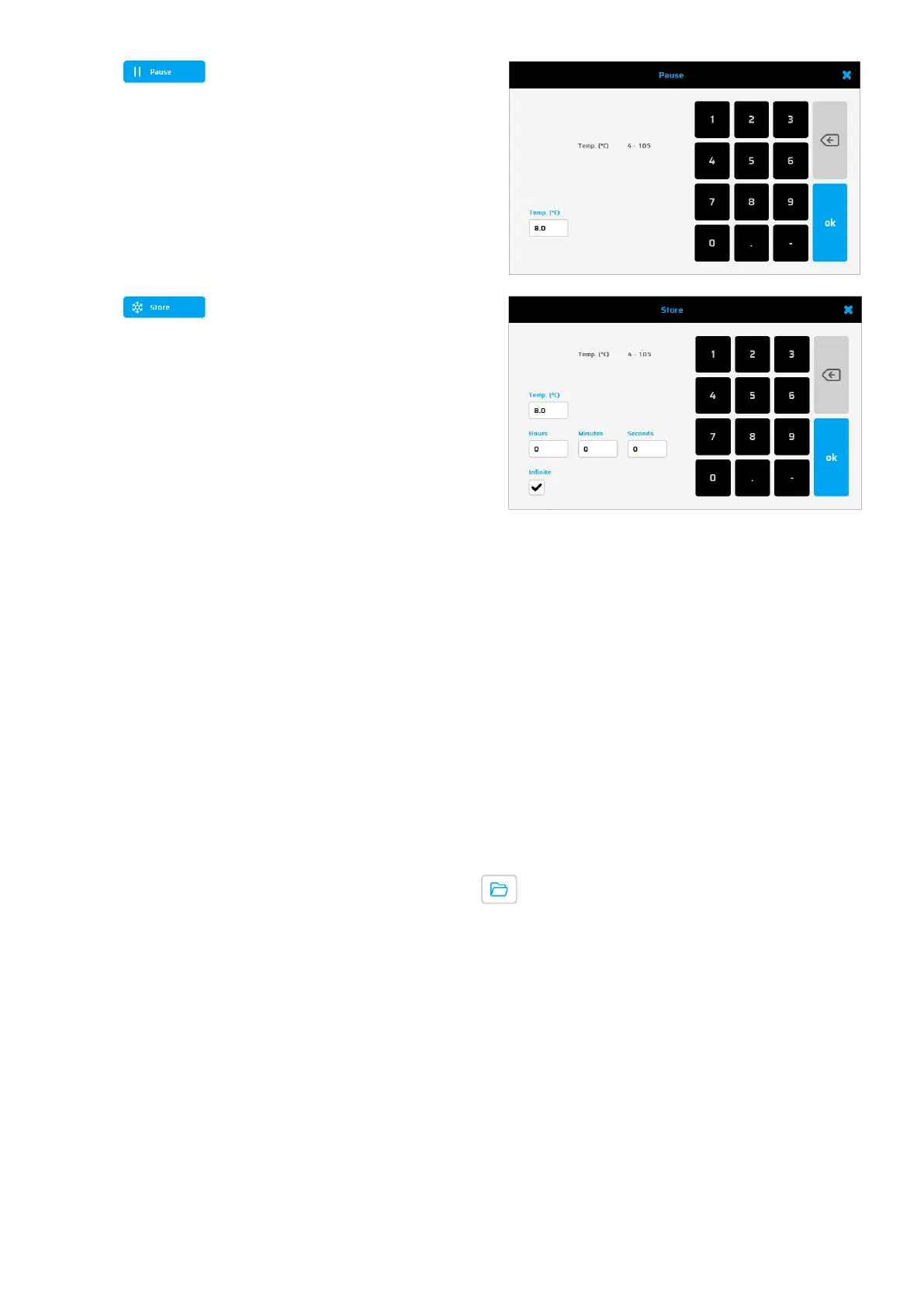
Use this button to interrupt the running
program temporarily.
The adjoining window appears where
you can enter a temperature value for
the pause
This command keeps the thermal plate
temperature on the set value.
Automatically the lid heat is turned off.
This command usually is the last
program step and
is used to store the
samples at a constant temperature
until removal.
If the exact time of sample removal is
uncertain a
ctivate the 'Infinite' field to
store for an infinite time.
Shorter PCR protocols and moderate temperatures (8°C – 10°C) in the “Store-Step” will reduce the power
consumption of your PCR Thermal cycler dramatically. For saving energy and prevent excessive
condensation.
GLPs dialogue
The 'GLPs' dialogue is used for the administration, viewing and printing of the GLP reports generated
by the thermal cycler.
Displaying a GLP report
After pushing the GLP button a dialogue appears to select a GLP report, which will then be shown. The
dialogue can also be opened by pushing the button .


 To Next Page