6
TEBS E
GIO functions
104
Components
Component Figure Part number
SmartBoard 446 192 110 0
Cable for SmartBoard
449 911 ... 0
Switch or proximity switch
Not part of WABCO's scope of supply
Universal cable (for each switch)
449 535 ... 0
Connection box
e.g. 446 122 633 0
Connecting the components
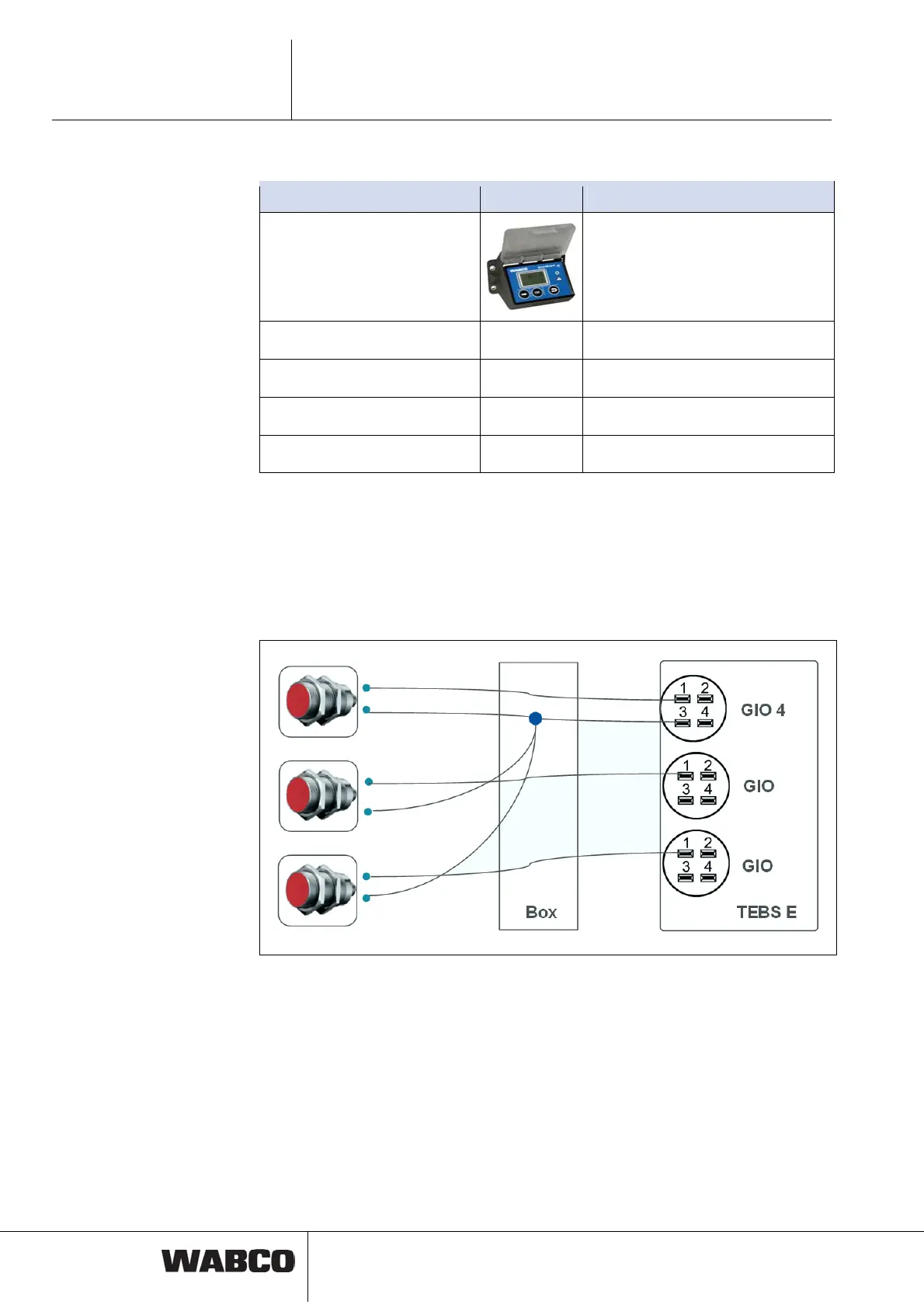
One free GIO slot on the TEBS E Modulator or ELEX is required for each switch or
proximity switch.
If proximity switches are used, slot GIO4 is always required because a contact join-
ing all proximity switches must be connected to its pin 3.
The proximity switches can be connected according to the diagram at the bottom of
a cabling box.
Parameter setting
Activation and function settings are done via tab 8, General functions.
The GIO slots to use are defined in tab 11, connector.



 To Next Page