TEBS E
12
Appendix
201
12.3 Cable overview
Cable overview
Open the WABCO website http://www.wabco-auto.com
.
Here click on Product catalogue INFORM.
Click the link Index.
Enter Overview in the search field.
Click on the Start button.
Select Connecting cable, overview.
Click the link Overview.
Click the link TEBS Cable.
Double-click the Excel file.
CAUTION
Malfunctions in components and damages to components by crossing the cables
In some cases the cables look very similar (a 4-pole GIO connector and a 4-pole DIN bayonet for
example).
– However, this wide range of different cables is necessary because the components to be con-
nected have completely different pin assignments and the cables must not be interchanged,
even if they look alike. A precise identification is necessary to rule out malfunctions and dam-
age to components.
Colour coding of connectors
The connectors are marked by colour for better orientation.
TEBS E Modulator (Premium)
Grey: GIO, MODULATOR
Black: POWER, ABS-c, ABS-e, ABS-f, ABS-d
Blue: SUBSYSTEMS, IN/OUT
ELEX
Yellow: POWER ELEX
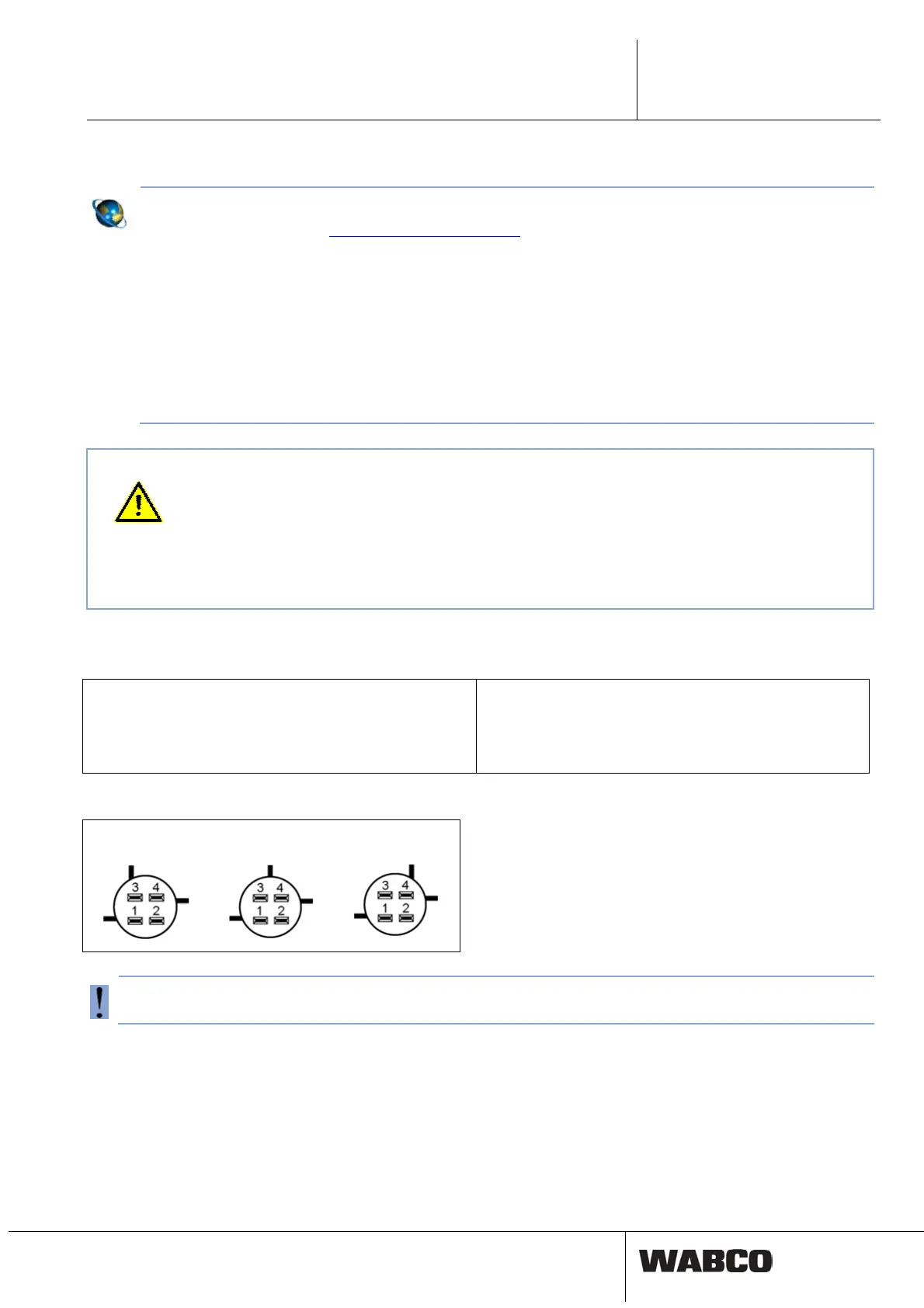
Coding: 4-pole connector
Code A Code B Code C
An 8-pin TEBS E connector cannot be connected to ELEX.



 To Next Page