EasyManua.ls Logo

Wacker Neuson AP1840 Series - User Manual

Wacker Neuson AP1840 Series
46 pages
Print Icon
To Next Page IconTo Next Page
Loading...
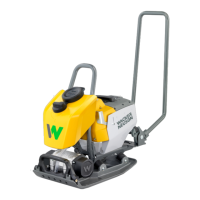
Operator’s manual
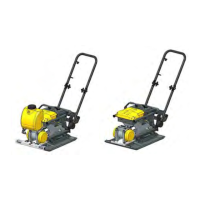
Vibrating plate
AP
1840we, 1840e, 1850we,
1850e
Model AP
Document
5100043780
Issue 09.2018
Version 04
Language en

Table of Contents

Questions and Answers

  • B
    Brenda GuzmanAug 11, 2025
    How to troubleshoot a Wacker Neuson AP1840 Power Tool that will not operate?
    • H
      heathercurryAug 11, 2025
      If your Wacker Neuson Power Tool won't operate, it could be due to a few reasons. Check if the rechargeable battery's charge is too low and charge it if needed. Ensure the rechargeable battery is correctly installed in the machine. Also, verify that the starter lever is in the OFF position, especially if the ON switch on the rechargeable battery was activated.
  • J
    jeffery50Aug 21, 2025
    Why does my Wacker Neuson Power Tool switch off?
    • K
      Kelsey McdanielAug 21, 2025
      If your Wacker Neuson Power Tool switches off, several factors could be at play. First, the rechargeable battery's charge may be too low, so ensure you charge it. Second, the machine might have been overloaded; try switching it on again. Also, the converter may have an excess temperature, in that case let the machine cool. Finally, the machine may be under temperature, thus you should only operate the machine in the permissible temperature range, see chapter Technical Data.
  • J
    Jessica ConleyAug 31, 2025
    What to do if my Wacker Neuson AP1840 displays unexpected faults?
    • J
      Jaclyn SanchezAug 31, 2025
      If your Wacker Neuson Power Tool is showing unexpected faults, press the ON/OFF start button and remove the rechargeable battery if the fault persists.

Wacker Neuson AP1840 Series Specifications

General IconGeneral
BrandWacker Neuson
ModelAP1840 Series
CategoryPower Tool
LanguageEnglish

Related product manuals