BA E14 track en* 1.3 * E14t_13_700.fm 7-45
Maintenance 7
Possible engine damage due to low coolant level.
► Check the coolant level once a day.
Check the coolant level once a day before starting the engine.
Observe the coolant compound table
Checking the coolant level
1. Stop and park the vehicle. Stop the engine. See “Preparing
lubrication”.
2. Open the engine cover.
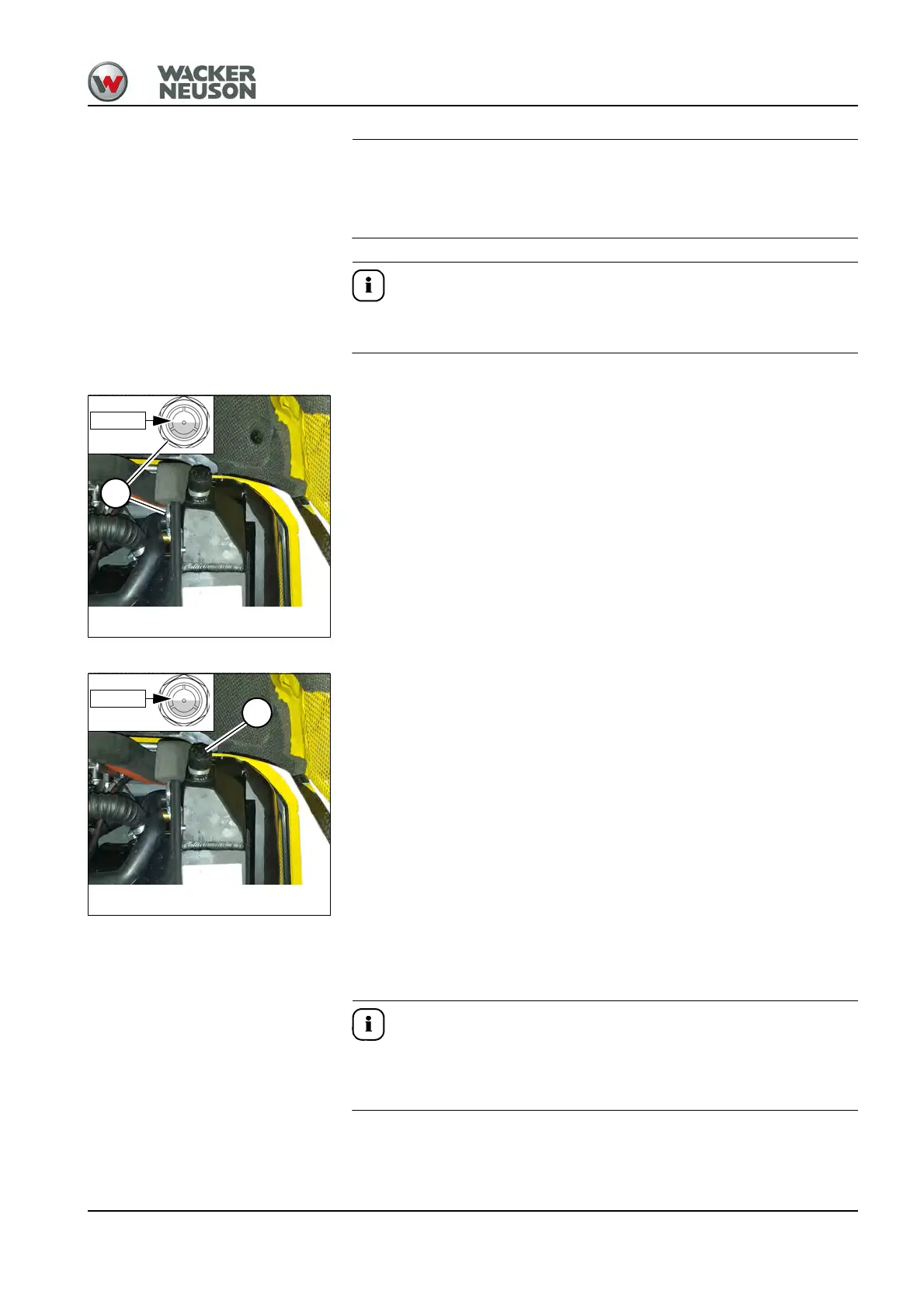
3. Check the coolant level on sight glass A.
4. If the coolant level is below the FULL mark:
➥ Add coolant.
5. Close and lock the engine cover.
Adding coolant
1. Stop and park the vehicle. Stop the engine. See “Preparing
lubrication”.
2. Open the engine cover.
3. Carefully unscrew filler cap B and release the pressure.
4. Open filler cap B.
5. Add coolant up to the FULL mark.
6. Close filler cap B.
7. Start the engine and let it warm up for about 5 – 10 minutes.
8. Stop the engine.
9. Remove the starting key and carry it with you.
10.Let the engine cool down.
11.Check the coolant level again.
12.If necessary, add coolant and repeat the procedure until the coolant
level remains constant.
13.Close and lock the engine cover.
Top off the coolant:
The flow rate for the coolant may be a maximum of 5 liters/min (1.3 gal/
min) (404F-E22TA).











 To Next Page