BA E14 track en* 1.3 * E14t_13_800.fm 8-3
Troubleshooting 8
8.2 Malfunctions (display element/multi-functional display)
• Symbols are listed according to priority.
• Additionally an exclamation mark can appear in the display element or the multi-functional display and a
buzzer can sound.
Contact a Wacker Neuson service center in case of malfunctions or signs that are not listed in the following
tables or that persist after maintenance has been performed correctly.
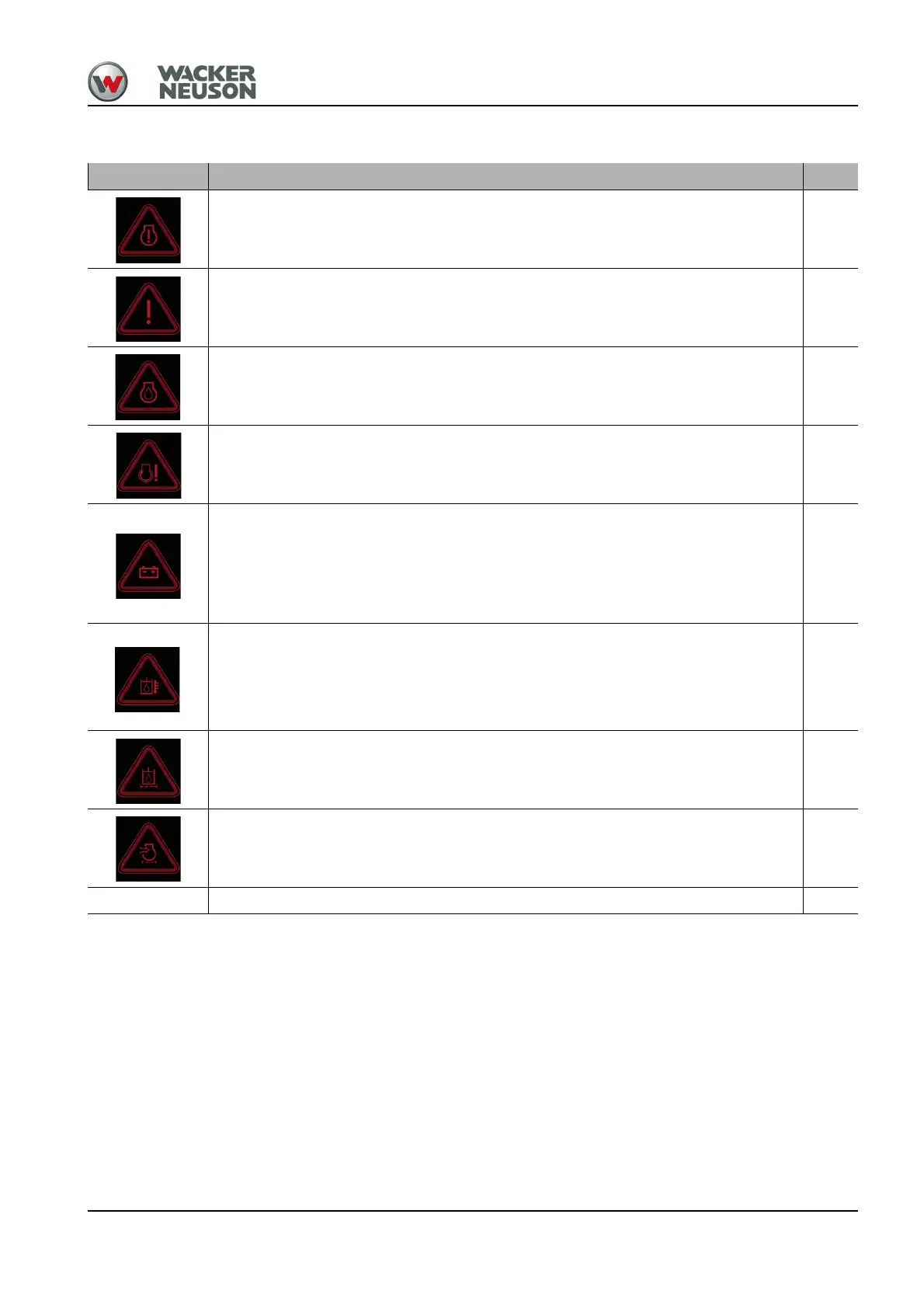
Symbol Description See
Engine stop
Stop the engine immediately.
Contact a Wacker Neuson service center.
--
General malfunction
Stop the engine immediately.
Contact a Wacker Neuson service center.
--
Low Engine Oil Pressure
Stop the engine immediately.
Contact a Wacker Neuson service center.
--
Engine malfunction
Stop the engine immediately.
Contact a Wacker Neuson service center.
--
Charge indicator light
Possible alternator or V-belt malfunction.
Note: Increase the engine speed. The electrical system is in working order if the
charge indicator light goes out after about one minute.
If the malfunction is still indicated, stop the engine immediately and contact a Wacker
Neuson service center.
--
Hydraulic oil temperature too high
• Check the hydraulic oil level and add oil if necessary.
• Hydraulic oil cooler dirty; clean hydraulic oil cooler if necessary
Note: If the malfunction is still indicated despite having cleaned hydraulic-oil radiator
and added oil, stop the engine and contact a Wacker Neuson service center.
7-50,
7-46
7-51
Replace the hydraulic oil filter
Contact a Wacker Neuson service center.
--
Dirty air filter
Contact a Wacker Neuson service center.
--
SPN 97 Water in fuel system. Empty the water separator. 7-36











 To Next Page