7-64 BA E14 track en* 1.3 * E14t_13_710.fm
7 Maintenance
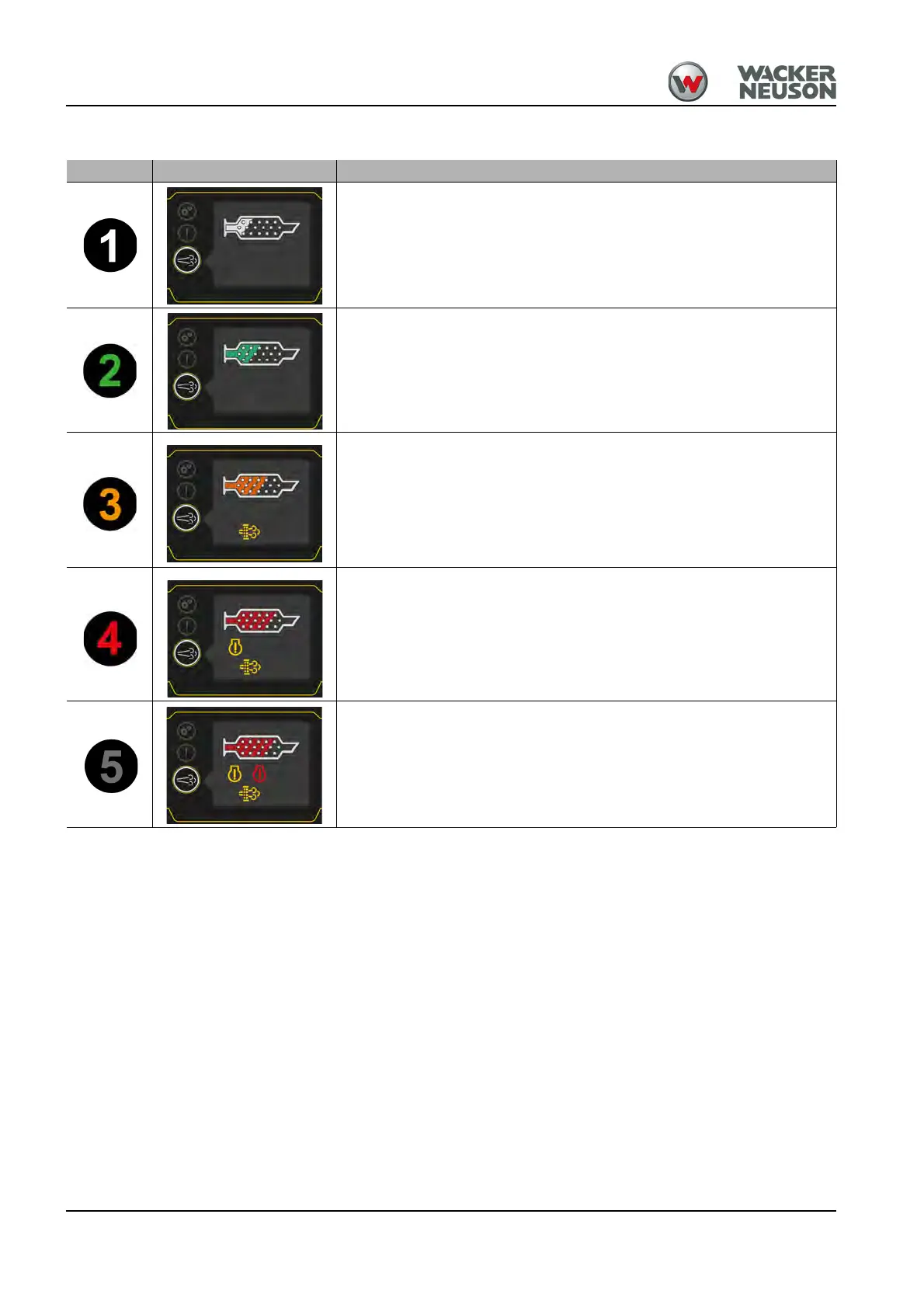
Indication of load condition
Remarks:
• The indicator lights may illuminate or flash quickly and be in different positions depending on vehicle
equipment.
• The engine warning and engine stop indicator lights may also illuminate if another fault occurs. This does
not depend on the current load.
• If the regeneration button is held for 10 seconds, the symbol Increased exhaust-gas temperature will
appear on the display.
• If the parking brake is actuated during standstill regeneration and loading condition 4, the loading condition
appears automatically in the display (ET90/TCD 2.9 DPF).
Level Indication Description/measure
No load
Low load
Warm up the vehicle to operating temperature and perform automatic
regeneration.
Medium load
Warm up the vehicle to operating temperature and perform automatic
regeneration.
ET65/404F-22T: If necessary, perform a manual regeneration if an
automatic regeneration was interrupted.
ET90/TCD 2.9 DPF: If indicator light D blinks, perform a standstill
regeneration. Do not turn off engine during regeneration.
Highest load
ET65/404F-22T: Perform manual regeneration. Do not turn off engine
during regeneration.
ET90/TCD 2.9 DPF: Perform standstill regeneration. Do not turn off
engine during regeneration.
If the load does not change, contact an authorized service center.
Highest load exceeded
Stop the vehicle and contact a Wacker Neuson service center.











 To Next Page