Contents
Index
Contents Index
43
43
FUNCTION NAME DESCRIPTION
MODE TOGGLE... Toggles between pen mode and mouse mode when other displays are connected
to the Cintiq. Enables you to use your pen to control the other monitors in mouse
mode.
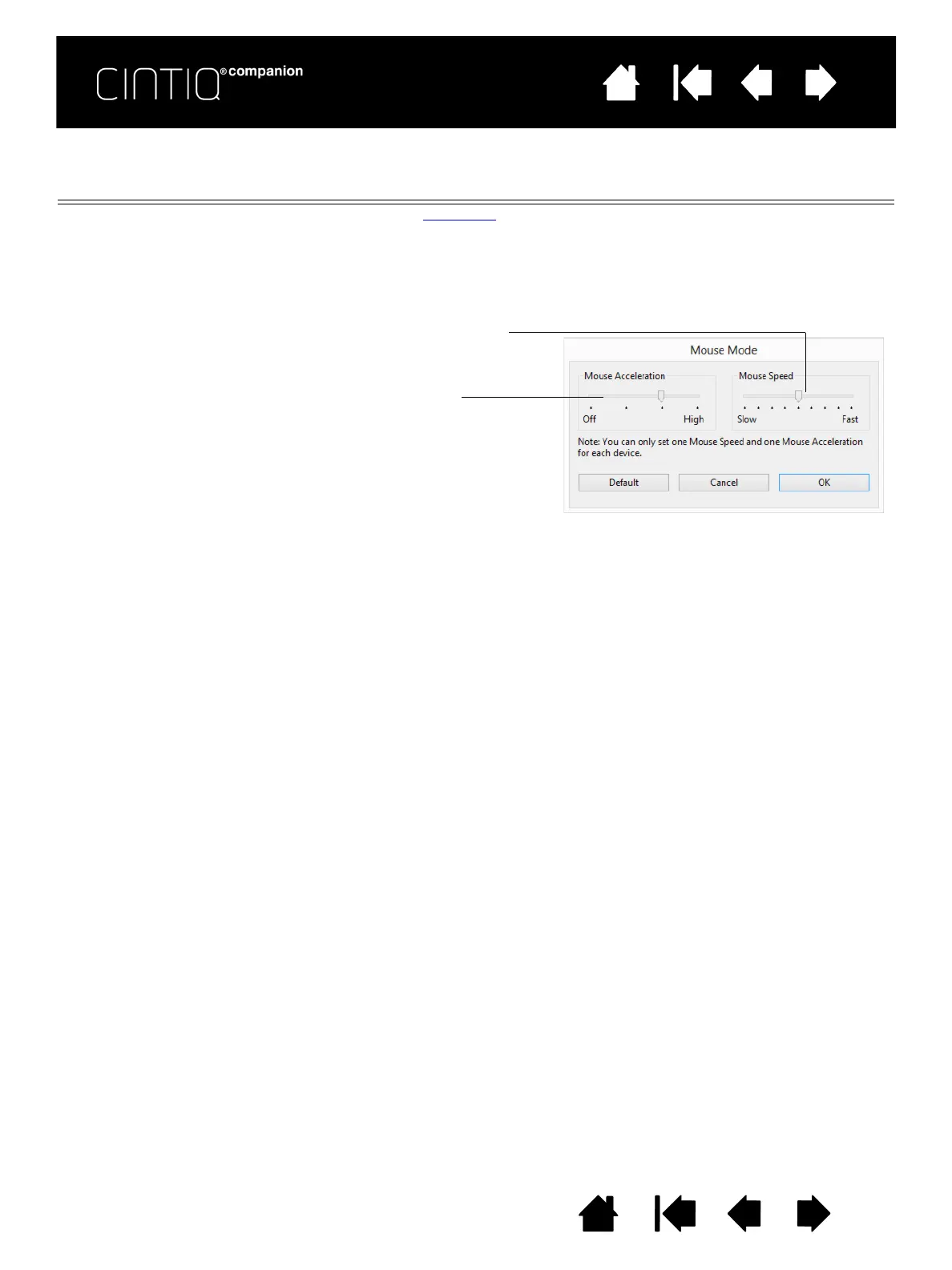
When first setting a pen button to M
ODE TOGGLE..., the MOUSE MODE dialog box is
displayed and you can adjust the mouse acceleration and speed.
E
RASE Pen only. Sets a button so that when the button is pressed, the pen tip will act like
the eraser in applications that support the E
RASE function. Default setting for the
eraser.
Sets the screen cursor tracking
speed when in mouse mode.
Sets the screen cursor acceleration
when in mouse mode.
Mouse mode settings can be accessed from a number of different locations.
However, only one M
OUSE ACCELERATION and SPEED setting can be made for each
pen and application that you are customizing.
The mouse mode settings are independent of system settings. Changes you make
to these settings in the Control Panel do not affect similar system settings.
However, changes made to similar system settings may affect your pen display
settings.











 To Next Page