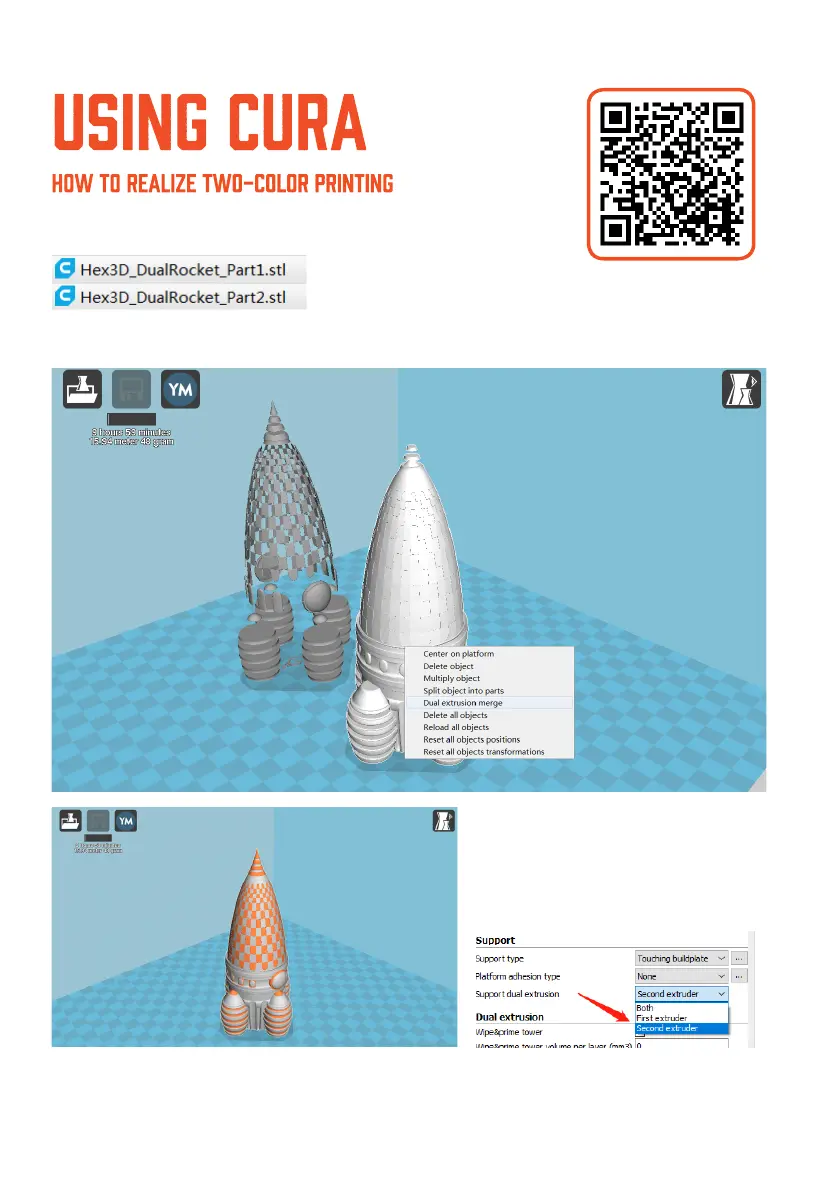
Open your CURa software and import the two-color print model le.
For example,
TIP: We can merge the 2 les by using automatic merging. Click on one le, left click and
choose < Dual Extrusion Merge>. The 2 le would merge into one.
33
To print one le with another support
material. You need to use double
extrusion. Seclect < Support Dual
Extrusion>--Second Extruer. The
Extruder 2 would provide support
material to the extruder 1.














 To Next Page