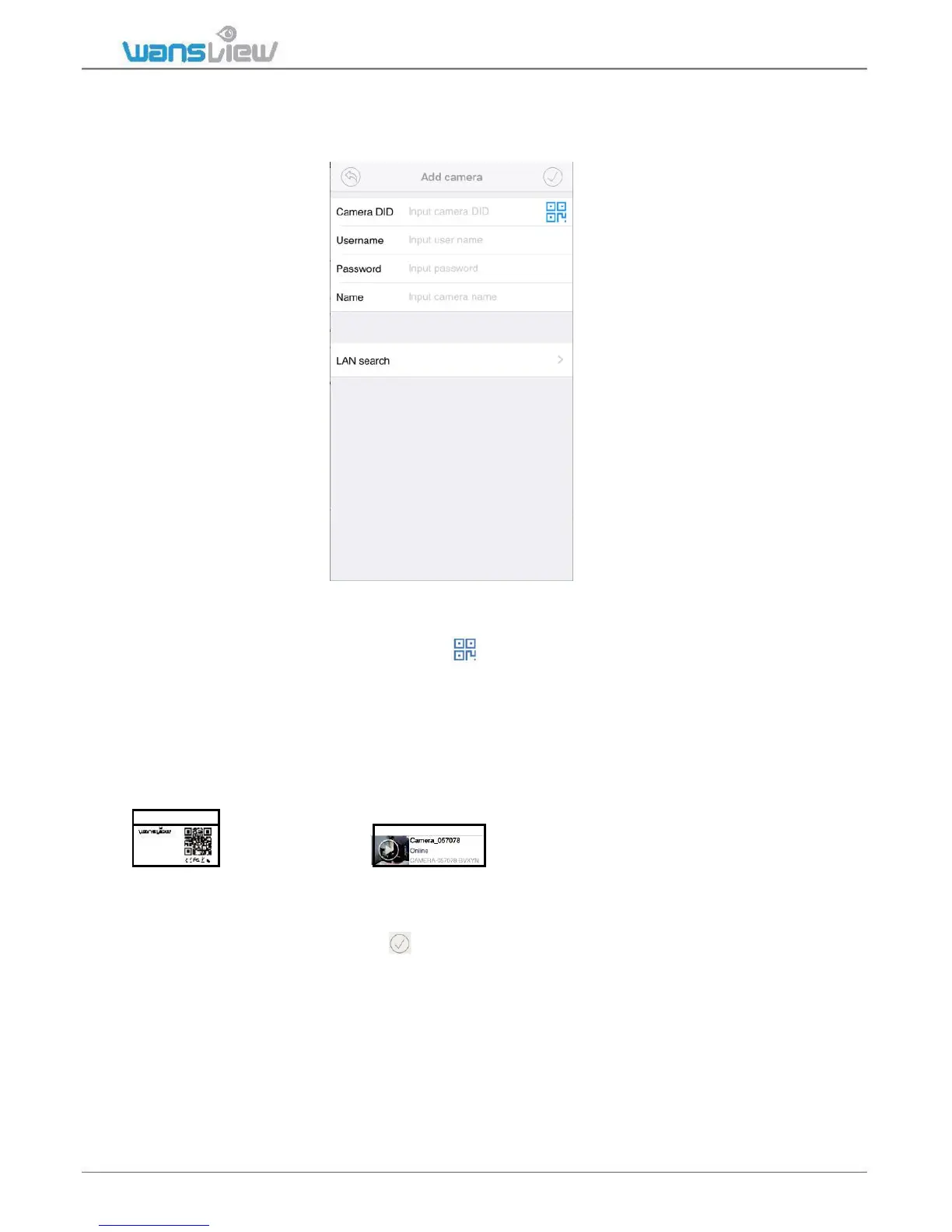
3: “Add Already Connected Network camera”
This is suitable for camera that is already connected with internet. Such as add the
camera to a second phone, or share the camera to other person.
User can use the below ways to add the camera:
1: If camera is on your hand , you can tap to scan the Camera’s QR code to
get the camera information.
2: If the mobile device and the camera are in the same WiFi network, user can use “Lan
Search” to search the connected camera.
3: Manually input camera information:
Camera DID can be found from the camera’s stickers
default Username/Password is
DID: CA MERA-354 584- CEOWH
DDNS: 010m ryg.n wsvr1.co m
admin/123456; Name can be any information.
Attention: Please remember tap to save all the settings.
When the camera shows “Online”, tap “>” to Advanced Settings > User Setting to change the
default User name and Password. This process is outlined in 2.6.2 User Setting.



 To Next Page