EasyManua.ls Logo

Wansview K2 - Playback and Recording Management; 3.7.1 Playback Local Record

Wansview K2
66 pages
Print Icon
To Next Page IconTo Next Page
To Previous Page IconTo Previous Page
Loading...
3.7 Playback
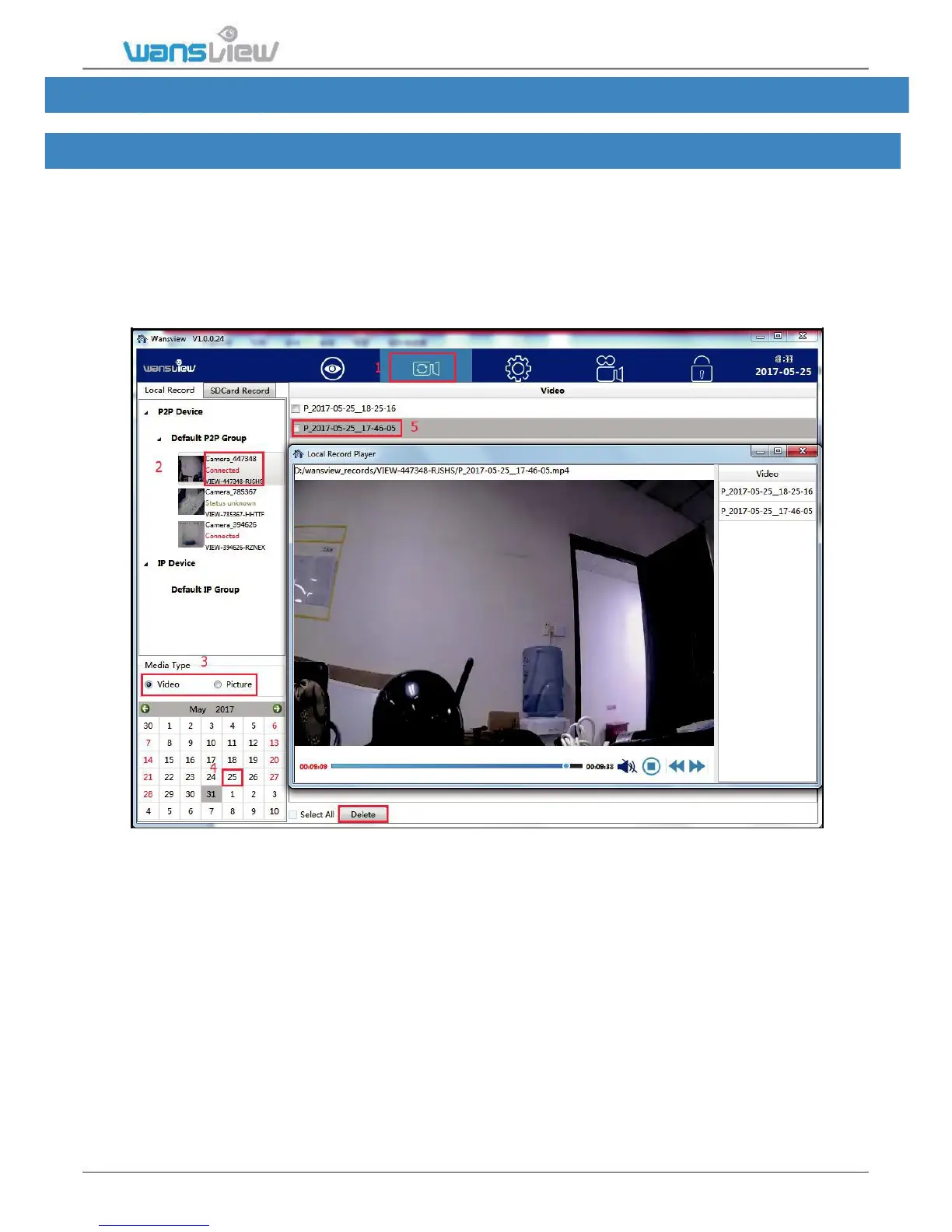
On Playback page, user can playback the recorded videos on the local disk and SD card.
3.7.1 Playback Local Record
1) Choose Local Record and selected the camera you want to check.
2) Select the Media Type(Video or Image)
3) Select the video in an exact date you want to playback
4) Recorded video list will be shown (Video starts with “P” for Scheduled Recording,
and “H” for Manually Recording)
5) Double-click the recorded video name, video will be broadcast.
User can select a certain or all the video and delete it from the list and the record path.
www.wansview.com 44

Table of Contents

Other manuals for Wansview K2

Related product manuals