Download Wansview App
Go to App store or Google Play and install the “Wansview” app to your supported device.
Power on Camera
Power for the camera with the included power supply and place it near your router.
Connect to Network
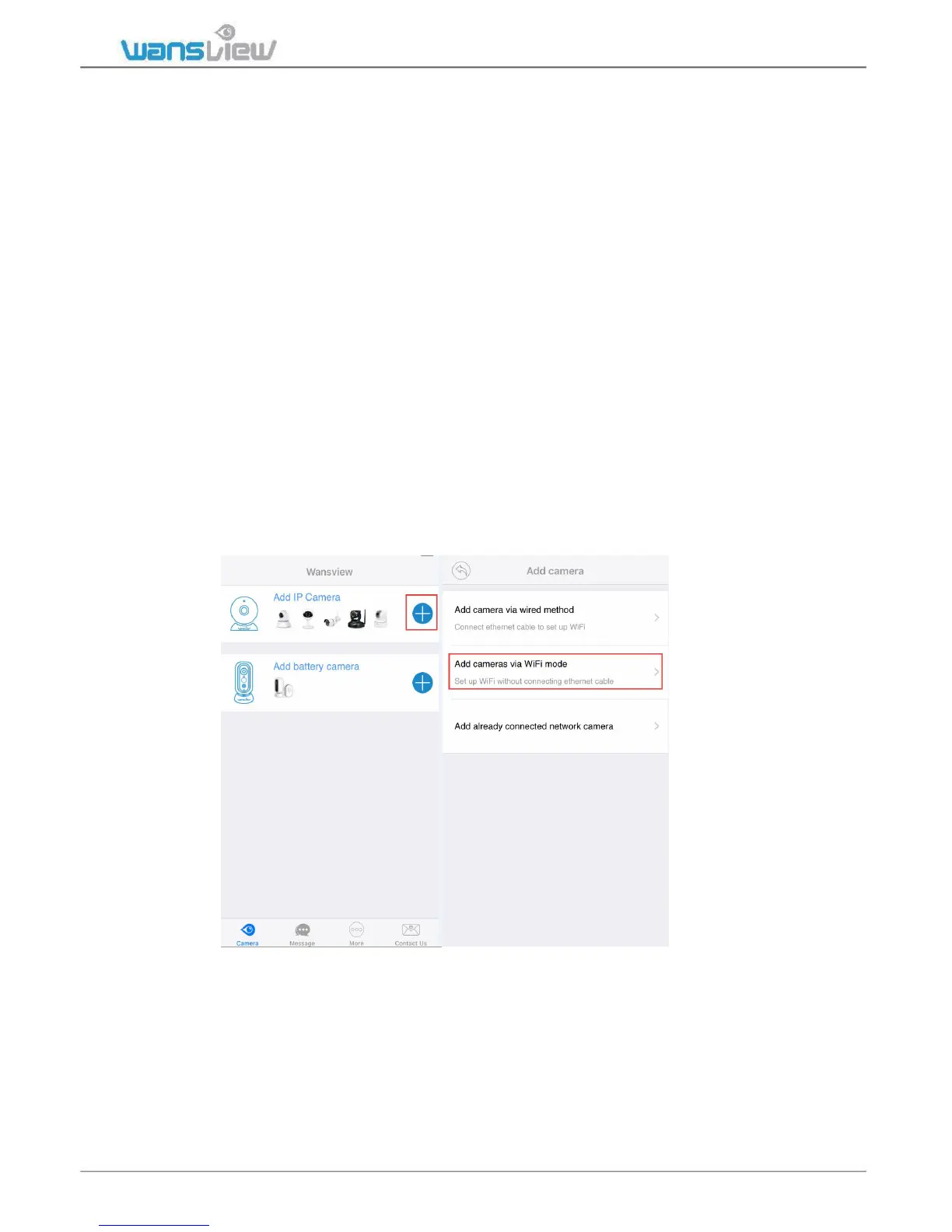
Launch the Wansview app, click “+” to access Add Camera page.
There are three methods to add the camera and connect camera to internet.
Note: Before set up WiFi, make sure your WiFi is 2.4G, wansview camera cannot
work with 5Ghz WiFi.
1: “Add camera via wired method” (Unavailable for K2/K3 )
User can add connect the camera to router with an Ethernet cable directly. Then follow
the wizard on app to connect the camera to WiFi.
2: “Add camera via WiFi Mode”
Using this method, user can set up the camera with WiFi by scanning the QR code on the
phone. Follow the wizard on app step by step to connect.



 To Next Page