Add another user account
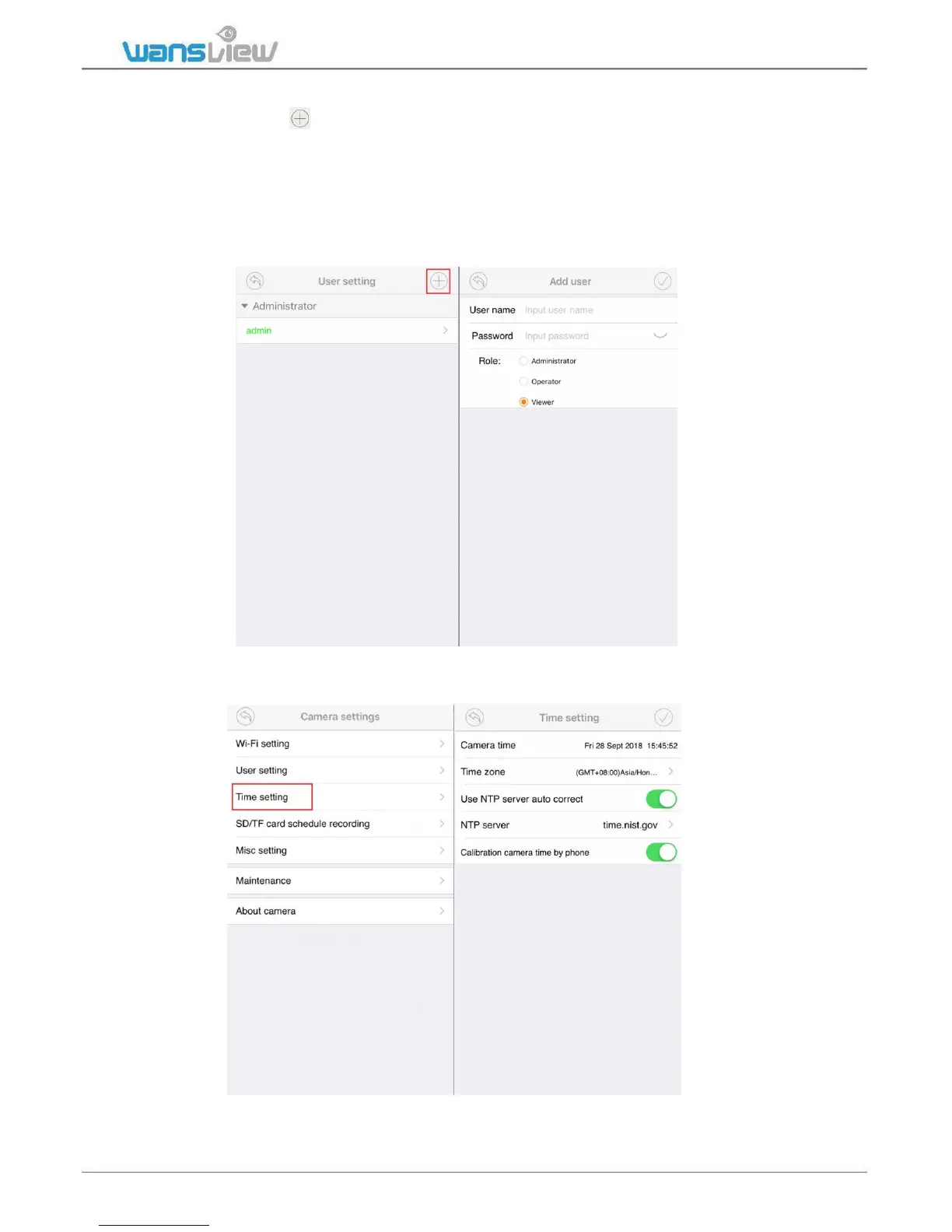
On User Setting, tap to add user, manually add the username and password, then
choose the Role(Operator or Viewer).
Administrator: Full access rights
Operator: Can operate on the camera live video screen, but not access to other settings
like Alarm setting, Advanced Settings etc.
Viewer: only can view camera, no more operations on the camera video screen.
Note: Password shall be no longer than 20 characters.
Time Setting
Click Time Setting, user can calibrate the time.



 To Next Page