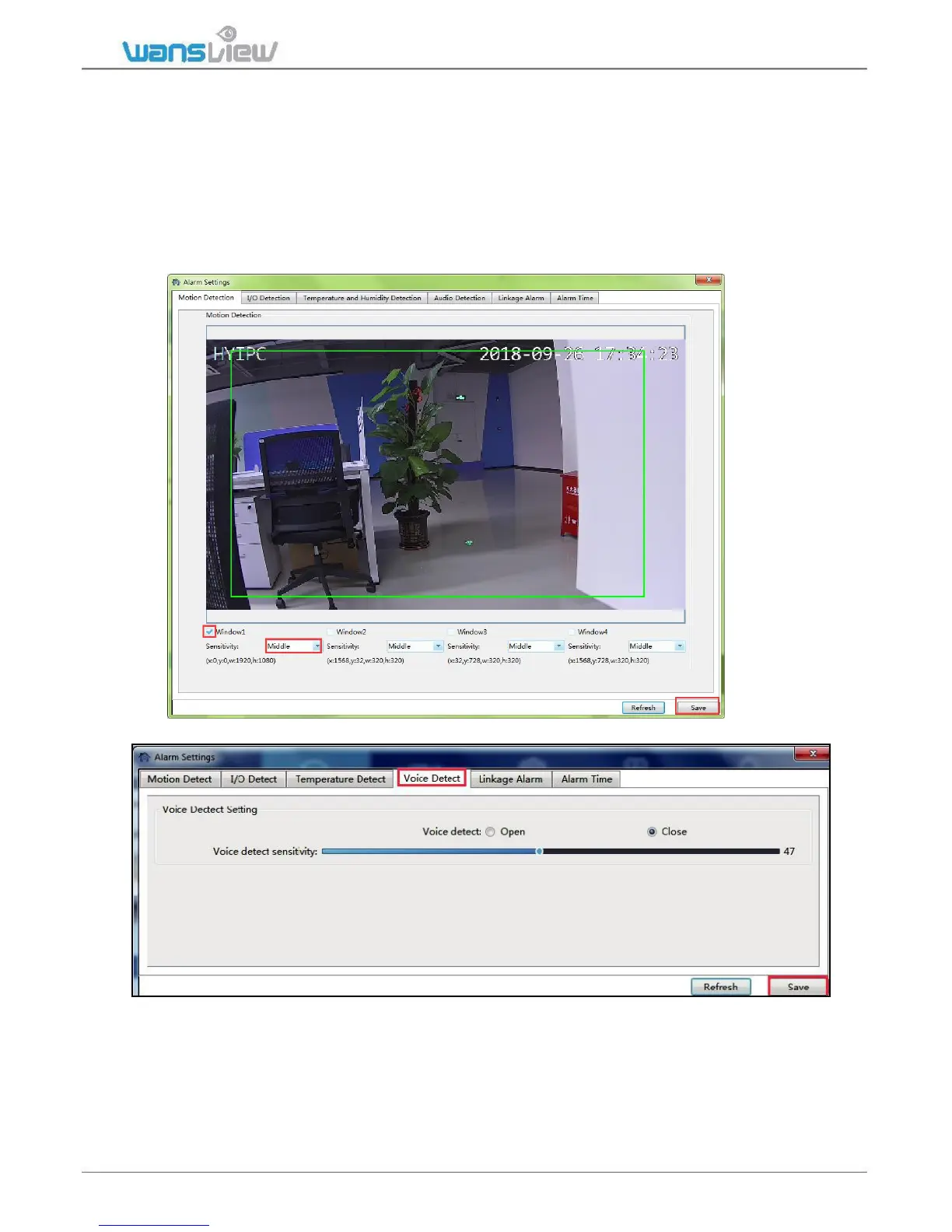
3.3.3.1 Motion Detection
User can set up motion detection area here to narrow the motion detected area to some
important places, tick each window, move your mouse to the lower right corner and drag
it can adjust the size of the window, and can move it to the needed area.
User can choose the sensitivity from low, middle and high. The high sensitivity will be
easy to get alarm.
I/O Detection and Temperature Detection are disabled in this model.
3.3.3.2 Audio Detection



 To Next Page