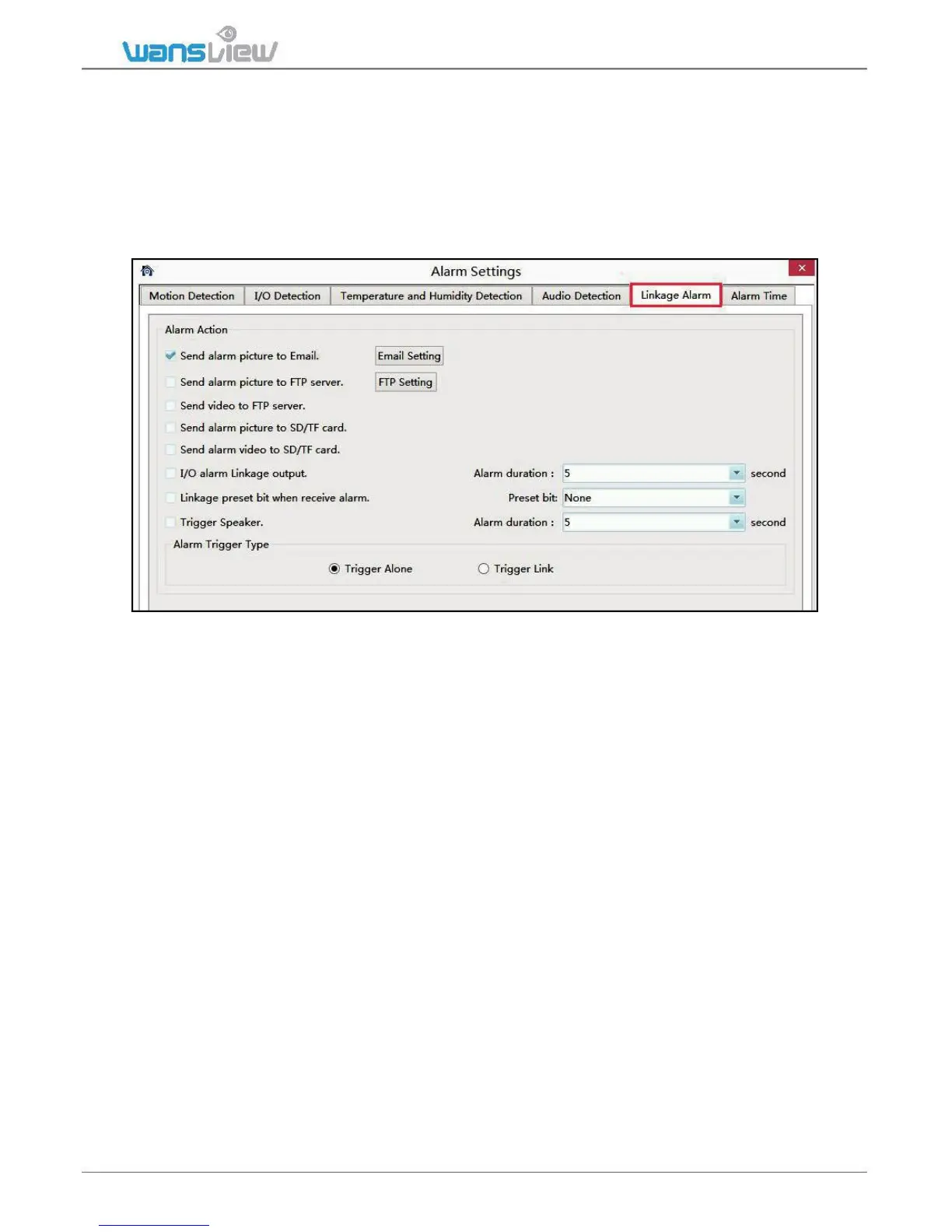
3.3.3.3 Linkage Alarm
If user set up alarm, the camera will execute a variety of alarm actions at linkage: snap to
email, snapshot and video to FTP, snap and video to SD card.
And if you connect external I/O alarm device, it can trigger alarm too.
Tips: The method of”Trigger Alone” and “Combination Trigger”, if the user starts up an
audio detection and motion detection, the “Combination Trigger” will be started up. Only
when any abnormality is detected simultaneously by the audio detection and motion
detection will the alarm action be triggered.
1)Email setting
Email address: your email address.
Email Password: your email password, if you are using Gmail, please generate an
app password, and using the app password. Download a document from our website
on how to set up app password.
Smtp Server: such as smtp.gmail.com etc.
Smtp port: 465 or 587
Security Type: SSL
Sender: your email address, the same with sender
E-mail subject and content can be any information
Receiver: any email address
After all the information are filled in, click “Save” and “Test” the email to see if
the email setting is successful or not.



 To Next Page