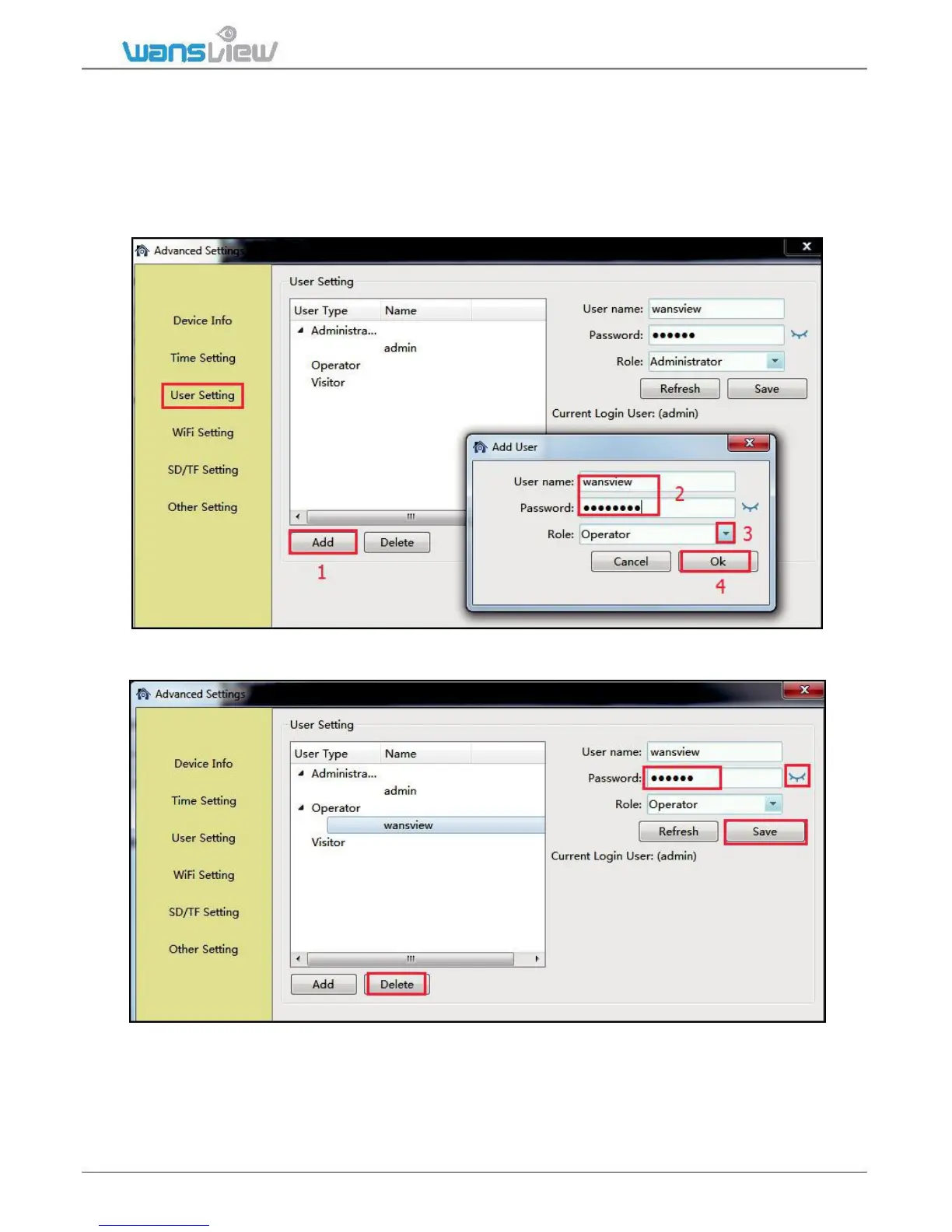
3.3.2.3 User Setting
User can create other accounts for family member or friends in User Setting.
Add an account with user name and password, and give a right to this account.
Tips:
Administrator: All settings can be edited
Operator: Can operate all the icons (such as listen, talk, flip/mirror) on the live video page.
Visitor: Can only watch live video.
User can also edit the account information, such as changing the user name and password and
changing the role for each account, then Save. And Delete some accounts if you need.



 To Next Page