EasyManua.ls Logo

Wansview K2 - 5.3 Playback Video

Wansview K2
66 pages
Print Icon
To Next Page IconTo Next Page
To Previous Page IconTo Previous Page
Loading...
Record: Record and save to PC.
Digital Zoom
Show/Hide Control Panel.
Resolution: Choose 3 resolutions 1920x1080 / 640x360 / 320x180
Use the control panel to pan and tilt your camera’s head. Click
or
to move
camera’s head horizontally or vertically. Stop camera movement
and it will
go to the initial position.(function disabled in this model)
Set up to 8 camera preset spots, as explained above in the App
Section.(function disabled in this model)
5.3 Playback Video(function disabled in this model)
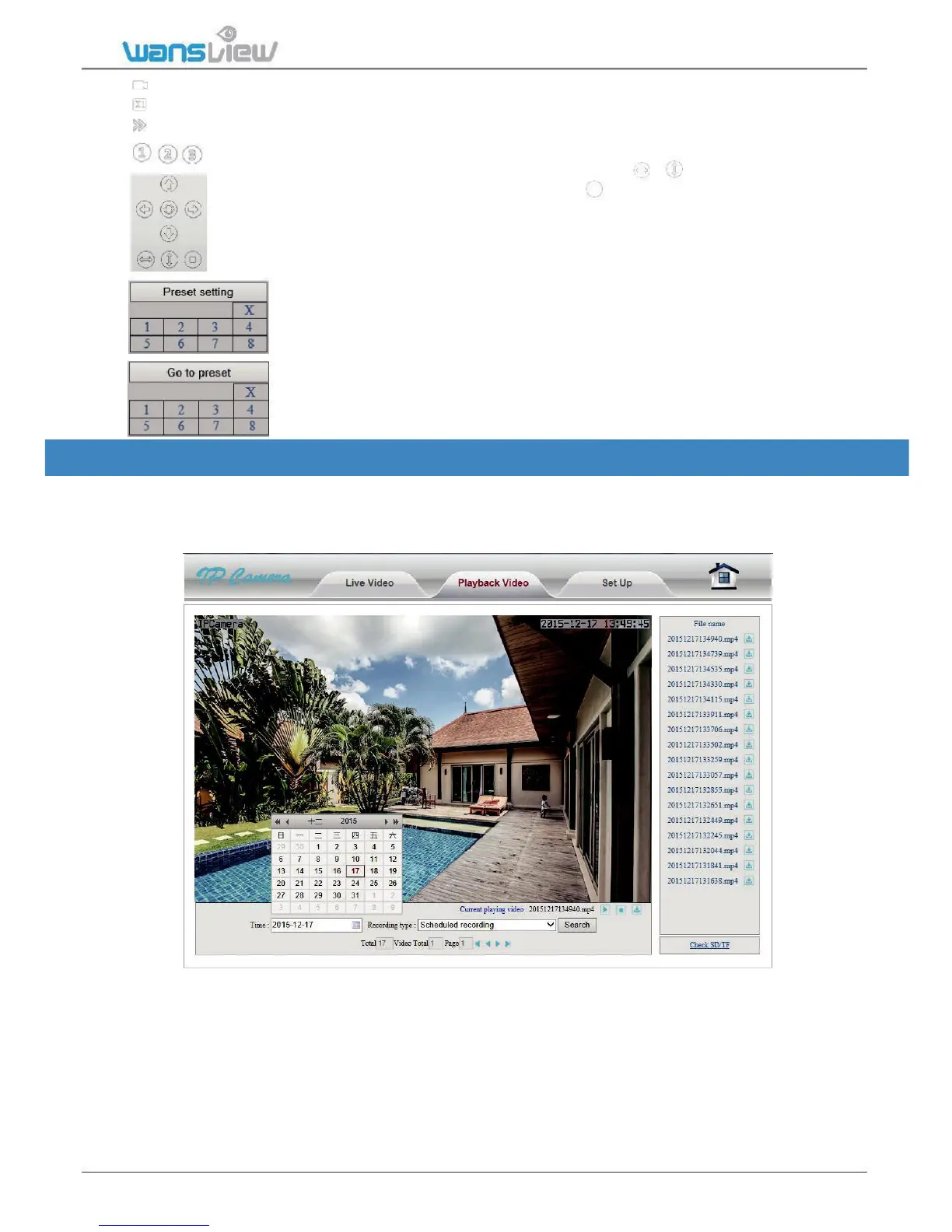
Click "Playback Video" to enter the SD card video file playback page. Click the video
date to inquire. Click "Search" to list the video files of the selected day. Click listed files
to play back. Download files on PC with the download button.

www.wansview.com 50

Table of Contents

Other manuals for Wansview K2

Related product manuals