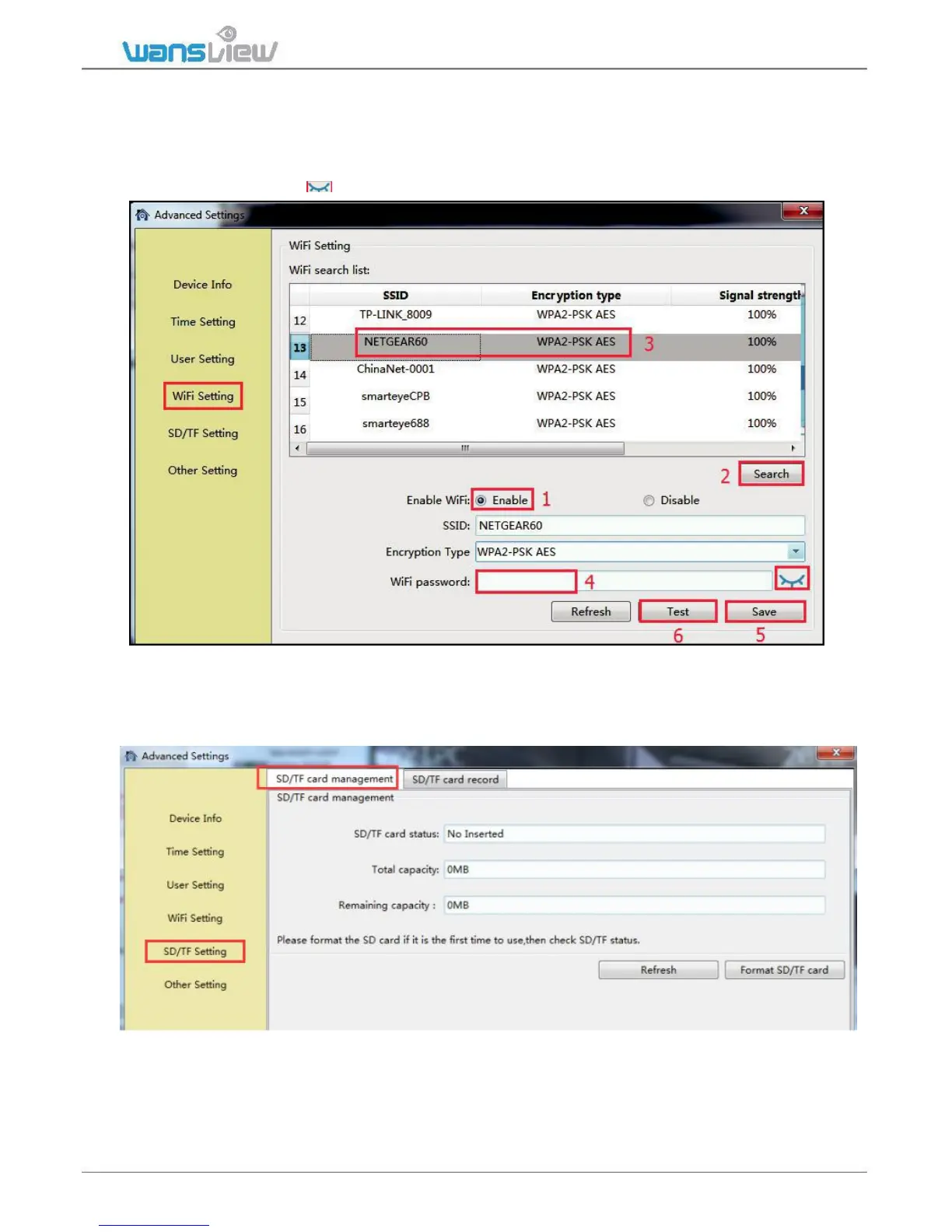
3.3.2.4 WiFi Setting
User can set up WiFi for the camera is connected Ethernet cable, or change to other
available WiFi.
Search the available WiFi, and choose the one you want to connect, then input the WiFi
password (click the icon behind to confirm if the password is correct). Save then Test.
3.3.2.5 SD/TF Setting (not available for K2)
Open the Plan Record, it will record continuously to SD card, each record length can be set between
2-15 minutes. The video stream can be recorded at 1080p(720p), 480p and 240p.



 To Next Page