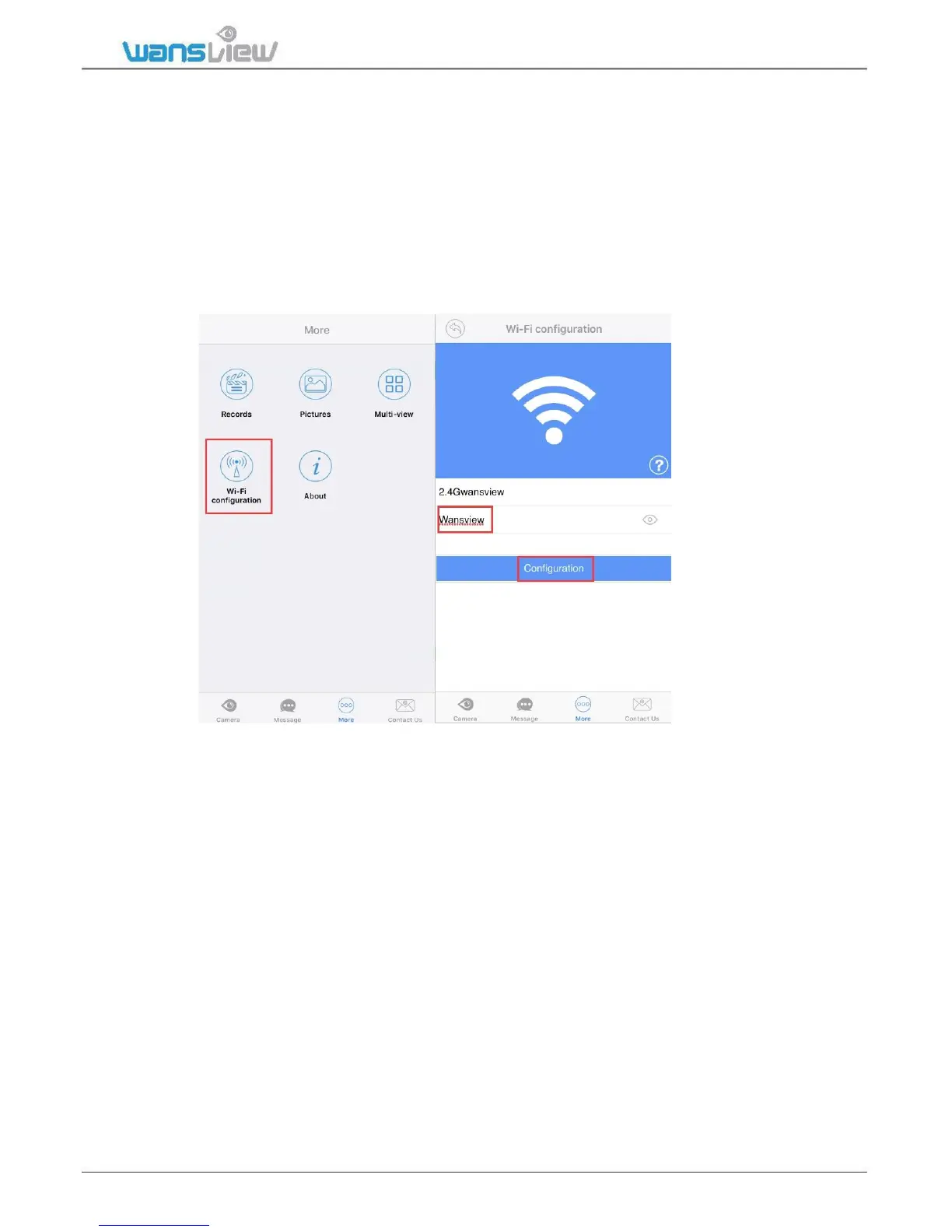
WiFi Configuration
This is another method to connect WiFi.
Make sure your mobile phone is connected with 2.4G WiFi, and follow the below steps to
set up WiFi:
1:Tap More-WiFi configuration, the wifi name is located, enter your wifi password
correctly-- tap Configuration for 3 -5 times, if the Blue light is flashing quickly, which
means the camera is receiving WiFi information or connecting to the WiFi, and wait for a
while, the app will show “CAMERA-XXXXXX-XXXXX WIFI set success”.



 To Next Page