Chapter 5
16
CODE 128 AND UCC/EAN 128 SETTINGS
Code 128 is the most flexible of all the common linear symbologies. It supports alpha and numeric characters easily, has the highest
number of characters per inch, and is variable length.
See page 7 for information on setting the minimum and maximum lengths.
To Define UCC/EAN 128 Group Separator:
1. Scan Define UCC/EAN 128 Group Separator
2. Scan ASCII code from pages 27-30
3. Scan Define UCC/EAN 128 Group Separator
Note: Default Group Separator is GS
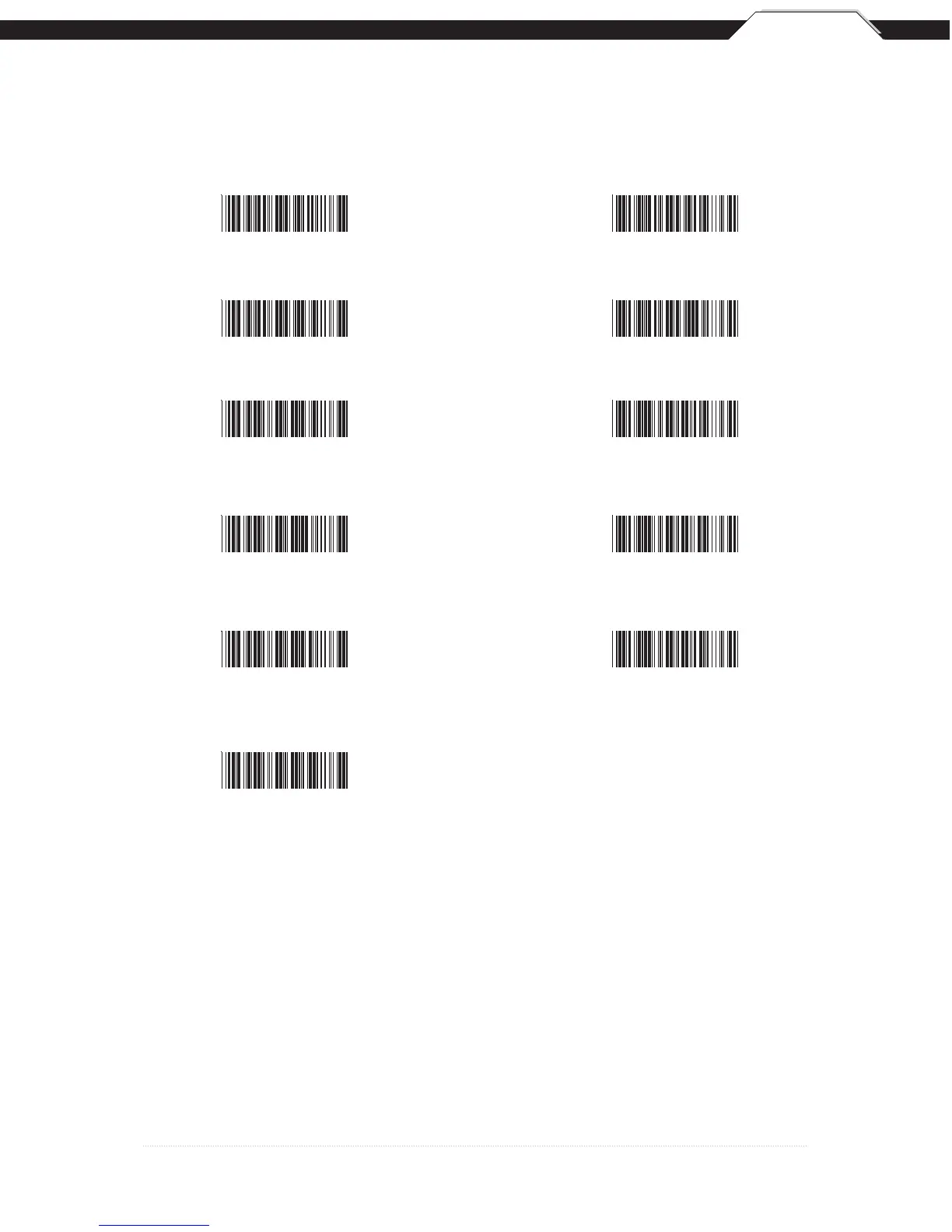
Enable Code 128 *
Disable Code 128
Minimum Length (5 *)
Maximum Length (48
*)
UCC/EAN 128
Enable *
UCC/EAN 128
Code ID Enable
UCC/EAN 128
Disable
UCC/EAN 128
Code ID Disable *
Function 1
Character Send
Define UCC/EAN 128
Group Separator
Function 1
Character Do Not Send *
*Default



 To Next Page