EasyManua.ls Logo

Wasp WLR8950 - Chapter 4: Quick Start Guide

Wasp WLR8950
36 pages
Print Icon
To Next Page IconTo Next Page
To Previous Page IconTo Previous Page
Loading...
Chapter 4
4
Your Wasp WLR8950 Scanners are ready for use. The default settings of the scanners have been pre-programmed for the most
common barcode configurations. Use the “WLR8950 Setup & Configuration” sections only to customize the scanners settings. Please
review the “Enable Barcode Symbologies” configuration beginning on page 15 to see the list of barcode symbologies which are enabled
by default.
Tip:
• Usethepre-printed“BarcodeTestSymbols”inAppendixAonpages25-26asatestcharttopracticescanning.
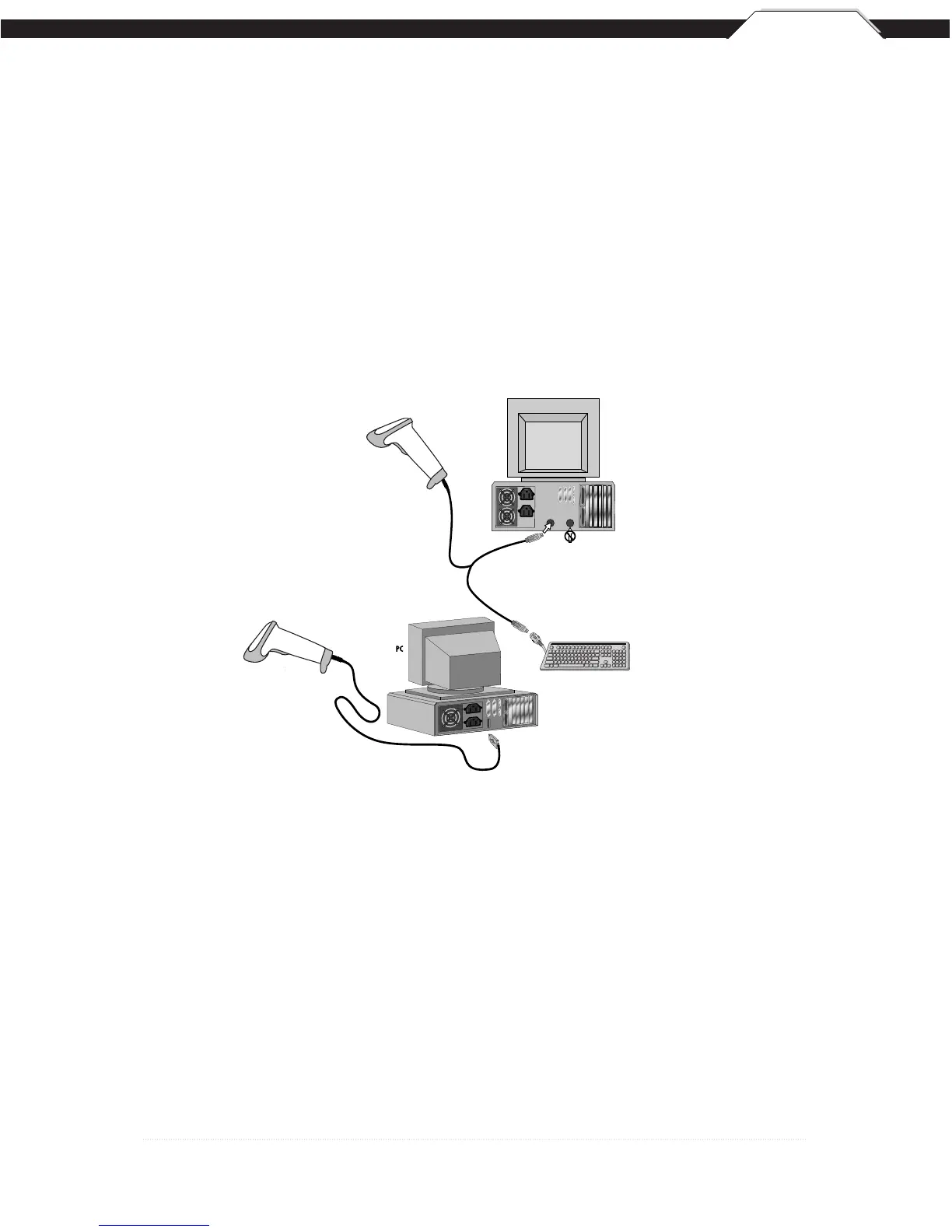
Quick Start
USB Connection
PS2 Connection
KEYBOARD
Y-CABLE
BACK OF PC
KEYBOARD MOUSE
DO NOT PLUG
IN MOUSE PORT!
KEYBOARD
WLR 8900
PS2 Scanner
WLR 8905
USB Scanner
USB Connector
KEYBOARD
Y-CABLE
BACK OF PC
KEYBOARD MOUSE
DO
NOT
PLUG
IN MOUSE PORT!
KEYBOARD
WLR 8900
PS2 Scanner
WLR 8905
USB Scanner
USB Connector

Other manuals for Wasp WLR8950

Related product manuals