EasyManua.ls Logo

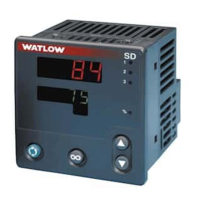
Watlow SD Series - User Manual

Watlow SD Series
88 pages
Print Icon
To Next Page IconTo Next Page
Loading...
0600-0041-0000 Rev. F Made in the U.S.A.
April 2006 $15.00
User’s Manual
Registered Company
Winona, Minnesota USA
ISO 9001
ISO 9001
TOTAL
3 Year Warranty
CUS
CUS
T
T
O
O
M
M
ER
ER
S
S
A
A
TISF
TISF
A
A
CTI
CTI
O
O
N
N
Series SD
PID Controller and
PID Profiling Controller
1241 Bundy Boulevard., Winona, Minnesota USA 55987
Phone: +1 (507) 454-5300, Fax: +1 (507) 452-4507 http://www.watlow.com

Questions and Answers

  • K
    Kevin EstradaAug 18, 2025
    How to troubleshoot a Watlow Controller with no power and a blank display?
    • D
      David SandersAug 19, 2025
      If the Watlow Controller is not powering on and the display is blank, check the switches, fuses, breakers, interlocks, limit devices, and connectors to ensure they are energized and properly connected. Measure the upstream power to confirm it meets the required level. Verify the supply power requirements using the part number, check the wire size, and inspect for any bad connections.
  • T
    Teresa PerezAug 21, 2025
    What does the limit message mean on my Watlow Controller?
    • A
      Albert AguilarAug 21, 2025
      If you are getting limit messages such as [L1;hi], [L2;hi], [L3;hi], [L1;Lo], [L2;Lo], or [L3;Lo] on your Watlow Controller, it means the process value has exceeded a limit set point. You need to determine when these limit messages will display and understand the proper response to these messages.
  • P
    pamelaromeroAug 23, 2025
    Why is the Watlow SD's process value decreasing when the actual process is increasing?
    • T
      Taylor EllisAug 23, 2025
      If the Watlow Controller's process value reading decreases while the actual process increases, it could be due to reversed thermocouple polarity. Check the thermocouple connections, ensuring that all connections, including the extension wire, maintain the correct polarity for proper operation. Alternatively, the analog voltage or current input scaling might be reversed or incorrect. Verify the settings of the analog output scale low and scale high parameters on the Setup Page.
  • A
    amy70Aug 26, 2025
    What to do if the Watlow Controller output signal is on when it should not be?
    • R
      rbradleyAug 26, 2025
      If the Watlow Controller's output signal is on when it should not be, first, verify the output wiring. Then, check the output parameter settings to ensure they are correctly configured. Also, if you are using option 'K' (solid-state relay output), make sure you are using alternating current (AC) voltage only, as it cannot be used with DC voltage.
  • J
    Jennifer MooreAug 28, 2025
    What to do if the Watlow SD output signal is not on when it should be?
    • J
      jessicaandersonAug 28, 2025
      If the Watlow Controller's output signal is not on when it should be, verify the output wiring. If you're using a solid-state relay (option 'K') or a mechanical relay (option 'E' or 'J'), ensure that power is applied to the output, as it acts as a switch. Also, check the output parameter settings to make sure they are correctly configured.
  • S
    steintanyaAug 30, 2025
    How to unlock the Operation Page on a Watlow SD Controller?
    • B
      Barbara LeachAug 30, 2025
      If you cannot access the Operation Page or change the limit or alarm setpoint on your Watlow Controller, it's likely that the parameter lockout is active. To resolve this, set the correct level of lockout for access on the Setup Page.
  • J
    Jamie Burke MDSep 1, 2025
    What does the alarm message mean on my Watlow Controller?
    • D
      Donald MoralesSep 1, 2025
      If you are getting alarm messages [A2hi] or [A3hi], [A2Lo] or [A3Lo] on your Watlow Controller, it indicates that the process value has exceeded an alarm set point. Determine when these alarm messages will appear and understand the appropriate response.
  • P
    Paige HollandSep 3, 2025
    Why is the limit or alarm occurring when it should not on my Watlow Controller?
    • K
      Kevin SmithSep 4, 2025
      If a limit or alarm is occurring on your Watlow Controller when it should not, first adjust the limit or alarm settings to be correct for the application. Also, the input may be in an error condition, so refer to the error messages for more information. Finally, the limit or alarm may be latched, in which case you should press the RESET Key to unlatch it.
  • R
    rachel28Sep 6, 2025
    What to do if the limit or alarm output indication is incorrect on Watlow SD Controller?
    • L
      Lawrence SheaSep 6, 2025
      If a limit or alarm output indication is incorrect on your Watlow Controller, adjust the limit or alarm settings to be correct for the application. The alarm may also be silenced; refer to the Features Chapter for information on alarm silencing.
  • C
    carmenharrisonSep 8, 2025
    Why is the limit or alarm not occurring when it should on my Watlow Controller?
    • R
      Ralph GreerSep 8, 2025
      If a limit or alarm is not occurring on your Watlow Controller when it should, adjust the limit or alarm settings to be correct for the application.

Watlow SD Series Specifications

General IconGeneral
BrandWatlow
ModelSD Series
CategoryController
LanguageEnglish

Related product manuals