EasyManua.ls Logo

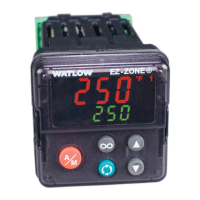
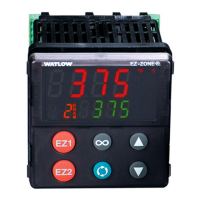
Watlow ez-zone pm - User Manual

Watlow ez-zone pm
256 pages
Print Icon
To Next Page IconTo Next Page
Loading...
0600-0059-0000 Rev. P Made in the U.S.A.
August 2016
User’s Guide
EZ-ZONE
®
PM
Integrated Controller Models
1241 Bundy Boulevard., Winona, Minnesota USA 55987
Phone: +1 (507) 454-5300, Fax: +1 (507) 452-4507
http://www.watlow.com
TOTAL
3 Year Warranty
CUSTOMER
SATISFACTION
Registered Company
Winona, Minnesota USA
ISO 9001

Table of Contents

Other manuals for Watlow ez-zone pm

Questions and Answers

  • K
    Kristina HoSep 8, 2025
    What does Alarm Error AL.E1 AL.E2 AL.E3 AL.E4 mean on Watlow ez-zone pm Controller?
    • D
      David JacksonSep 8, 2025
      If your Watlow Controller displays an 'Alarm Error AL.E1 AL.E2 AL.E3 AL.E4' message, it might be caused by: * A sensor improperly wired or open; correct the wiring or replace the sensor. * An incorrect setting of the sensor type; match the setting to the sensor used. * A corrupt calibration; check the calibration of the controller.
  • A
    Anne BarnesAug 25, 2025
    What does Limit High Li.h1 mean on Watlow ez-zone pm Controller?
    • R
      Ruth MurrayAug 25, 2025
      If your Watlow Controller displays a 'Limit High Li.h1' error, it could be due to: * The temperature being greater than the limit set point; check the cause of the over temperature. * The limit outputs latching and requiring a reset; clear the limit. * An incorrect alarm set point; establish the correct limit set point.
  • M
    Michelle MitchellAug 25, 2025
    What does Limit Low Li.L1 mean on Watlow ez-zone pm Controller?
    • J
      joshua28Aug 26, 2025
      If your Watlow Controller displays a 'Limit Low Li.L1' error, it may indicate: * The temperature is less than the limit set point. Check the cause of the under temperature. * The limit outputs latch and require a reset. Clear the limit. * The alarm set point is incorrect. Establish the correct limit set point.
  • N
    nataliemurphySep 18, 2025
    How to resolve Loop Open Error Lp.o1 on a Watlow ez-zone pm?
    • L
      Lance MccormickSep 18, 2025
      To resolve Loop Open Error Lp.o1 on a Watlow Controller: * Set the correct Open Loop Detect Time for the application if the setting is incorrect. * Set the correct Open Loop Deviation value for the application if the setting is incorrect. * Determine the cause of the open thermal loop, such as misplaced sensors, load failure, or loss of power to the load. * Deactivate the Open Loop Detect feature.
  • J
    Judy PetersenSep 23, 2025
    Why is the displayed value too low uaL.L on my Watlow Controller?
    • M
      Michael JuarezSep 23, 2025
      If the displayed value is too low (uaL.L) on your Watlow Controller, it is due to incorrect setup. Check the scaling of the source data.
  • S
    Stacy SalazarSep 12, 2025
    Why is my Watlow ez-zone pm not heating or cooling?
    • J
      Jessica SchmittSep 13, 2025
      If your Watlow Controller isn't heating or cooling, consider these potential causes: * The output function might be incorrectly set, so set it correctly. * The control mode could be wrong; set it appropriately (Open vs Closed Loop). * The output wiring may be incorrect; correct it. * There might be a fault in the system, such as an open load, power issue, or blown fuse; correct the fault. * The control set point might be incorrect; set it appropriately in the correct control mode and check its source (remote, idle, profile, closed loop, open loop). * You might have the incorrect controller model for your application; obtain the correct model.
  • J
    Joel SmithSep 2, 2025
    Why does my Watlow ez-zone pm have no display?
    • M
      Megan AlexanderSep 2, 2025
      If your Watlow Controller's display is blank, several factors could be the cause: * The controller might not be receiving power, so ensure it is turned on. * A fuse may have blown, requiring replacement. * The breaker could be tripped, needing a reset. * The safety interlock switch might be open, requiring closure. * A separate system limit control could be activated, requiring a reset. * There may be a wiring issue that needs correction. * The controller might be receiving incorrect voltage, so verify and apply the correct voltage, checking the part number to confirm.
  • M
    Melanie LloydSep 3, 2025
    Why is my Watlow Controller temperature running away?
    • T
      Tiffany BrownSep 3, 2025
      A temperature runaway in your Watlow Controller can stem from several issues: * The controller output may be incorrectly programmed; verify that the output function is correct (heat or cool). * The thermocouple might be reverse wired; correct the sensor wiring, ensuring the red wire is negative. * The controller output might be wired incorrectly; verify and correct the wiring. * There could be a short in the heater; replace the heater. * The power controller connection to the controller may be defective; replace or repair the power controller. * The controller output might be defective; replace or repair the controller.
  • J
    Jeremiah PalmerSep 23, 2025
    What does Autotuning tUn1 mean on a Watlow ez-zone pm?
    • N
      njonesSep 23, 2025
      Autotuning tUn1 on a Watlow Controller signifies that the auto-tune function has been initiated. This can happen because: * The user started the auto-tune function: Wait until autotune completes or disable the auto-tune feature. * The digital input is set to start autotune: Set the digital input to a function other than autotune, if desired.
  • M
    Mark SandovalAug 29, 2025
    What to do for Limit High Li.h1 on Watlow Controller?
    • L
      Linda HaleAug 29, 2025
      If you are facing a Limit High (Li.h1) error on your Watlow Controller, check the cause of the over temperature.

Summary

Safety Information

Safety Alerts and Warnings

Explains safety symbols, notes, cautions, and warnings for safe operation.

Chapter 1: Overview

Introduction to EZ-ZONE PM Features

Describes the controller's purpose, advanced PID, configuration software, and key benefits.

Chapter 2: Install and Wire

Controller Dimensions and Panel Mounting

Provides physical dimensions and recommended panel spacing for various models.

Installation and Wiring Procedures

Step-by-step instructions for mounting and connecting the controller.

Communications Setup and Wiring

Details wiring for Modbus, DeviceNet, EtherNet/IP, J1939, Profibus, and EIA-485.

Computer Connectivity

Instructions for connecting the controller to a PC for configuration and monitoring.

Chapter 5: Operations Page

Chapter 6: Setup Page

Chapter 7: Profiling Page

Chapter 8: Factory Page

Security Settings and Lockout Features

Covers password protection, read/write lockout levels, and enabling security features.

Chapter 9: Features

PID Tuning and Autotuning

Explains PID parameter tuning, autotune, manual tuning, and TRU-TUNE+ adaptive control.

Chapter 11: Appendix

Troubleshooting Alarms, Errors, and Control Issues

Provides guidance on identifying and resolving common alarms, errors, and control issues.

PM Specifications

Lists electrical, environmental, accuracy, agency approvals, and controller specifications.

Watlow ez-zone pm Specifications

General IconGeneral
ModelEZ-ZONE PM
Input TypesThermocouple, RTD, Process Voltage, Process Current
Output TypesRelay, SSR drive, voltage (0-10V), current (0-20mA, 4-20mA)
DisplayLED
Power Supply100-240V AC
Communication ProtocolsModbus RTU, Ethernet/IP, DeviceNet
Agency ApprovalsCE
ConfigurationFront panel, PC software
Operating Temperature0°C to 55°C (32°F to 131°F)
Alarms4 configurable alarms with relay or logic outputs

Related product manuals