56 CHAPTER 5 COMMUNICATION
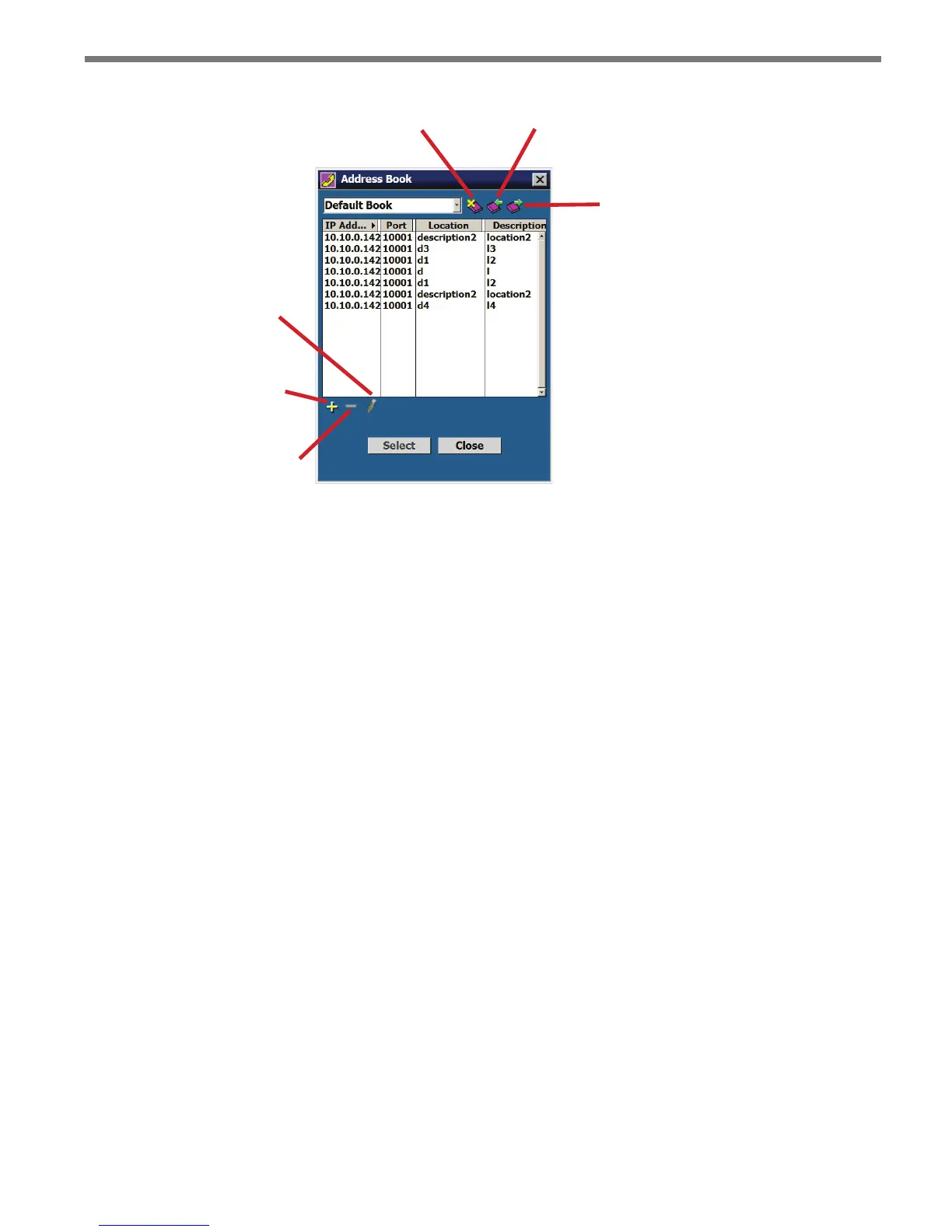
Deletes an
Address Book
Imports an
Address Book
Exports an
Address Book
Edits the
Selected Device
Adds a Device to
the Address Book
Deletes a Device from
the Address Book
Figure 5.7 – Address Book
Virtual Connection
A virtual connection allows you to use the SSMM soware without being connected to an
actual sensor. Making a virtual connection can be useful for the following reasons:
To view a saved sensor setup le
To play back previously logged trac
To demonstrate functionality for dierent trac applications
To review how the soware works
Use the following steps to make a virtual connection:
1 Click the Communication button.
2 Select the Virtual tab (see Figure 5.8).



 To Next Page