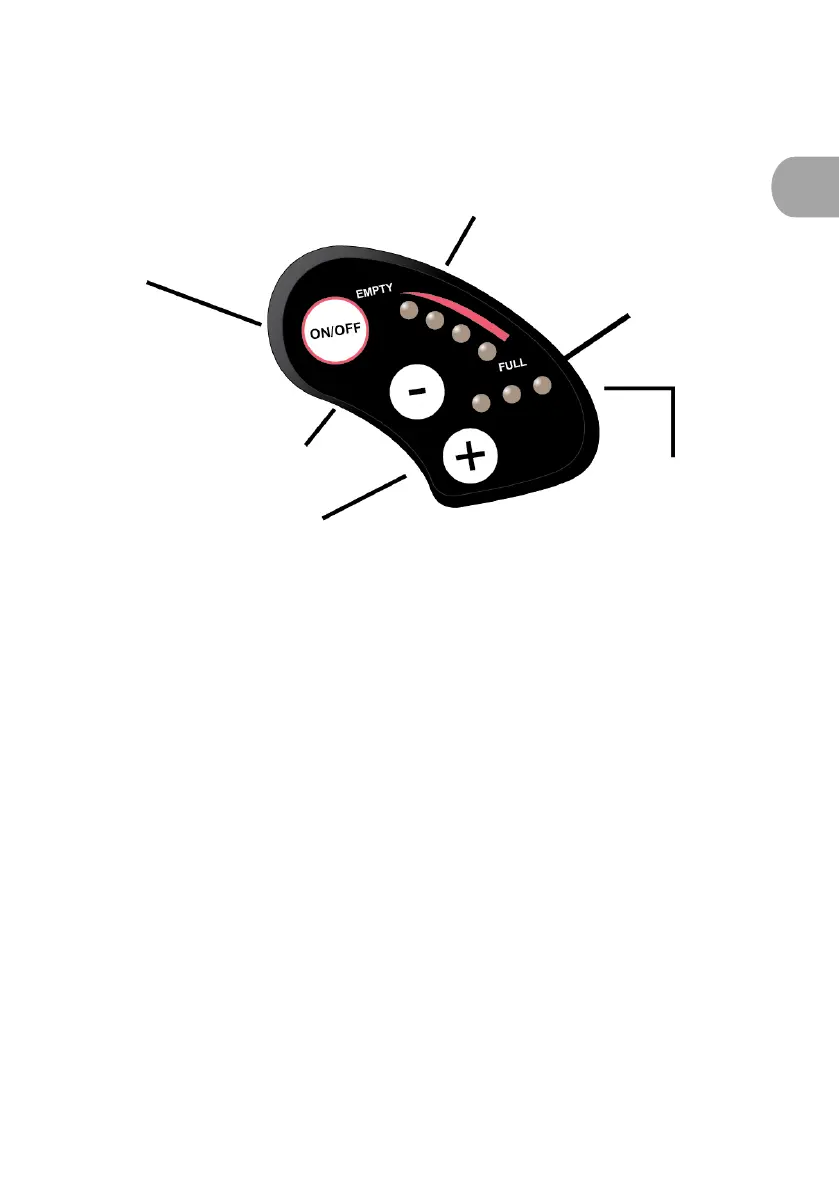
1. Presentation of the LED display
The LED display is as follows:
2. Activation/deactivation of the LED display
To activate the assistance, press the "ON/OFF" button on the display
once. The red charging and assistance level LEDs light up.
To deactivate the assistance, press and hold the "ON/OFF" button for
2 seconds. The red charging and assistance level LEDs turn off.
3. Displaying the battery charge on the LED display
Under normal conditions, turn on the power supply: the four LEDs will
indicate the battery charge level. When they are all on, it means that
charge is at maximum level. If the last one is flashing, it means that the
battery must be charged immediately before using the bicycle.











 To Next Page