Parameterization
P0851 – ETHERCAT ACCESSORY STATUS
Range: 0 = Inactive
1 = Access error
2 = Watchdog error
3 = Offline
4 = Online
Default: -
Properties: ro, ecat
Description:
Indicates the status of EtherCAT Interface, related to the data exchange between network master and CFW11
frequency inverter.
Table 5.5: Indications of parameter P0851
Value Description
0 = Inactive Interface not installed or not recognized by the device.
1 = Access error Error during the initialization procedure of EtherCAT module.
2 = Watchdog error Error in the watchdog mechanism between accessory and device, responsible by
checking if data update between both are running successfully.
3 = Offline EtherCAT module running properly, but there is no cyclic data exchange with the network
master.
4 = Online EtherCAT module running properly, with cyclic data exchange with the network master.
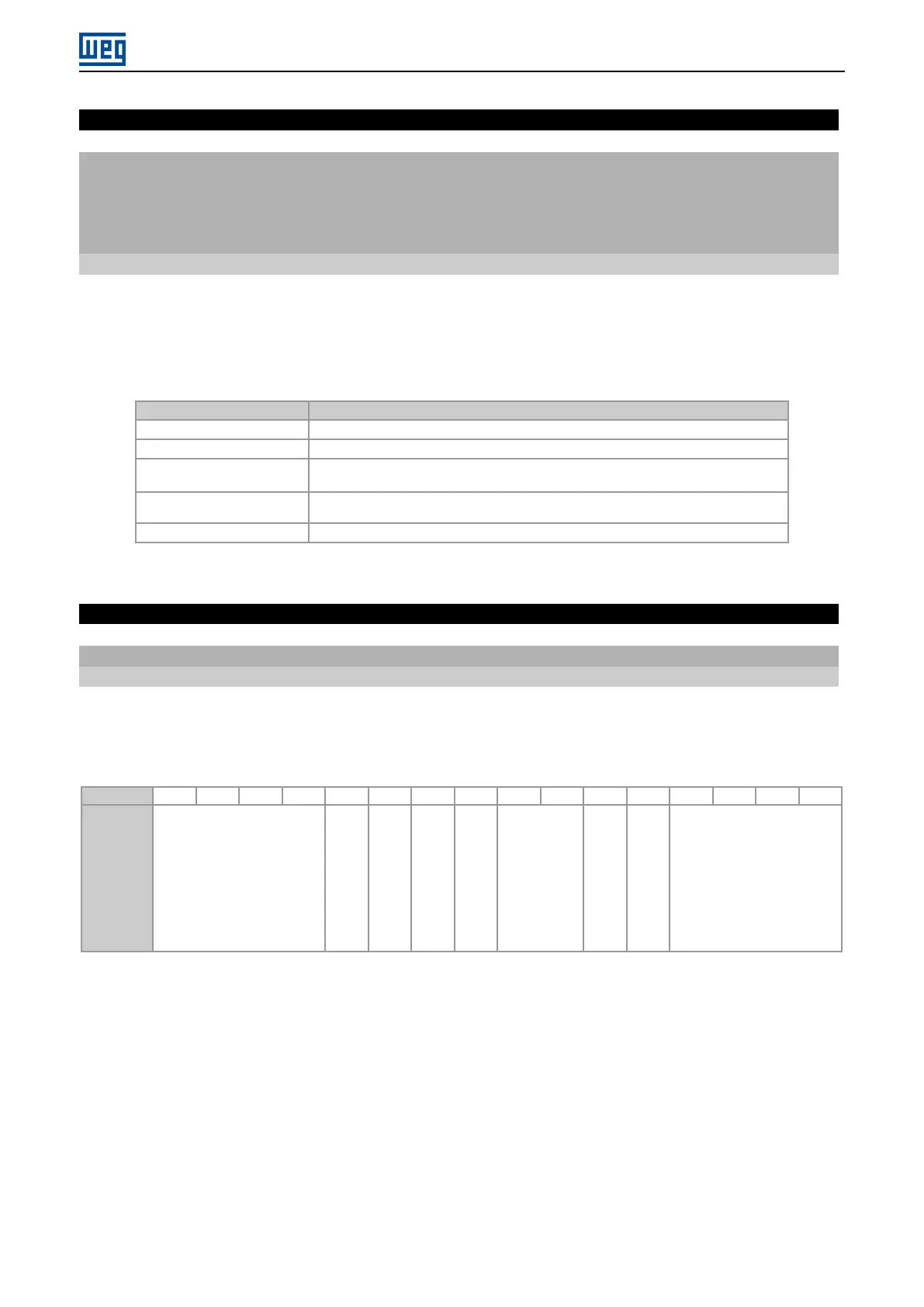
P0852 – ETHERCAT LINK STATUS
Range: 0000h ... FFFFh Default: -
Properties: ro, ecat
Description:
Parameter that provides information about the state of communication for each available Ethernet port on the module.
Uses a binary field, where each bit represents a different information:
Bit
15 14 13 12 11 10 9 8 7 6 5 4 3 2 1 0
Function
Reserved
Port 2: Communication
Established
Port 2: Loop Active
Port 1: Communication
Established
Port 1: Loop Active
Reserved
Link 2 OK
Link 1 OK
Reserved
CFW11 | 18



 To Next Page