EasyManua.ls Logo

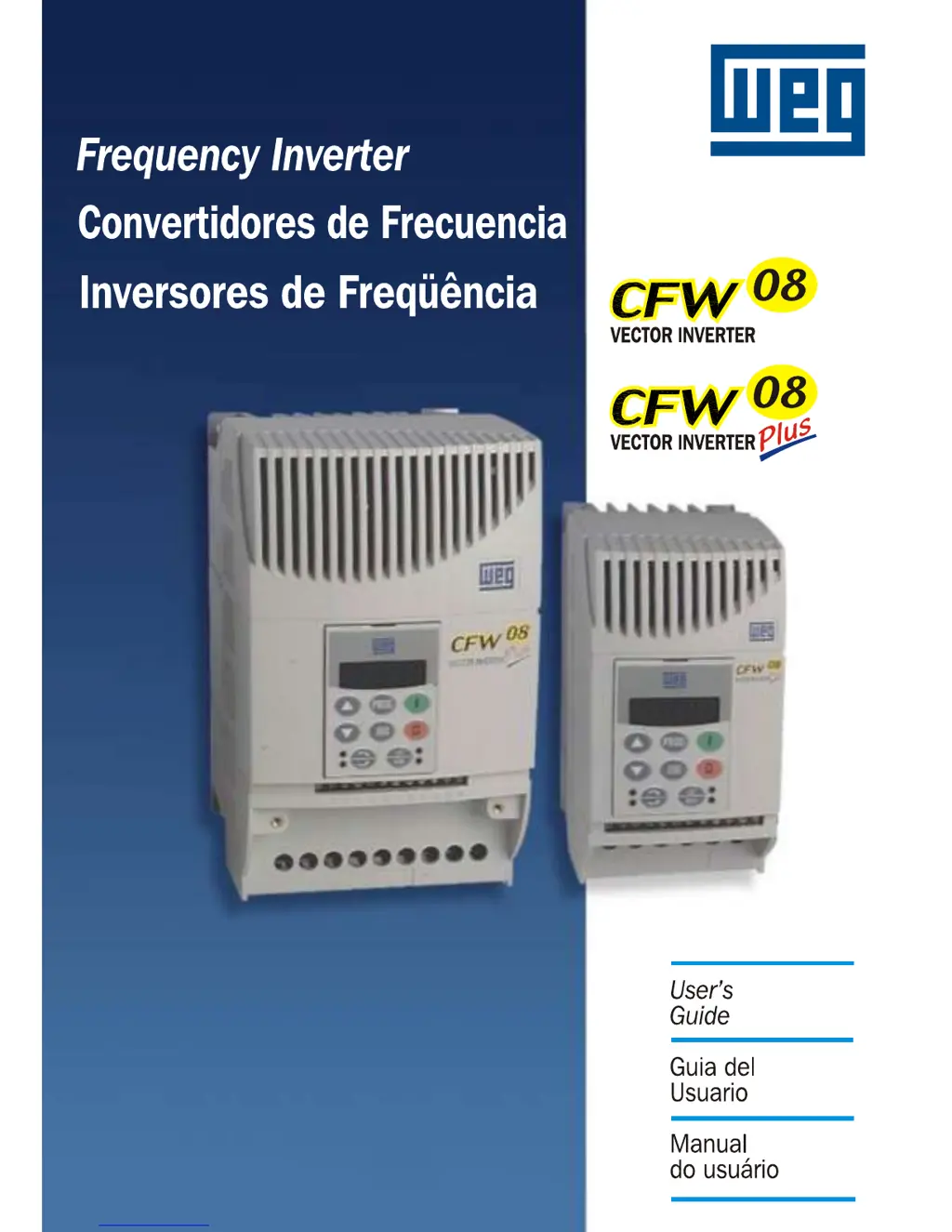
WEG CFW08 Vector inverter Plus - User Manual

WEG CFW08 Vector inverter Plus
167 pages
Print Icon
To Next Page IconTo Next Page
Loading...

Table of Contents

Questions and Answers

  • S
    sdavisAug 19, 2025
    What causes E01 DC Link Overvoltage in WEG Inverters and how to fix it?
    • L
      Lauren ReyesAug 19, 2025
      The E01 error on your WEG Inverter indicates a DC Link Overvoltage. This can be due to: * Power supply voltage being too high: Check and adjust the power supply voltage. * Load inertia being too high or deceleration ramp too short: Adjust the load inertia or deceleration ramp settings. * P151 setting being too high: Lower the setting of P151.
  • T
    Tanya ConleyAug 22, 2025
    Why does my WEG Inverter show E04 Inverter Overtemperature and how can I resolve it?
    • C
      Carol WallAug 23, 2025
      The E04 error on a WEG Inverter signals an overtemperature condition. This can occur if: * The ambient temperature is too high (above 40°C) or the output current is too high: Ensure the ambient temperature is below 40°C and lower the output current. * The blower is locked or defective: Check, repair, or replace the blower.
  • K
    Keith NorrisAug 26, 2025
    What to do if WEG CFW08 Vector Plus displays E05 Motor/Inverter Overload Ixt Function error?
    • N
      Nicole MarksAug 26, 2025
      If your WEG Inverter shows error E05, indicating a Motor/Inverter Overload, consider these possibilities: * P156 is set too low for the motor being used: Increase the setting of P156. * The motor is under an actual overload condition: Remove the overload condition from the motor.
  • R
    Ruben RamirezAug 28, 2025
    How to troubleshoot E14 Self-Tuning Fault on a WEG CFW08 Vector Plus Inverter?
    • A
      Ashley RussellAug 28, 2025
      If your WEG Inverter displays an E14 error, indicating a Self-Tuning Fault, check the following: * Motor connection: Ensure the motor is connected to the inverter output. * Motor wiring: Verify correct motor connection (voltage, phase). * Motor size: Replace with a compatible motor if the used motor is too small for the inverter (P401
  • V
    velazquezjamesAug 31, 2025
    What causes E31 Keypad (HMI) Connection Fault on WEG Inverters?
    • T
      Tina HuffmanAug 31, 2025
      The E31 error on your WEG Inverter indicates a Keypad (HMI) Connection Fault. This can be due to: * Keypad cable misconnection: Recheck and correct the keypad cable connections. * Electrical noise: Reduce electrical noise in the installation.
  • J
    Jesse HatfieldSep 3, 2025
    What does E06 External Fault mean on my WEG CFW08 Vector Plus and how to fix it?
    • L
      Linda ChenSep 4, 2025
      The E06 error on your WEG Inverter indicates an External Fault. This occurs when Ani DI (DI3 and/or DI4) programmed for external fault detection is open (not connected to GND - XC1). To resolve it, check and connect DI3 or DI4 to GND.
  • H
    Heidi McconnellSep 6, 2025
    What causes E10 Keypad Error on a WEG Inverter?
    • N
      Nicole WellsSep 6, 2025
      The E10 error on your WEG Inverter indicates a Keypad Error. This can occur due to: * Defective contact in the HMI-CFW08-RS cable: Check and replace the HMI-CFW08-RS cable. * Electrical noise: Reduce electrical noise in the installation (electromagnetic interference).
  • D
    David MillerSep 9, 2025
    What does E08 CPU Error (Watchdog) mean on a WEG Inverter?
    • B
      Bradley MorganSep 10, 2025
      The E08 error on your WEG Inverter indicates a CPU Error (Watchdog). This is due to electrical noise. Reduce electrical noise in the installation.
  • C
    Chelsea BrockSep 12, 2025
    What does E24 Programming error mean for WEG CFW08 Vector Plus?
    • R
      Robert ObrienSep 12, 2025
      The E24 error on your WEG Inverter indicates a programming error. This means that incompatible parameters were programmed. Refer to table 5.1 and correct parameters.
  • B
    Brandon DanielsNov 15, 2025
    What to do if my WEG CFW08 Vector Plus shows E00 Output Overcurrent error?
    • B
      Bianca DavisNov 15, 2025
      If your WEG Inverter displays an E00 error, indicating an output overcurrent, there are several potential causes and solutions: * **Short-circuit between motor phases:** Disconnect and check the motor phases. * **Short-circuit between ground and output phases:** Disconnect and check the output to ground. * **High motor cable capacitance:** Reduce the switching frequency (P297). * **High load inertia or short acceleration ramp:** Adjust inertia or acceleration ramp settings. * **Incorrect P169 setting:** Lower the setting of P169. * **Incorrect P136 and/or P137 settings (V/F control):** Check and adjust P136 and P137 settings. * **Incorrect P178 and/or P409 settings (vector control):** Check and adjust P178 and P409 settings. * **Short-circuited IGBT transistor module:** In...

Summary

CHAPTER 1 Safety Notices

1.1 SAFETY NOTICES IN THE MANUAL

General safety instructions and definitions for notices used in the manual.

1.2 SAFETY NOTICE ON THE PRODUCT

Safety symbols attached to the product for user awareness.

1.3 PRELIMINARY RECOMMENDATIONS

Recommendations for qualified personnel before installation and operation.

CHAPTER 2 General Information

2.1 ABOUT THIS MANUAL

Describes the manual's content, structure, and purpose for users.

2.2 SOFTWARE VERSION

Explains the importance of software version and its impact on functions.

2.3 ABOUT THE CFW-08

Overview of CFW-08 features, control modes, and versions.

2.4 CFW-08 IDENTIFICATION

Explains how to identify the CFW-08 model using its nameplates.

2.5 Receiving and Storing

Provides guidelines for receiving, inspecting, and storing the CFW-08 inverter.

CHAPTER 3 Installation

3.1 MECHANICAL INSTALLATION

Describes procedures for the mechanical installation of the CFW-08.

3.1.1 Environment

Details environmental conditions and recommendations for inverter installation location.

3.1.2 Mounting Specification

Provides recommended free spaces and mounting specifications for cooling.

3.2 ELECTRICAL INSTALLATION

Outlines procedures for electrical installation of the CFW-08.

3.2.1 Power; Grounding Connections

Details power and grounding connection procedures and safety warnings.

3.2.5 Typical Terminal Connections

Illustrates typical terminal connections for various operational modes.

3.3 European EMC Directive

Details EMC directive requirements for conforming installations.

CHAPTER 4 START-UP

4.1 PRE-POWER CHECKS

Lists checks to perform before applying power to the inverter.

4.2 INITIAL POWER-UP

Details the procedure for powering up the inverter and verifying its status.

4.3 START-UP

Describes start-up procedures for operating via keypad or terminals.

4.3.1 Start-up Operation via Keypad (HMI)

Step-by-step guide for starting up using keypad with Linear V/F control.

4.3.2 Start-up Operation Via Terminals

Step-by-step guide for starting up using terminals with Linear V/F control.

CHAPTER 5 KEYPAD (HMI) OPERATION

5.1 KEYPAD (HMI) DESCRIPTION

Describes the CFW-08 keypad layout, display, and status LEDs.

5.2 USE OF THE KEYPAD HMI

Explains how to use the keypad for programming and operation.

5.2.1 Keypad Operation

Details the functions and operation of individual keypad keys.

5.2.4 Parameter Viewing and Programming

Guides on how to view and program inverter parameters using the keypad.

CHAPTER 6 DETAILED PARAMETER DESCRIPTION

6.1 SYMBOLS

Lists symbols used within the chapter for parameter descriptions.

6.2 INTRODUCTION

Introduces main concepts of the CFW-08 frequency inverter.

6.2.1 Control Modes

Explains available control modes: V/F and Sensorless Vector Control.

6.2.2 V;F Control

Describes the Linear V/F control mode and its characteristics.

6.2.3 Vector Control (VVC)

Details the Sensorless Vector Control (VVC) mode and its advantages.

6.3 PARAMETER LISTING

Groups parameters by characteristics and functions for easier understanding.

6.3.2 Regulation Parameters - P100... P199

Details parameters related to acceleration, deceleration, and ramp settings.

6.3.3 Configuration Parameters - P200... P398

Details parameters for configuring inverter characteristics and functions.

6.3.4 Motor Parameters - P399... P499

Details parameters for configuring motor characteristics.

6.3.5 Special Function Parameters - P500... P599

Details parameters for special functions like PID control.

CHAPTER 7 DIAGNOSTICS AND TROUBLESHOOTING

7.1 FAULTS AND POSSIBLE CAUSES

Lists faults, possible causes, and reset methods for the inverter.

7.2 TROUBLESHOOTING

Provides a problem/point to check/corrective action table for common issues.

7.3 CONTACTING WEG

Provides information required when contacting WEG for service.

7.4 PREVENTIVE MAINTENANCE

Recommends periodic inspections and cleaning for inverter longevity.

CHAPTER 8 CFW-08 OPTIONS AND ACCESSORIES

8.1 HMI-CFW08-P

Describes the parallel keypad (HMI) mounted on the inverter front.

8.3 HMI-CFW08-RP

Describes the external parallel keypad for remote use or panel mounting.

8.4 MIP-CFW08-RP

Describes the isolation interface for remote parallel keypad use.

8.5 CAB-RP Cables

Lists cables for connecting external parallel keypads.

8.6 HMI-CFW08-RS

Describes the external serial keypad for copy function and remote use.

8.9 KCS-CFW08

Describes the RS-232 serial communication module.

8.15 RFI FILTER

Explains the importance of RFI filters for preventing electromagnetic interference.

8.18 DYNAMIC BRAKING

Explains the use of dynamic braking for short deceleration or high inertia.

8.19 SERIAL COMMUNICATION

Introduces serial communication for connecting inverters in a network.

8.20 MODBUS-RTU

Introduces the Modbus-RTU protocol for communication.

CHAPTER 9 TECHNICAL SPECIFICATIONS

9.1 POWER DATA

Details electrical power specifications for the CFW-08 series.

9.1.1 200-240 V Power Supply

Lists power data for 200-240V models.

9.1.2 380-480 V Power Supply

Lists power data for 380-480V models.

9.2 ELECTRONICS;GENERAL DATA

Provides general electronic and performance specifications.

9.3 WEG STANDARD IV POLE MOTOR DATA

Lists WEG standard motor data for reference.

CHAPTER 10 WARRANTY

WARRANTY TERMS FOR FREQUENCY INVERTERS CFW-08

Outlines the terms and conditions of the WEG warranty for CFW-08 inverters.

WEG CFW08 Vector inverter Plus Specifications

General IconGeneral
Frequency50/60 Hz
Output Frequency0-400 Hz
Overload Capacity150% for 60 seconds
Protection DegreeIP20
Protection FeaturesOvercurrent, Overvoltage, Undervoltage, Short Circuit
BrakingDynamic braking (with optional braking resistor)
Communication InterfaceRS-485 (Modbus RTU)
Ambient Temperature-10°C to +50°C
Humidity5 to 95% non-condensing
Cooling MethodFan Cooled
DimensionsVaries depending on model (refer to specific model datasheet)
Power Range0.75-15 kW
Input Voltage200-240V AC
Storage Temperature-25°C to 65°C (-13°F to 149°F)

Related product manuals