ADDING WEIGHTS TO THE WEIGHT CARRIAGE
To add resistancetothe weightsystem,slidean equal
amountofweight (notincluded)ontoeach side ofthe
weighttubeon the WeightCarriage (14). Besure that
the weightsare pushed against the weightstops.Note:
Due to the cables and pulleys, the actual amount of
reslstance at each exerclse statlon may vary from
the amount of welght used. Use the WEIGHT
RESISTANCE CHART on page 16 to find the
approxlmate amount of reslstance st each staUon.
If Olympicweights are to be used, slide the two
Weight Adapters (20) onto the weight tube on the
Weight Carriage (14).
TIGHTENING THE CABLES
Woven cable, the type of cable used on the weight
system, can stretch slightlywhen it is firstused. If
there is slackin the cables before resistanceis felt,
the cables shouldbe tightened.
Slack can be removed by moving a 90mm Pulley (38)
and Cable Trap (44) to a set of holes closer to the
center ofthe two Pulley Plates (36). Remove the M10
Nylon Locknut(71) and the M10 x 47mm Bolt (61)
from the Cable Trap, the Pulley, and the Pulley
Plates. Re-attach the Pulleyand the Cable Trap to
the new set of holes in the PulleyPlates with the Bolt
and Nylon Locknut. Make sure that the Cable Trap
Is In the proper position and that the Cable and
Pulley move smoothly.
CONVERTING THE BUTTERFLY ARMS
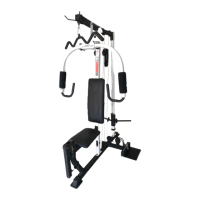
To usethe ButterflyArms (10, 11) as butterflyarms,
insertthe Locking Pins (53) intothe butterflyholes in
the Front Upright(6).
To usethe ButterflyArms (10, 11) as press arms,
insertthe Locking Pins (53) intothe press holes in the
ButterflyFrame (9).
Make sure that the Locldng Plns (53) are fully
Inserted Into the same set of holes before per-
formlng any exerclses.
I
Weight
Butterfly
Holes
Weight
Weight
20
15


 To Next Page