13
6
7
18
ADJUSTMENT
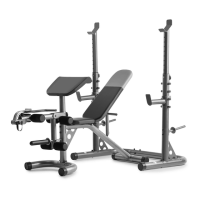
The weight bench is designed to be used with your own weight set (not included). The steps below explain how
you can adjust the weight bench. Refer to the accompanying exercise guide to see the correct form for several
exercises.
Make sure that all parts are properly tightened each time you use the weight bench. Replace any worn parts
immediately. The weight bench can be cleaned with a damp cloth and a mild, non-abrasive detergent. Do not
use solvents to clean the weight bench.
17
12
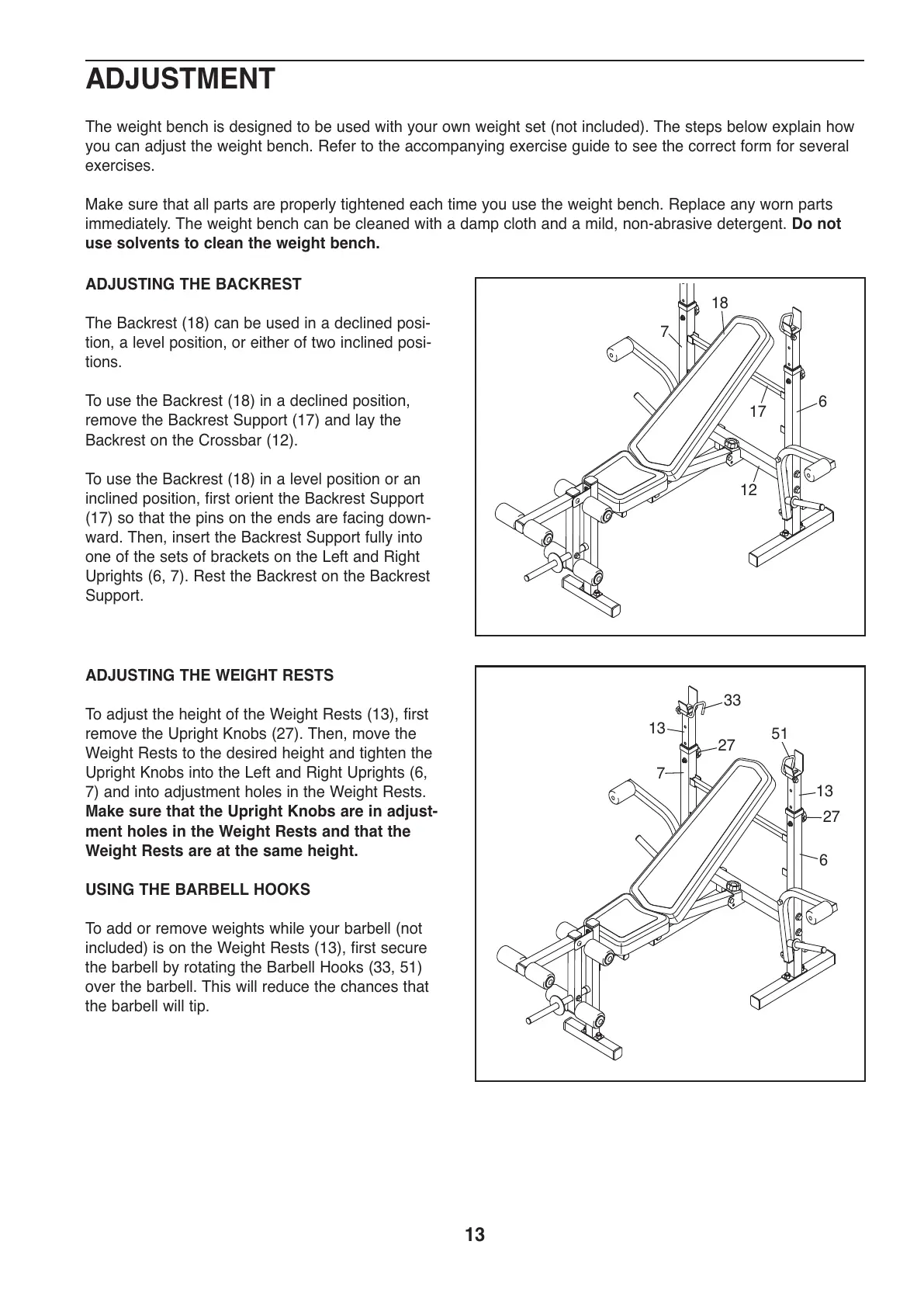
ADJUSTING THE WEIGHT RESTS
To adjust the height of the Weight Rests (13), first
remove the Upright Knobs (27). Then, move the
Weight Rests to the desired height and tighten the
Upright Knobs into the Left and Right Uprights (6,
7) and into adjustment holes in the Weight Rests.
Make sure that the Upright Knobs are in adjust-
ment holes in the Weight Rests and that the
Weight Rests are at the same height.
USING THE BARBELL HOOKS
To add or remove weights while your barbell (not
included) is on the Weight Rests (13), first secure
the barbell by rotating the Barbell Hooks (33, 51)
over the barbell. This will reduce the chances that
the barbell will tip.
33
51
13
27
27
13
7
6
ADJUSTING THE BACKREST
The Backrest (18) can be used in a declined posi-
tion, a level position, or either of two inclined posi-
tions.
To use the Backrest (18) in a declined position,
remove the Backrest Support (17) and lay the
Backrest on the Crossbar (12).
To use the Backrest (18) in a level position or an
inclined position, first orient the Backrest Support
(17) so that the pins on the ends are facing down-
ward. Then, insert the Backrest Support fully into
one of the sets of brackets on the Left and Right
Uprights (6, 7). Rest the Backrest on the Backrest
Support.





 To Next Page