Setup
52 1449820000/1.4/04.17
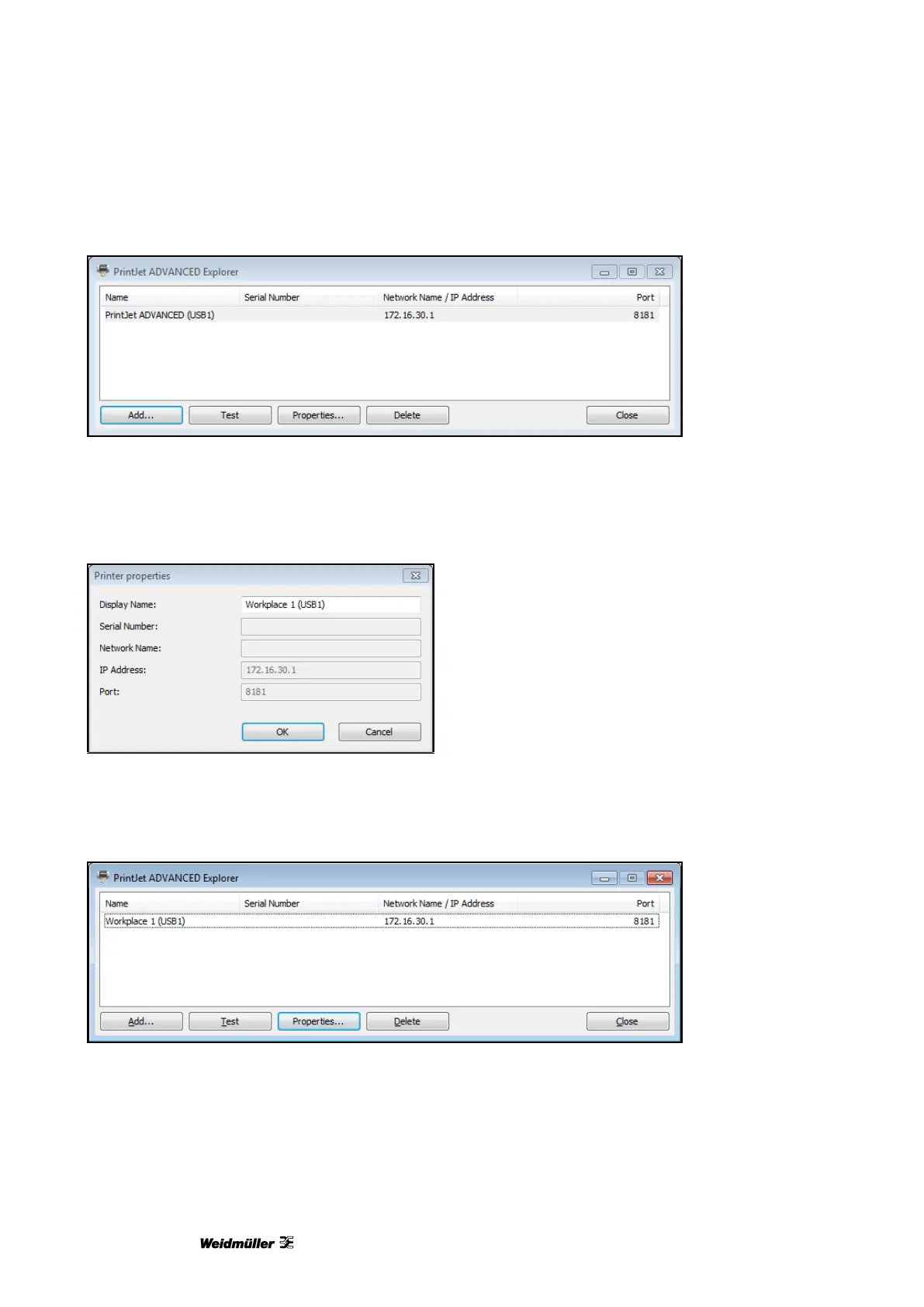
Figure 48 PrintJet ADVANCED Explorer
3 If you want to change the printer name, click the [Properties...] button. This changed printer name is then
displayed in M-Print® PRO.
Figure 49 Changing the printer name
4 Enter the printer name required for M-Print® PRO, for example PJA Workplace 1 (USB1).
5 Confirm your inputs with [OK].
The changed name PJA Workplace 1 (USB1) is displayed in the Explorer.
Figure 50 Changed printer name
You can remove the highlighted printer from the list with the [Delete] button. You can add this printer again at
any time.
You exit the dialog box with the [Close] button.
You can check whether the printer highlighted in the list is connected and accessible with the [Test] button.


 To Next Page